Fastboot panel of ah xiaomi multi tool with bootloader unlock slot selection and edl mode
If You’ve Ever Sat With A Dead Or Stuck Xiaomi Phone And Ten Different Tools Open On Your Screen You Know How Stressful This Work Can Get. One Tool Needs Auth Another Fails On Frp And A Third Crashes Halfway Through Flashing. After A Few Bad Tries You Just Want Something Simple That Actually Understands Xiaomi Devices. That’s Usually The Moment You Start Searching For Ah Xiaomi Multi Tool And Hoping It Can Save The Day.
In This Blog I’ll Walk You Through What This Tool Really Offers And How You Can Use It Without Feeling Lost. You’ll See How Its Flash Options Partition Table Area Bypass Auth Features Security Tools And Fastboot Functions Fit Into Real Repair Jobs. I’ll Also Explain Where Things Like Factory Reset Without Auth Frp Reset Efs Backup And Fastboot To Edl Make Your Life Easier. By The End You Should Know Whether Ah Xiaomi Multi Tool Is The Right Partner For Your Xiaomi Repair Bench.
Contents
What Is The Ah Xiaomi Multi Tool
If You Repair Xiaomi Phones Often You Already Know How Tiring It Is To Jump Between Different Tools For Flashing Frp Micloud And Bootloader Work. Ah Xiaomi Multi Tool Is Built To Put Most Of Those Daily Jobs Into One Simple Program. It Helps You Handle Mtk And Qualcomm Devices Work In Fastboot Mode And Deal With Account And Lock Issues From A Single Window.
For Many Technicians It Becomes An All‑in‑one Solution That Saves Time And Reduces Mistakes. Inside The Tool You’ll See Clear Tabs For Flash Security Qualcomm And Fastboot. In The Flash Area You Can Check The Partition Table Area View Blocks Each Partition Its Start Sector Partition Size And The Linked Filename.
Advanced Options Like Da Gent Auth Mtk V5 Mtk V6 Da Server Auto Auth File Da Universal Rebuild Pgpt Dump Preloader Bypass Auth Crash Brom And Bypass Auth2 Give You Strong Control Over Mtk Devices. With Simple Action Buttons For Flash Read Format Read Gpt And Reboot The Tool Turns Complex Low‑level Work Into A Few Careful Clicks.
Download The Ah Xiaomi Multi Tool Latest Versoin
Before You Can Use Ah Xiaomi Multi Tool You Need To Download The Latest Versoin From A Trusted Place. It’s Always Safer To Get It From Well‑known Gsm Forums Official Developer Threads Or Respected Repair Groups Instead Of Random Links. Check User Comments Version Numbers And Change Logs So You Know What’s New What Was Fixed And Which Xiaomi Models Are Better Supported.
Keep The Downloaded Zip Or Installer In A Special “tools” Folder On Your Pc So You Can Update Or Replace It Easily In The Future. Once The File Is On Your Computer Extract It With A Program Like Winrar Or 7‑zip And Read Any Text File That Comes With It. Some Versions Of The Tool Run As A Portable App While Others Need A Quick Installation.
Make Sure You Already Have Proper Drivers Installed Including Standard Android Drivers Mtk Drivers Qualcomm Drivers And Mi Assistant Drivers Where Needed. When Everything Is Ready You Can Launch Ah Xiaomi Multi Tool Connect A Xiaomi Phone And Start Using Its Flash Security Qualcomm And Fastboot Options For Real Repair Work.
Features:
MediaTek V5/V6
Flash:
Partition Table Area
- Blocks
- Partition
- Start Sector
- Partition Size
- Filename
Exrta
- Da Gent
- Auth
- Mtk V5
- Mtk V6
- Write
- Da Server
- Auto Auth File
- Da Universal
- Unpatch
- Rebuild Pgpt
- Dump Preloader
- Bypass Auth
- Auto Reboot
- Crash Brom
- Bypass Auth2
Action Buttons
- Flash
- Read
- Format
- Read Gpt
- Reboot

Ah xiaomi multi tool mtk v5/v6 flashing da auth auto reboot and server connection status.
Security:
- Reset +frp+ Micloud
- Restore Nv
- Relock Bl
- Frp
- Read Rpmb
- Ubl
- Micloud Frp
- Write Rpmb
- Erase Nv
- Backup Nv
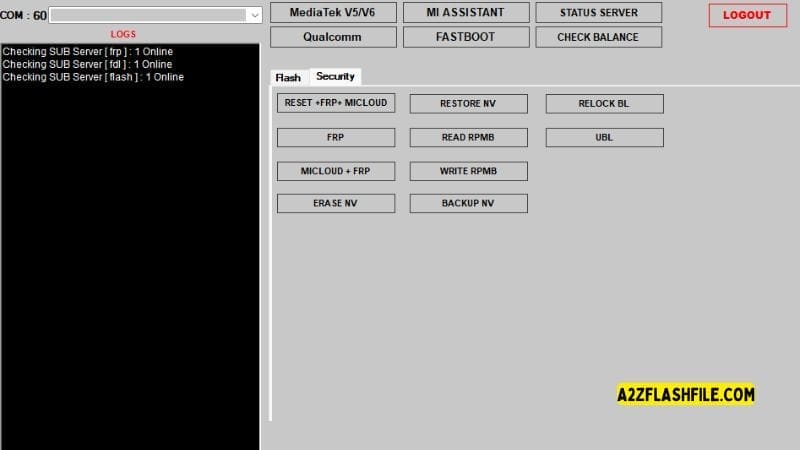
Ah xiaomi multi tool dashboard displaying mtk v5/v6 flashing da auth
Mi Assistant
- Factory Reset(without Auth)
- Frp Reset(assistant Mode)
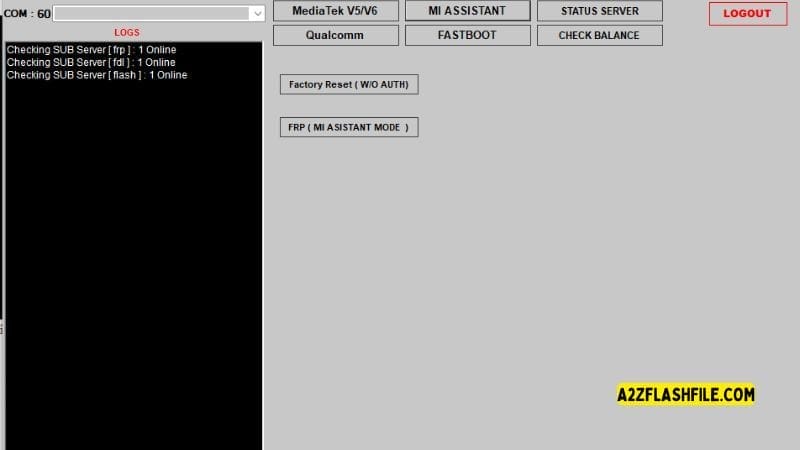
Mi assistant section of ah xiaomi multi tool with factory reset (without auth) and frp
Status Server
- Factory Reset(without Auth)
- Frp Reset(assistant Mode)
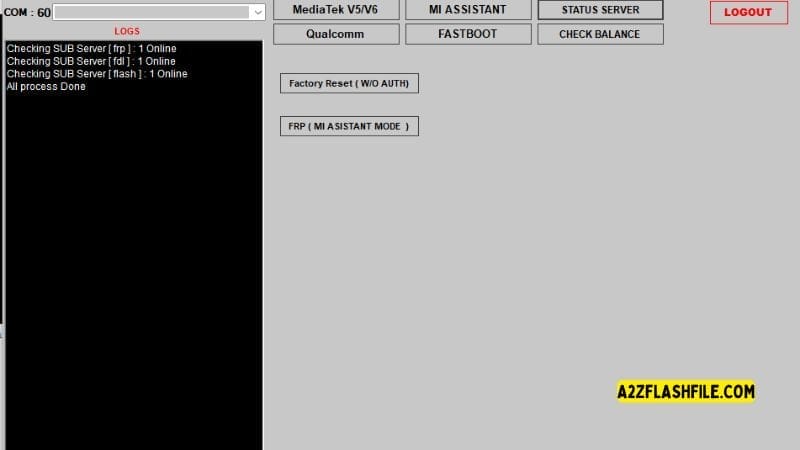
Ah xiaomi multi tool mi assistant mode
Qualcomm
Flash
Partition Option
- Lun
- Blocks
- Partition
- Start Sector
- Partition Size
- Filename
Extra
- Select Firmware
- Auto Loader
- Skip Auth
- Browse Loader
- Server
- Auto Reboot
Action Buttons
- Flash
- Read
- Read Gpt
- Erase
- Reboot
- Set Config
- Set Boot
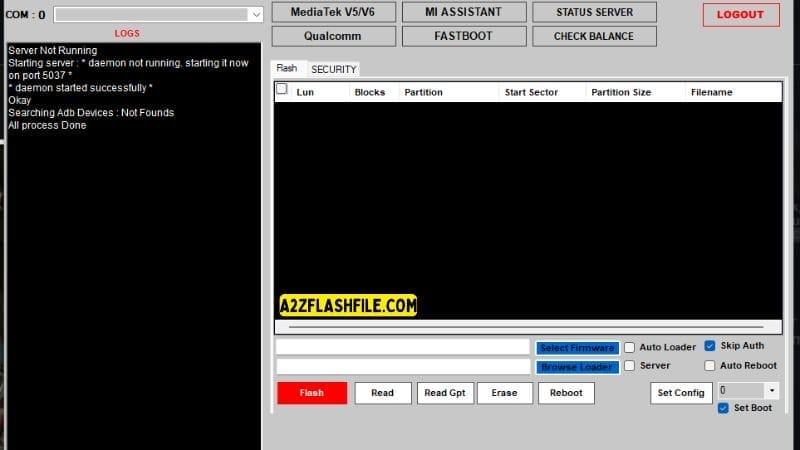
Ah xiaomi multi tool screen displaying adb daemon startup flashing controls and security
Security:
- Factory Reset
- Frp
- Backup Efs
- Erase Efs
- Disable Micloud
- Restore Efs
- Micloud
- Patch Soon
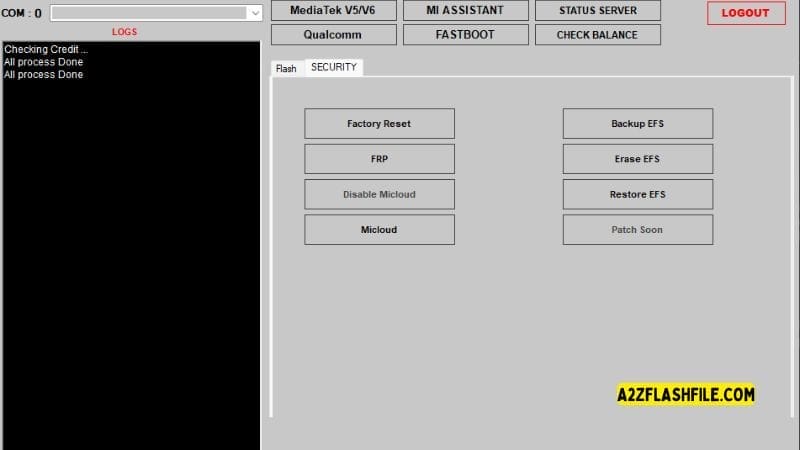
Security section of ah xiaomi multi tool with frp micloud and efs backup/ restore
Fastboot
- Unlock Bootloader
- Set Slot-a
- Fastboot To Edl
- Set Slot-b
- Check Balance
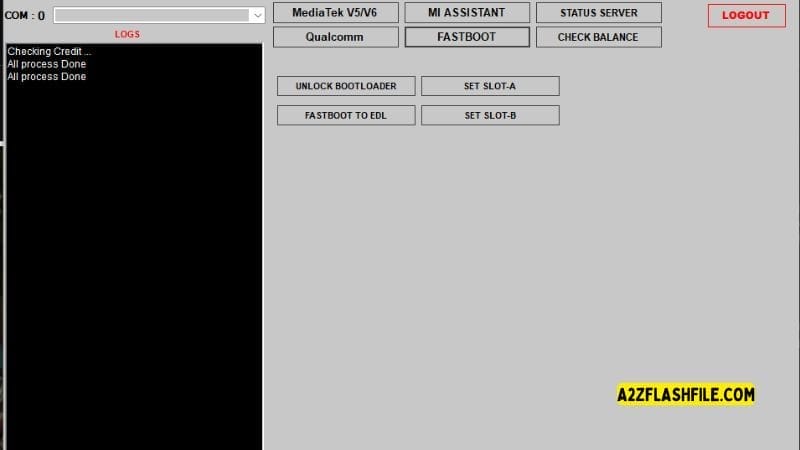
Fastboot panel of ah xiaomi multi tool with bootloader unlock slot selection and edl mode
Supported Xiaomi Devices And Chipsets
Ah Xiaomi Multi Tool Is Mainly Designed For Xiaomi Phones That Use Mediatek And Qualcomm Chipsets. On The Mtk Side It Works With Devices That Support Da Gent Mtk V5 Mtk V6 And Related Loaders Often With The Help Of Da Server Auto Auth File Or Da Universal. This Means Many Budget And Mid‑range Xiaomi Models Can Be Handled For Flashing And Formatting.
On The Qualcomm Side The Tool Focuses On Models That Work With Auto Loader Skip Auth And Custom Loaders Which Covers A Wide Range Of Redmi Poco And Mi Devices. Fastboot And Security Features Extend Support Even Further. As Long As The Phone Can Enter Fastboot Mode Or Be Detected In The Correct Flashing State There’s A Good Chance Ah Xiaomi Multi Tool Can Interact With It.
Of Course Not Every Single Model Or New Security Patch Is Perfectly Supported So It’s Wise To Check User Feedback Or Test On Non‑critical Devices First. Still For Many Technicians The Mix Of Mtk Qualcomm And Fastboot Coverage Is Wide Enough To Make This Tool A Regular Part Of Their Xiaomi Workflow.
Common Errors And Fixes In Ah Xiaomi Multi Tool
Like Any Serious Flashing Utility Ah Xiaomi Multi Tool Can Throw Errors When Something Isn’t Right. You Might See Problems Related To Wrong Loaders Failed Auth Missing Drivers Or Mismatched Firmware Files. In Many Cases Checking The View Log (if Available In Your Build) Or Watching The Status Messages During Flash Read Or Read Gpt Will Point You To The Exact Step That Failed.
Often The Fix Is As Simple As Changing The Loader Enabling Or Disabling Skip Auth Or Re‑installing Drivers. Another Common Issue Is Devices Disconnecting During Flashing Which Is Usually Caused By Bad Usb Cables Ports Or Power Management On The Pc. Using A Short Good‑quality Cable And Turning Off Usb Power Saving In Windows Helps A Lot.
If Partitions Won’t Write Correctly Checking The Partition Table Area Blocks And Start Sector Can Reveal That The File Doesn’t Match The Target Layout. Over Time You’ll Learn To Read These Clues Quickly And Ah Xiaomi Multi Tool’s Clear Structure Makes That Learning Curve Easier.
Pros And Cons Of Ah Xiaomi Multi Tool
Ah Xiaomi Multi Tool Has Many Strong Points That Make It Attractive To Xiaomi Technicians. It Combines Mtk Qualcomm Security And Fastboot Features Into One Program So You Don’t Have To Keep Swapping Tools. The Interface Exposes Advanced Functions Like Bypass Auth Dump Preloader Backup Nv Disable Micloud And Slot Control Without Needing Long Command Lines.
For Many Users This Mix Of Power And Simplicity Is Exactly What They’ve Been Looking For. On The Other Hand It’s Still A Specialist Tool So Beginners May Feel Overwhelmed At First By Options Like Blocks Sectors And Rpmb.
Support For Very New Models Or Security Patches Can Sometimes Lag Behind And You Still Need Good Drivers And Some Basic Flashing Knowledge To Avoid Mistakes. Also Because It Deals With Critical Areas Like Efs And Nv A Wrong Click Can Cause Serious Problems If You Ignore Backup Steps. Understanding These Pros And Cons Helps You Decide How And When To Use The Tool In Your Own Workflow.
Final Verdict On Ah Xiaomi Multi Tool
Ah Xiaomi Multi Tool Is A Strong Choice For Anyone Who Spends A Lot Of Time Repairing Xiaomi Phones. It Brings Together Flashing Security Qualcomm Mtk Fastboot And Backup Options In A Way That Fits Real Repair Jobs Rather Than Just Theory. Such As Partition Table Area Control Bypass Auth Reset +frp+ Micloud Factory Reset(Without Auth) Backup Nv Backup Efs And Fastboot Slot Tools Make It Useful Both For Simple Fixes And For Deeper Recovery Work.
With The Right Drivers Careful Backups And A Bit Of Practice It Can Turn Long Stressful Repairs Into More Routine Tasks. Of Course No Tool Is Perfect And You Still Need To Learn How Partitions Loaders And Security Systems Work To Use It Safely.
But If You’re Looking For A Central Program To Handle Most Xiaomi Software Problems This One Deserves A Serious Look. Used With Respect And Patience Ah Xiaomi Multi Tool Can Become One Of The Most Important Apps On Your Repair Computer And Help You Return More Working Phones To Your Customers Every Day.
How To Download
To Download AH Xiaomi Multi Tool Follow These Steps:
- Go To The A2zflashfile.com Website Of AH Xiaomi Multi Tool.
- Find The Download Page And Don’t Click Button And Click Only The (Download Link)
- Below Buttons Are Advertisements. Please Use The Download Links Above.
- Wait For The Download To Complete.
- Locate The Downloaded File On Your Device Once The Download
AH Xiaomi Multi Tool
Download Link:: Usersdrive – Mediafire – 4shared – My.pcloud – DropBox – Mega – Vexfile – Google Drive