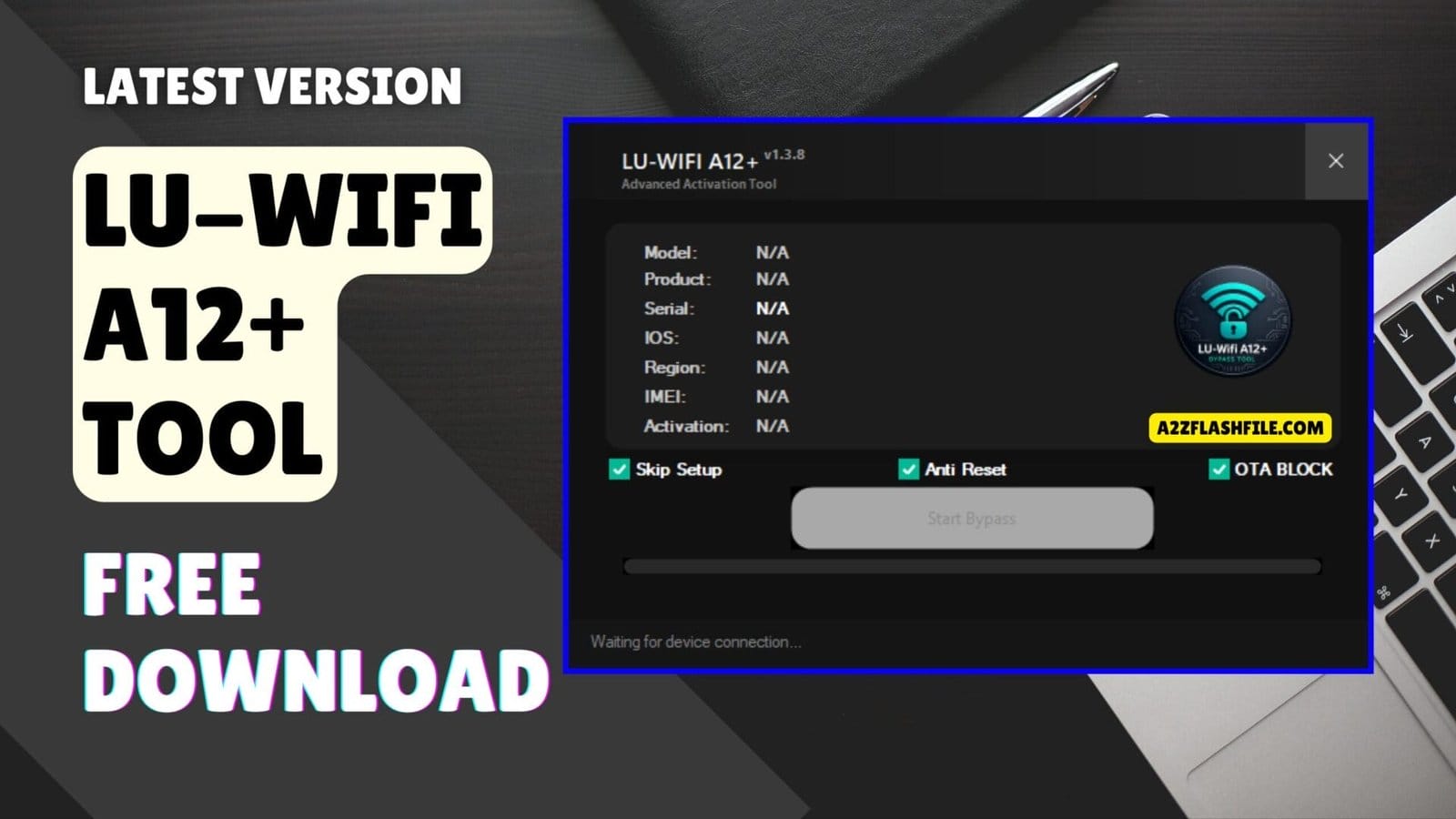
Lu-wifi a12+ advanced activation tool with bypass ota block and anti-reset
Staring At An Activation Lock Screen On A Phone You Just Bought Is Honestly The Worst Feeling. You Feel Like You Just Threw Your Hard-earned Money Away On A Useless Brick. Trying To Find A Real Bypass Method Online Usually Just Gives You Massive Headaches. We All Just Want A Straight Answer Without The Extra Runaround Today.
This Is Where The Lu-wifi A12+ Tool Actually Changes Things For Guys Stuck In This Mess. I Am Going To Show You How It Handles Those Annoying Activation Issues Without Any Weird Jailbreaks. Just Keep Reading To See How It Works On Newer Setups Up To Ios 26.1 Safely. You Will Finally Get Your Apple Device Back To Normal In No Time.
Contents
What Is The Lu-wifi A12+ Tool
The Lu-wifi A12+ Tool Acts Like A Digital Key For Locked Apple Devices Sitting In Your Repair Shop. It Features A Clean And Simple Interface Providing An Easy Layout So Users Can Understand It Quickly. You Do Not Need To Be A Coding Genius To Figure Out The Menus. It Also Includes A Handy Device Support Checker That Lets You Check If Your Device Is Supported First.
Many Technicians Use This Program To Handle Tricky Tablets That Refuse To Activate Normally. The Checkm8 Ipad Support Added In This Version Makes Fixing Those Older Tablets Super Easy. The Whole Process Runs Smoothly Without Asking For Expensive Paid Server Credits. You Just Plug The Device Into Your Computer And Let The Software Do The Heavy Lifting.
Download The Lu-wifi A12+ Tool Latest Versoin
Getting The Newest Setup Ensures You Beat The Latest Apple Security Updates Without Failing. This Latest Release Guarantees Better Stability Because It Runs Smoother With Fewer Errors Than Older Builds. You Simply Grab The Installer File And Set Up Your Standard Apple Usb Drivers. Everyone Loves A Free Solution That Actually Delivers Real Results On The Test Bench.
The Developers Successfully Fixed Support Checker And Icloud Login Issue Inside The Tool Recently. This Means You Will Not Face Random Crashes When Trying To Connect An Apple Account. You Will Also Notice The Interface Refreshed With Better Speed And Stability Makes Daily Tasks Feel Much Faster. Downloading This Specific Software Update Is Definitely A Smart Move For Your Shop.
Jailbreak-free Bypassing & Supported Ios Versions
You Always Want A Bypass Method That Covers The Widest Range Of Apple Software Updates. This Utility Works With Many Ios Versions Because It Supports Ios 15 Up To Ios 26.1 Flawlessly. It Even Brings Support For Bypass Without Jailbreak (iphone 6s To Iphone X) Right Now. You Skip The Confusing Checkra1n Steps And Just Get Straight To The Actual Unlock Process.
Bug Fixes & Improved Software Stability
Handling A Locked Phone Without Network Access Is Usually A Huge Pain For Shop Owners. The New No Signal Bypass Support Added Here Totally Fixes That Annoying Problem. You Can Easily Push Past The Setup Screen And Get The Phone To The Main Menu. Your Customer Gets A Working Media Device Back And You Make A Solid Profit.
Features Of Lu-wifi A12+
- Activation Bypass Support – Helps Bypass Activation Issues On Supported Devices.
- Works With Many Ios Versions – Supports Ios 15 Up To Ios 26.1.
- Clean And Simple Interface – Easy Layout So Users Can Understand It Quickly.
- Device Support Checker – Lets You Check If Your Device Is Supported First.
- Better Stability – Runs Smoother With Fewer Errors.
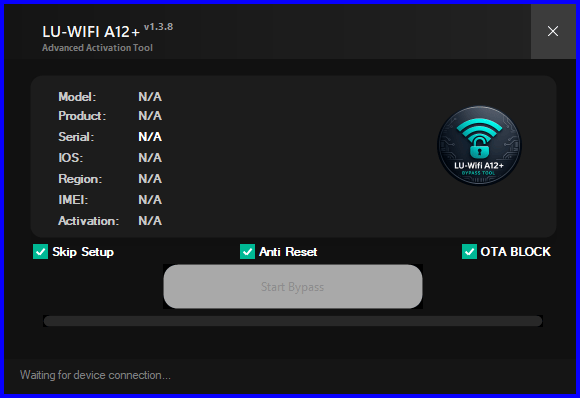
Lu-wifi a12+ advanced activation tool for bypass anti-reset protection and ota block features.
What’s New
- New No Signal Bypass Support Added.
- Support For Bypass Without Jailbreak (iphone 6s To Iphone X).
- Checkm8 Ipad Support Added.
- Fixed Support Checker And Icloud Login Issue Inside The Tool.
- Interface Refreshed With Better Speed And Stability.
Preparing Your Apple Device For The Bypass
Getting A Locked Iphone Ready For The Software Takes Only A Few Minutes In Your Shop. You Must Always Use A High-quality Usb Cable To Avoid Sudden Connection Drops. The Program Needs A Stable Link To Read The Internal Memory Correctly. A Bad Cable Will Definitely Cause The Process To Fail Halfway Through. Just Plug The Phone Directly Into The Back Of Your Computer Motherboard For The Best Results.
You Should Also Make Sure Your Windows Pc Has All The Latest Apple Drivers Installed. Missing Drivers Will Stop The Device Support Checker From Recognizing The Connected Handset. The Software Automatically Scans The Firmware To See If It Matches The Supported Ios Versions. It Tells You Immediately If The Current Setup Is Safe To Bypass. This Built-in Safety Check Honestly Prevents A Lot Of Unnecessary Headaches During Busy Workdays.
Why Technicians Prefer This Free Bypass Solution
Paying For Premium Server Credits Every Single Time A Locked Ipad Walks In Gets Really Expensive. Most Customers Refuse To Pay High Repair Bills For Older Models Like The Iphone 7. This Free Utility Gives You A Massive Advantage Over Other Local Repair Shops. You Keep All The Profit Instead Of Sending Money To Sketchy Third-party Unlock Websites. It Basically Turns A Completely Dead Device Into A Fully Functional Media Player Again.
Guys Also Love How Fast The Developers Push Out New Bug Fixes For The Community. Older Programs Used To Crash Constantly Whenever Apple Dropped A Minor Security Patch. This Specific Build Handles Those Annoying Icloud Login Issues Without Freezing Your Entire Computer. You Can Confidently Take In Locked Devices Knowing The Software Will Not Let You Down. It Is Definitely A Must-have Tool For Any Serious Mobile Technician Today.
Frequently Asked Questions (FAQs)
Does The Lu-wifi A12+ Tool Support Newer Ios Updates?
It Officially Supports Many Apple Devices Running Ios 15 Up To Ios 26.1 Safely. You Should Always Use The Built-in Checker To Verify Your Exact Firmware First.
Do I Need To Jailbreak My Iphone Before Using This Software?
No You Actually Get Full Support For Bypass Without Jailbreak For Iphone 6s To Iphone X. This Saves You From Running Confusing Checkra1n Commands On Your Computer.
Can I Use This Utility To Unlock An Older Apple Tablet?
Yes The Latest Version Finally Includes Checkm8 Ipad Support For Technicians. You Can Easily Bypass Activation Locks On Those Older Tablet Models Now.
Will My Bypassed Phone Get A Cellular Network Signal?
The Developer Recently Added New No Signal Bypass Support To The Tool. This Means The Phone Works Perfectly As A Media Device But Will Not Make Regular Calls.
How Do I Fix The Icloud Login Crash From Older Versions?
You Just Need To Download This Newest Update Because They Fixed The Icloud Login Issue Completely. The Software Interface Feels Much Faster With Better Stability Overall.
Conclusion
Dealing With A Locked Iphone Does Not Have To Ruin Your Entire Workday Anymore. The Lu-wifi A12+ Tool Gives You Everything Needed To Handle Tough Activation Locks Easily. You Get A Clean Interface And Wide Device Support Without Paying For Sketchy Online Services. Stop Wasting Your Valuable Time On Fake Tutorials That Just Waste Your Bandwidth. Your Daily Mobile Repair Workflow Will Honestly Never Look The Exact Same Again.
How To Download
To Download Lu-wifi A12+ Tool Follow These Steps:
- Go To The A2zflashfile.com Website Of Lu-wifi A12+ Tool
- Find The Download Page And Don’t Click Button And Click Only The (Download Link)
- Below Buttons Are Advertisements. Please Use The Download Links Above.
- Wait For The Download To Complete.
- Locate The Downloaded File On Your Device Once The Download
Download Link:: Usersdrive – Mediafire – 4shared – My.pcloud – DropBox – Mega – Vexfile – Google Drive