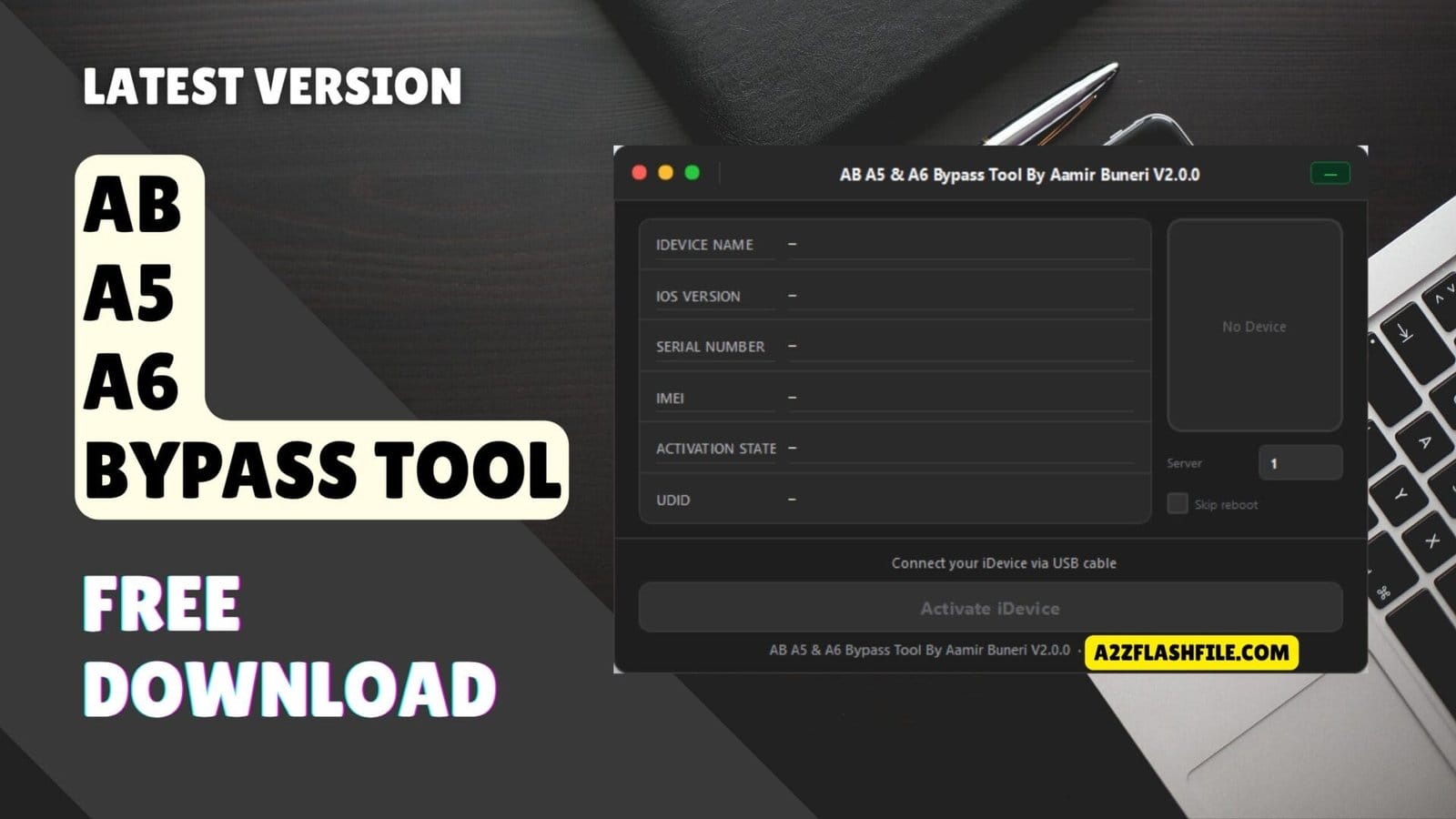
Easily remove the icloud activation lock on your a5 and a6 apple devices with a simple one-click bypass.
There Is Nothing Quite As Frustrating As Finding An Old Iphone Or Ipad Tucked Away In A Drawer Only To Realize It’s Completely Locked Out By An Old Icloud Account You Can’t Remember. You Know The Device Is Yours But Without The Right Password That Perfectly Good Piece Of Tech Just Feels Like A Useless Brick. It Is Honestly Exhausting Spending Hours Searching Online For A Real Fix Only To Run Into Confusing Tutorials Or Methods That Just Don’t Work.
Thankfully Bringing Those Classic Devices Back To Life Is Actually Much Simpler Than It Seems. In This Post We Are Going To Walk You Through Everything You Need To Know About The [ab A5 & A6 Bypass Tool] An Untethered Icloud Bypass That Features A True One-click Bypass. Because It Directly Supports A5 And A6 Devices I’ll Show You Exactly How This Windows Tool Is Incredibly Easy To Use And Delivers A Stable Bypass For All The Devices That Work Including The Iphone 5 Iphone 5c Ipad 4th Generation Iphone 4s Ipad 2 Ipad Mini 1 Ipad 3 Ipod Touch 5 And Apple Tv 3.
Contents
What Is The Ab A5 & A6 Bypass Tool
If You’ve Ever Dealt With Older Apple Hardware You Know How Annoying A Locked Activation Screen Can Be. The Ab A5 & A6 Bypass Tool Is Basically A Lightweight Windows Tool Built Specifically To Strip Those Icloud Locks Off Older Models. The Biggest Deal Here Is That It Gives You A Real Untethered Icloud Bypass. That Means If The Phone’s Battery Dies Or You Have To Restart It The Device Stays Completely Unlocked—you Don’t Have To Plug It Back Into A Pc Every Time It Reboots.
You Also Don’t Need Any Advanced Technical Skills To Figure It Out. It Relies On A Straightforward One-click Bypass System That Makes It Genuinely Easy To Use Whether You Run A Repair Shop Or Just Want To Fix Your Own Phone At Home. Just Plug It In And Let The Program Do The Work. The Main Reason People Look For This Specific Utility Is That It Delivers A Highly Stable Bypass. It Won’t Randomly Crash The Device Or Aggressively Drain Your Battery In The Background.
Because It Directly Supports A5 And A6 Devices It Covers A Lot Of Legacy Models That Newer Unlocking Software Completely Ignores. This Gives You A Solid Way To Rescue That Old Hardware Sitting In A Drawer And Actually Get Some Use Out Of It. The Whole Process Takes Just A Few Minutes And Once It Finishes You Can Connect To Wi-fi Download Basic Apps And Use The Device Without Getting Stuck On The Setup Screen.
Also Read
Download The Ab A5 & A6 Bypass Tool Latest Version
You Can Safely Download The Latest Release Of The Tool Right Now And Start Bypassing. Before You Jump In Though You Should Verify The Exact Devices That Work With This Current Version. Right Now The Compatibility List Covers The Classic Iphone 4s The Standard Iphone 5 And The Iphone 5c. If You Are Trying To Unlock A Tablet Instead The Software Runs Smoothly On The Ipad 2 The Ipad 3 And The Ipad 4th Generation. You Can Even Unlock An Icloud-locked Ipad Mini 1 With Just A Single Click.
The Tool Isn’t Strictly Limited To Phones And Tablets Either. This Software Release Also Supports A Few Older Media Devices. You Can Easily Unlock A Locked Ipod Touch 5 To Get Your Offline Music Library Back Or Even Revive An Apple Tv 3 If You Want To Set It Up In Your Living Room. All You Need On Hand Is A Standard Usb Cable To Connect The Apple Hardware To Your Pc. Once The Download Finishes Just Extract The Zip Folder Run The Application As An Administrator And You Are Good To Go.
Features
- Untethered Icloud Bypass
- One-click Bypass
- Supports A5 And A6 Devices
- Windows Tool
- Easy To Use
- Stable Bypass
Devices That Work
- iPhone 5
- iPhone 5c
- iPad 4th Generation
- iPhone 4S
- iPad 2
- iPad Mini 1
- iPad 3
- iPod Touch 5
- Apple TV 3
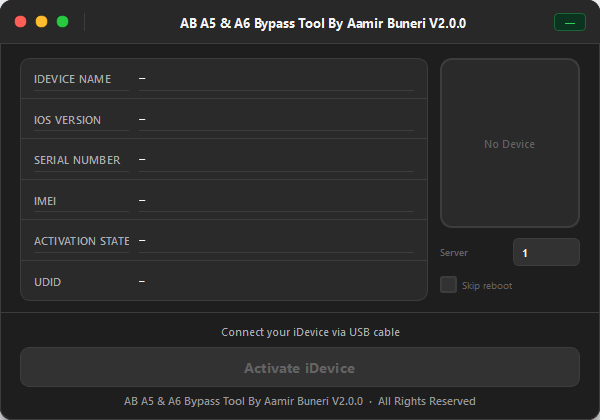
Easily remove icloud locks with the one-click ab a5 & a6 bypass tool.
Common Issues And Troubleshooting Steps
Even With A Straightforward Program You Might Run Into A Few Minor Hiccups Along The Way. The Most Common Problem People Face Is The Tool Failing To Read The Connected Device. If Your Phone Or Tablet Isn’t Showing Up On The Dashboard You Probably Just Need To Update Your Apple Usb Drivers. Installing The Latest Version Of Itunes Usually Fixes This Instantly Because It Automatically Installs The Correct Drivers For A5 And A6 Hardware. Once Installed Simply Close The Program Reconnect Your Usb Cable And Launch The Tool Again.
Another Issue You Might Encounter Is The Software Freezing Or Getting Stuck At A Specific Percentage During The Bypass. This Usually Happens If Your Internet Connection Drops Or If A Background Windows Process Interrupts The Tool. If The Progress Bar Hangs For More Than Ten Minutes Do Not Panic. Safely Disconnect Your Device Close The Software Completely And Restart Your Computer. Relaunch The Program With A Stable Wi-fi Connection And The Bypass Should Complete Smoothly Without Any Further Delays.
Frequently Asked Questions (FAQs)
Can I Use This Tool To Unlock An Iphone 6 Or Newer?
No You Can’t. This Specific Software Is Built Strictly For A5 And A6 Processors. If You Try To Plug In Anything Newer Than An Iphone 5c The Program Simply Won’t Recognize It. You Will Need To Look For A Different Tool That Supports Newer Ios Versions And Chips.
Will The Device Lock Again If My Battery Dies?
Not At All. Because This Is An Untethered Bypass The Unlock Sticks Even After A Full System Reboot Or A Completely Dead Battery. You Can Turn The Device On And Off As Much As You Want. Just Keep In Mind That Doing A Full Factory Restore Through Itunes Will Likely Bring The Icloud Lock Right Back.
Can I Put A Sim Card In And Make Regular Phone Calls?
Honestly It Depends On Your Exact Model But Generally This Tool Is Meant To Get The Device Working On Wi-fi Again. You Will Have Full Access To The Internet Basic Apps And Your Media. However Getting A Stable Network Signal For Regular Cellular Calls Isn’t Always Guaranteed On Bypassed Legacy Hardware.
Is There A Mac Version Of This Software Available?
Right Now This Release Is Exclusively A Windows Tool. It Works Great On Windows 10 And 11 But There Is No Native App For Macos. If You Only Have A Macbook Your Best Bet Is To Either Borrow A Friend’s Windows Pc For A Few Minutes Or Run Windows Through Bootcamp To Use The Software.
Conclusion
There Is No Reason To Let Your Old Apple Gear Gather Dust Anymore. The Ab A5 & A6 Bypass Tool Is A Reliable Windows Utility That Offers A True Untethered Bypass And Is Genuinely Easy To Use. You Get A Highly Stable Bypass Through A Simple One-click Process. Because It Directly Supports A5 And A6 Devices The Devices That Work Include The Iphone 5 Iphone 5c And Iphone 4s Along With Tablets Like The Ipad 4th Generation Ipad 2 Ipad Mini 1 And Ipad 3. Just Download The Software Plug In Your Locked Hardware And Bring Your Classic Devices Back To Life Today!
How To Download
To Download AB A5 & A6 Bypass Tool Follow These Steps:
- Go To The A2zflashfile.com Website Of AB A5 & A6 Bypass Tool.
- Find The Download Page And Don’t Click Button And Click Only The (Download Link)
- Below Buttons Are Advertisements. Please Use The Download Links Above.
- Wait For The Download To Complete.
- Locate The Downloaded File On Your Device Once The Download
AB A5 & A6 Bypass Tool by Aamir Buneri
Download Link:: Usersdrive – Mediafire – 4shared – My.pcloud – Mega – Vexfile – Google Drive – Drive Proton