
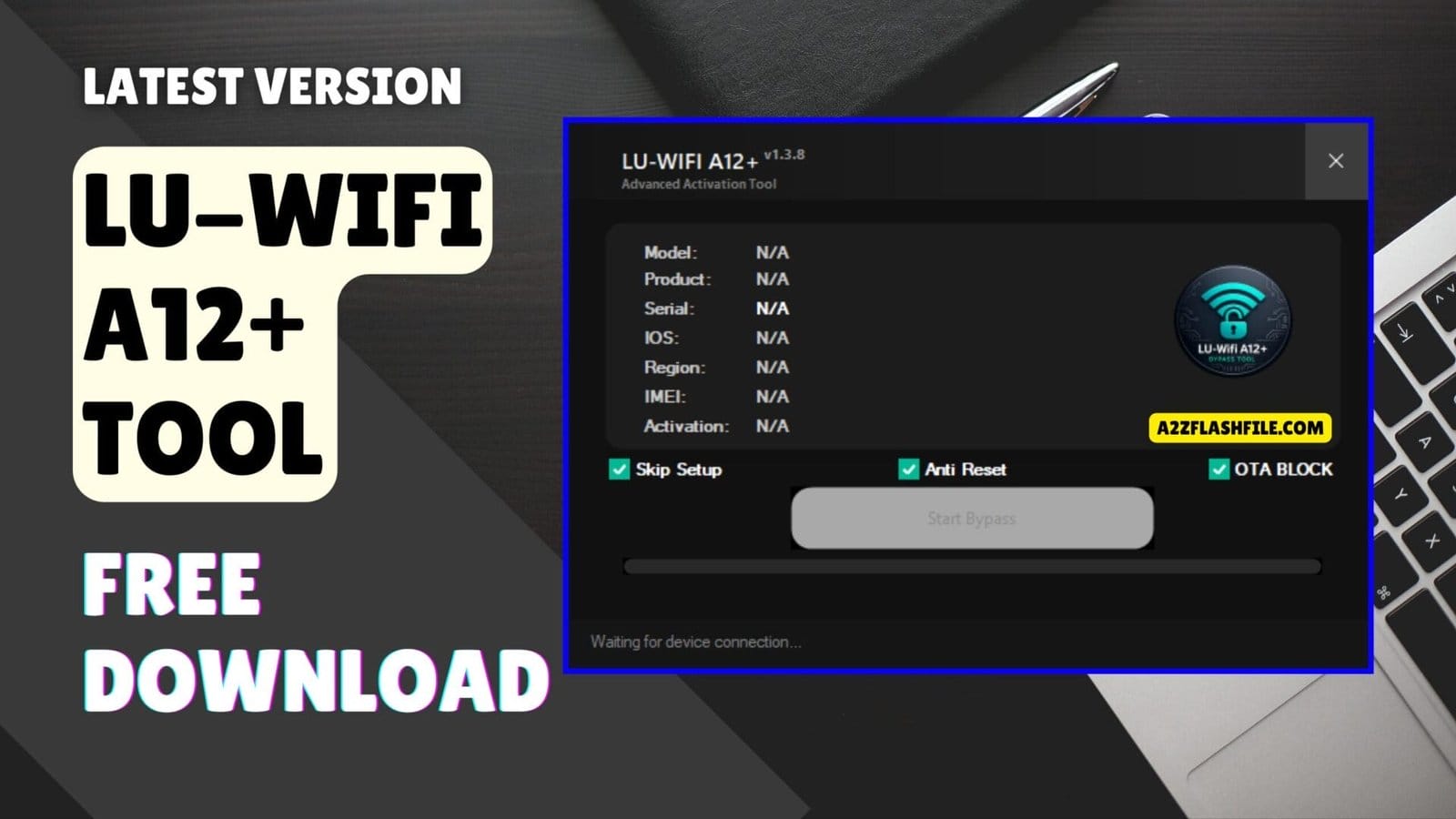
Lu-wifi a12+ advanced activation tool with bypass ota block and anti-reset
Staring At An Activation Lock Screen On A Phone You Just Bought Is Honestly The Worst Feeling. You Feel Like You Just Threw Your Hard-earned Money Away On A Useless Brick. Trying To Find A Real Bypass Method Online Usually Just Gives You Massive Headaches. We All Just Want A Straight Answer Without The Extra Runaround Today.
This Is Where The Lu-wifi A12+ Tool Actually Changes Things For Guys Stuck In This Mess. I Am Going To Show You How It Handles Those Annoying Activation Issues Without Any Weird Jailbreaks. Just Keep Reading To See How It Works On Newer Setups Up To Ios 26.1 Safely. You Will Finally Get Your Apple Device Back To Normal In No Time.
What Is The Lu-wifi A12+ Tool And Why Does It Matter?
The Lu-wifi A12+ Tool Is A Windows-based Utility Designed Specifically For Iphones And Ipads Powered By Apple’s A12 Bionic Chip Or Later. Its Main Purpose Is Activation Bypass Helping You Get Past The Icloud Activation Lock Screen That Appears When A Device Has Been Reset Or Erased Without First Signing Out Of Apple Id. It Also Handles Certain Frp-related Scenarios And Tethered Bypass Situations Where The Device Needs An Ongoing Connection To Stay Unlocked.
Why Does This Matter? Because Activation Lock Is An All-or-nothing Gate. Without The Original Apple Id Credentials Even A Fully Functional Device Becomes A Paperweight. The Lu-wifi Tool Fills That Gap. It Doesn’t Require You To Know The Previous Owner’s Password. Instead It Works At The Firmware Level To Let The Device Reach A Usable State Giving You Access To Wi-fi Basic Apps And In Many Cases Full Functionality Depending On Your Ios Version.
Supported Devices — Does It Work on Your iPhone?
The Name Gives It Away: This Tool Targets A12 Chips And Above. That Covers A Significant Range Of Modern Apple Devices. Before You Download Anything Use The Built-in Device Support Checker To Confirm Compatibility. Here’s A Quick Reference Table:
| Device | Chip | Bypass Support |
|---|---|---|
| iPhone XS / XS Max / XR | A12 Bionic | ✅ Supported |
| iPhone 11 / 11 Pro / 11 Pro Max | A13 Bionic | ✅ Supported |
| iPhone 12 Series | A14 Bionic | ✅ Supported |
| iPhone 13 Series | A15 Bionic | ✅ Supported |
| iPhone 14 Series | A15 / A16 Bionic | ✅ Supported |
| iPhone 15 Series | A16 / A17 Pro | ✅ Supported |
| iPad (A12 and above) | Various | ✅ Supported |
| iPhone X / 8 Series | A11 Bionic | ❌ Not Supported |
If Your Device Has An A11 Chip Or Older The Lu-wifi A12+ Tool Won’t Work That’s Not A Bug It’s Just The Scope Of The Tool. For A11 Devices You’d Need A Different Utility. But For Anything A12 And Newer You’re In Good Hands.
One Thing Worth Noting: The Device Support Checker Inside The Tool Cross-references Your Device’s Ecid And Model Identifier In Real Time. That Means It Checks Against The Current Bypass Database Not A Static List. So Even If Your Device Isn’t On A Chart Somewhere The Checker Will Tell You Definitively Whether It’s Supported Right Now.
Also Read
Download The Lu-wifi A12+ Tool Latest Versoin
Getting The Newest Setup Ensures You Beat The Latest Apple Security Updates Without Failing. This Latest Release Guarantees Better Stability Because It Runs Smoother With Fewer Errors Than Older Builds. You Simply Grab The Installer File And Set Up Your Standard Apple Usb Drivers. Everyone Loves A Free Solution That Actually Delivers Real Results On The Test Bench.
The Developers Successfully Fixed Support Checker And Icloud Login Issue Inside The Tool Recently. This Means You Will Not Face Random Crashes When Trying To Connect An Apple Account. You Will Also Notice The Interface Refreshed With Better Speed And Stability Makes Daily Tasks Feel Much Faster. Downloading This Specific Software Update Is Definitely A Smart Move For Your Shop.
Jailbreak-free Bypassing & Supported Ios Versions
You Always Want A Bypass Method That Covers The Widest Range Of Apple Software Updates. This Utility Works With Many Ios Versions Because It Supports Ios 15 Up To Ios 26.1 Flawlessly. It Even Brings Support For Bypass Without Jailbreak (iphone 6s To Iphone X) Right Now. You Skip The Confusing Checkra1n Steps And Just Get Straight To The Actual Unlock Process.
Bug Fixes & Improved Software Stability
Handling A Locked Phone Without Network Access Is Usually A Huge Pain For Shop Owners. The New No Signal Bypass Support Added Here Totally Fixes That Annoying Problem. You Can Easily Push Past The Setup Screen And Get The Phone To The Main Menu. Your Customer Gets A Working Media Device Back And You Make A Solid Profit.
Features Of Lu-wifi A12+
- Activation Bypass Support – Helps Bypass Activation Issues On Supported Devices.
- Works With Many Ios Versions – Supports Ios 15 Up To Ios 26.1.
- Clean And Simple Interface – Easy Layout So Users Can Understand It Quickly.
- Device Support Checker – Lets You Check If Your Device Is Supported First.
- Better Stability – Runs Smoother With Fewer Errors.
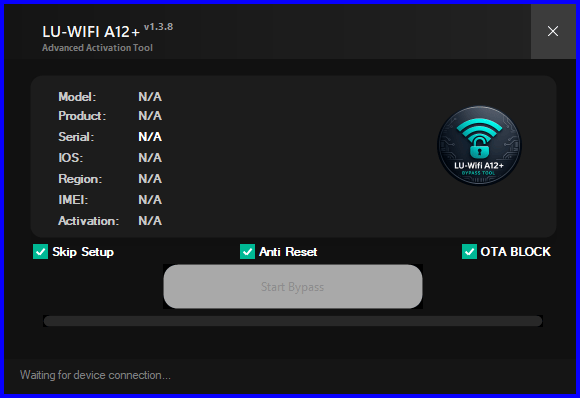
Lu-wifi a12+ advanced activation tool for bypass anti-reset protection and ota block features.
What’s New
- New No Signal Bypass Support Added.
- Support For Bypass Without Jailbreak (iphone 6s To Iphone X).
- Checkm8 Ipad Support Added.
- Fixed Support Checker And Icloud Login Issue Inside The Tool.
- Interface Refreshed With Better Speed And Stability.
Preparing Your Apple Device For The Bypass
Getting A Locked Iphone Ready For The Software Takes Only A Few Minutes In Your Shop. You Must Always Use A High-quality Usb Cable To Avoid Sudden Connection Drops. The Program Needs A Stable Link To Read The Internal Memory Correctly. A Bad Cable Will Definitely Cause The Process To Fail Halfway Through. Just Plug The Phone Directly Into The Back Of Your Computer Motherboard For The Best Results.
You Should Also Make Sure Your Windows Pc Has All The Latest Apple Drivers Installed. Missing Drivers Will Stop The Device Support Checker From Recognizing The Connected Handset. The Software Automatically Scans The Firmware To See If It Matches The Supported Ios Versions. It Tells You Immediately If The Current Setup Is Safe To Bypass. This Built-in Safety Check Honestly Prevents A Lot Of Unnecessary Headaches During Busy Workdays.
Why Technicians Prefer This Free Bypass Solution
Paying For Premium Server Credits Every Single Time A Locked Ipad Walks In Gets Really Expensive. Most Customers Refuse To Pay High Repair Bills For Older Models Like The Iphone 7. This Free Utility Gives You A Massive Advantage Over Other Local Repair Shops. You Keep All The Profit Instead Of Sending Money To Sketchy Third-party Unlock Websites. It Basically Turns A Completely Dead Device Into A Fully Functional Media Player Again.
Guys Also Love How Fast The Developers Push Out New Bug Fixes For The Community. Older Programs Used To Crash Constantly Whenever Apple Dropped A Minor Security Patch. This Specific Build Handles Those Annoying Icloud Login Issues Without Freezing Your Entire Computer. You Can Confidently Take In Locked Devices Knowing The Software Will Not Let You Down. It Is Definitely A Must-have Tool For Any Serious Mobile Technician Today.
iOS Version Compatibility — From iOS 15 to iOS 26.1
One Of The Biggest Selling Points Of This Tool Is Its Ios Range. A Lot Of Bypass Utilities Fall Apart After A Major Ios Update. The Lu-wifi A12+ Tool Keeps Pace And V.1.4.0 Currently Supports Everything From Ios 15 All The Way Up To Ios 26.1.
| iOS Version Range | Bypass Status |
| iOS 15.0 – iOS 15.8.x | ✅ Full Bypass |
| iOS 16.0 – iOS 16.7.x | ✅ Full Bypass |
| iOS 17.0 – iOS 17.6.x | ✅ Full Bypass |
| iOS 18.0 – iOS 18.5 | ✅ Full Bypass |
| iOS 26.0 – iOS 26.1 | ✅ Supported (Tethered) |
For Users On Ios 26.0 And 26.1 Which Is Apple’s Latest Major Release The Bypass Currently Works In Tethered Mode. That Means Your Device Needs To Stay Connected To Your Pc To Maintain The Bypassed State. It’s A Limitation Not A Dealbreaker Especially If You’re Using The Device For Wi-fi Tasks At Home. As The Jailbreak And Bypass Community Catches Up To Ios 26.1 Expect Future Updates To Improve This.
If You’ve Been Hunting For An Ios 26.1 Jailbreak Solution Or An Activation Bypass That Actually Works On The Latest Firmware Lu-wifi Is One Of The Most Up-to-date Free Tools Available Right Now. That’s Genuinely Impressive Given How Quickly Apple Moves.
Step-by-Step Guide to Using Lu-wifi A12+ Tool
Step 1 — Prepare Your Device And Pc
Put Your Device Into Dfu Mode Or Recovery Mode Before Launching The Tool. Connect It To Your Pc Using An Original Or Mfi-certified Cable — Third-party Cables Often Cause Detection Issues. Make Sure Itunes Or Apple Mobile Device Support Is Installed On Your Pc.
Step 2 — Launch The Tool And Check Device Support
Open The Lu-wifi A12+ Tool As Administrator. On The Main Screen Click The Device Support Checker. The Tool Will Read Your Device’s Model And Ios Version Automatically. If It Says ‘supported’ You’re Good To Go. If Not It Will Tell You Why And What To Try Instead.
Step 3 — Select Your Bypass Method
For Most Users ‘standard Bypass’ Is The Right Choice. If You’re On Ios 26.0 Or 26.1 The Tool Will Automatically Suggest Tethered Bypass. Choose Your Method And Click ‘start.’ Don’t Unplug The Cable During This Process — A Disconnection Mid-bypass Will Force You To Restart From Scratch.
Step 4 — Wait For The Process To Complete
The Bypass Typically Takes Between 3 To 8 Minutes Depending On Your Ios Version And Device Model. You’ll See A Progress Bar And Status Updates In Real Time. When It Says ‘bypass Complete’ Your Device Will Restart. It Should Boot Past The Activation Screen And Land On The Home Screen Or Setup Screen.
Step 5 — Set Up Wi-fi And Test
Once The Device Is Bypassed Connect To Wi-fi Immediately. The Lu-wifi Bypass Specifically Maintains A Wi-fi-accessible State So Some Features Like Cellular Calls And Icloud-dependent Apps May Be Limited. However For The Majority Of Tasks — Browsing Apps Media And Messaging — The Device Will Work Normally.
Common Errors And How To Fix Them
Even A Well-built Tool Runs Into Issues Sometimes. Here Are The Most Common Problems Users Report And How To Solve Them Quickly:
| Error / Issue | Fix |
| Device Not Detected | Reinstall Apple Mobile Device Support; Use A Different Usb Port |
| Bypass Fails Midway | Check Cable Quality; Retry In Dfu Mode Instead Of Recovery Mode |
| Tool Crashes On Launch | Run As Administrator; Check That .net Framework Is Installed |
| Ios Version Not Supported | Update The Tool To The Latest Version (v1.4.0) |
| Stuck On Progress Bar | Unplug Restart Device Reconnect And Restart The Tool |
| Smartscreen Warning | Normal For Unsigned Tools — Click ‘More Info’ Then ‘Run Anyway’ |
| Lu Wifi A12 Login Register Prompt | Use The Guest/Offline Mode Option On The Login Screen |
Most Issues Trace Back To Either The Usb Connection Or The Pc Environment. If You’re Getting Repeated Failures Try A Different Windows Machine Or A Clean Windows Installation. A Cluttered Environment With Conflicting Drivers Causes More Bypass Failures Than The Tool Itself.
Also Don’t Skip The Device Support Checker Step. It Exists For A Reason. Running A Bypass On An Unsupported Configuration Wastes Time And Can Leave Your Device In An Awkward State That Requires A Full Restore.
Frequently Asked Questions (FAQs)
Does The Lu-wifi A12+ Tool Support Newer Ios Updates?
It Officially Supports Many Apple Devices Running Ios 15 Up To Ios 26.1 Safely. You Should Always Use The Built-in Checker To Verify Your Exact Firmware First.
Do I Need To Jailbreak My Iphone Before Using This Software?
No You Actually Get Full Support For Bypass Without Jailbreak For Iphone 6s To Iphone X. This Saves You From Running Confusing Checkra1n Commands On Your Computer.
Can I Use This Utility To Unlock An Older Apple Tablet?
Yes The Latest Version Finally Includes Checkm8 Ipad Support For Technicians. You Can Easily Bypass Activation Locks On Those Older Tablet Models Now.
Will My Bypassed Phone Get A Cellular Network Signal?
The Developer Recently Added New No Signal Bypass Support To The Tool. This Means The Phone Works Perfectly As A Media Device But Will Not Make Regular Calls.
How Do I Fix The Icloud Login Crash From Older Versions?
You Just Need To Download This Newest Update Because They Fixed The Icloud Login Issue Completely. The Software Interface Feels Much Faster With Better Stability Overall.
Conclusion
Dealing With A Locked Iphone Does Not Have To Ruin Your Entire Workday Anymore. The Lu-wifi A12+ Tool Gives You Everything Needed To Handle Tough Activation Locks Easily. You Get A Clean Interface And Wide Device Support Without Paying For Sketchy Online Services. Stop Wasting Your Valuable Time On Fake Tutorials That Just Waste Your Bandwidth. Your Daily Mobile Repair Workflow Will Honestly Never Look The Exact Same Again.
How To Download
To Download Lu-wifi A12+ Tool Follow These Steps:
- Go To The A2zflashfile.com Website Of Lu-wifi A12+ Tool
- Find The Download Page And Don’t Click Button And Click Only The (Download Link)
- Below Buttons Are Advertisements. Please Use The Download Links Above.
- Wait For The Download To Complete.
- Locate The Downloaded File On Your Device Once The Download
Lu-wifi A12+ Tool V.1.4.0
[Click Here to Serial Number Register This Tool on WhatsApp] (Paid)
Download Link:: Usersdrive – Mediafire – 4shared – My.pcloud – DropBox – Mega – Vexfile – Playbook – Drive.proton


