
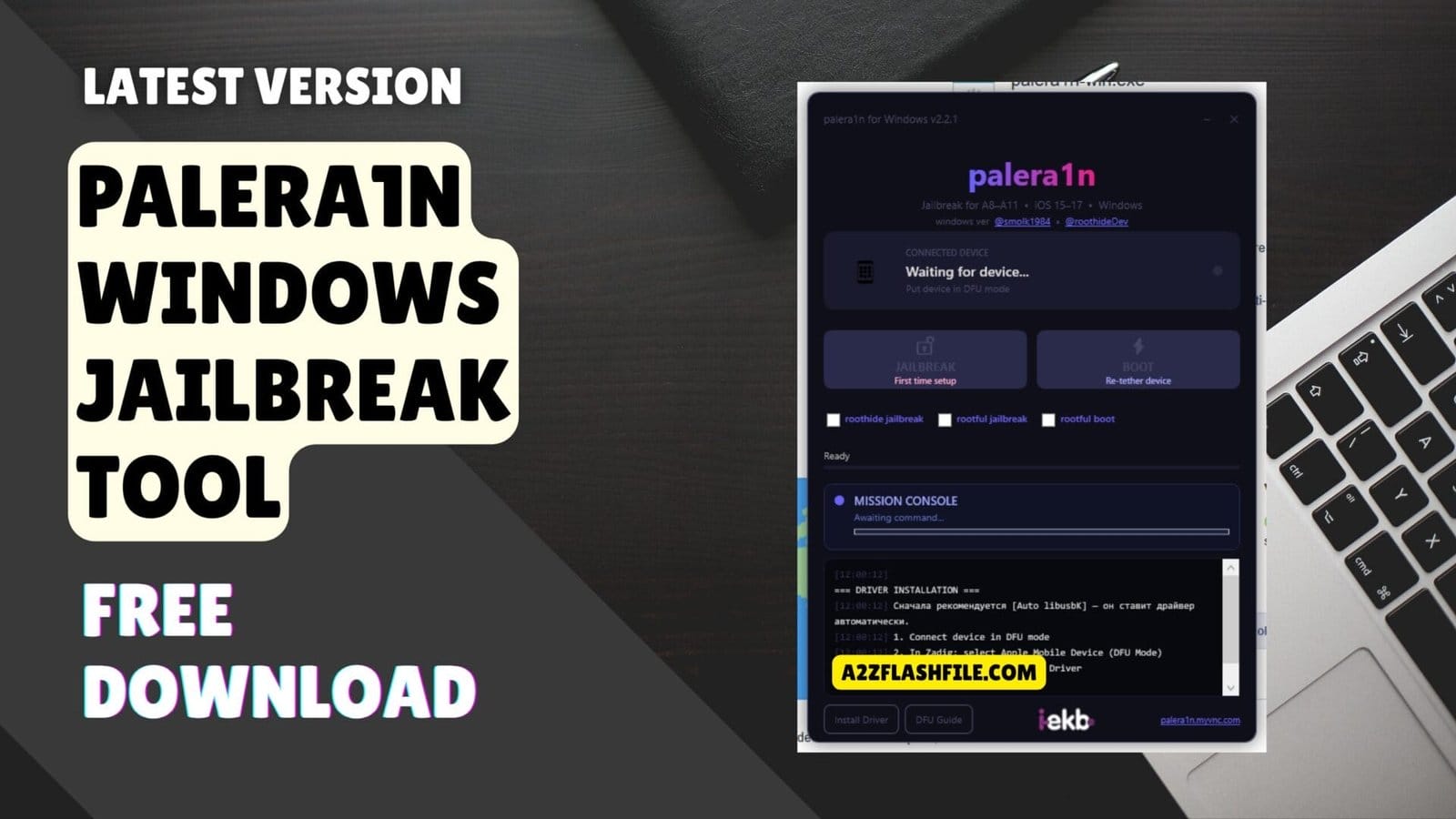
Palera1n makes jailbreaking older iphones simple with one-click setup real-time logs and built-in troubleshooting. Finally a jailbreak tool
Honestly Jailbreaking Used To Feel Like A Gamble. You’d Follow Some Sketchy Tutorial Your Phone Would Get Stuck In A Boot Loop And You’d Spend The Next Three Hours Trying To Fix It. I’ve Been Through That Nightmare More Times Than I Care To Admit. But When I Tried Palera1n V2.2.1 Something Clicked—it Just Worked. No Mysterious Errors No Endless Troubleshooting Just A Clean Jailbreak On My Iphone 8 Running Ios 16.
Here’s What Caught My Attention: This Tool Doesn’t Assume You’re A Developer. There’s A Button Labeled “First Time Setup” That Actually Sets Everything Up The First Time. Your Phone Dies And Reboots? Hit “re-tether Device” And You’re Back In 30 Seconds. It Supports Iphone 6 All The Way To Iphone X Works Perfectly On Ios 15 16 And 17 And Runs On Whatever Computer You Have—windows Mac Or Linux. Let Me Walk You Through Why This Might Be The Jailbreak Tool You’ve Been Waiting For.
Understanding The Palera1n Semi-tethered Jailbreak Method
So What Exactly Is Palera1n Jailbreak? It’s A Semi-tethered Solution Designed For Iphones With Apple’s A8 Through A11 Processors. Translation: If You’ve Got An Iphone 6 6s 7 8 Or X (plus Some Ipads) You’re Covered. Semi-tethered Means You’ll Need Your Computer Nearby After A Full Restart To Re-activate The Jailbreak—but It’s Literally A 30-second Process Using The “Re-tether” Button Not A Complete Reinstall. The Huge Advantage Here Is Ios Version Flexibility.
Whether You’re Running Ios 15 Stuck On Ios 16 Or Already Updated To Ios 17 Palera1n Handles Them All Without Forcing You To Downgrade. the Customization Options Are Where Things Get Interesting. You Get Three Distinct Jailbreak Modes To Choose From. Rootless Keeps Everything Outside Your System Partition Safer For Beginners Since You Can’t Accidentally Break Core Ios Files.
Rootful Gives You Full Filesystem Access Perfect If You’re Comfortable With Terminal And Need Complete Control. Roothide Is The Stealth Option—it Masks Your Jailbreak From Apps That Check For Modifications. There’s Also This Mission Console Feature That Displays Live Terminal Output So You Can Watch Commands Execute In Real-time Instead Of Wondering If Your Jailbreak Froze.
Getting Your Hands On The Latest Palera1n Release
Finding A Safe Palera1n Download Is Crucial Because Fake Versions Are Everywhere. Stick To The Official Palera1n Github Repository—it’s The Only Legitimate Source. Random Websites Offering “faster Downloads” Or “premium Versions” Are Either Serving Outdated Builds Or Worse Malware-infected Files. Once You’re On Github Navigate To The Releases Section And Grab The Newest Build For Your System. There’s Palera1n For Windows Mac And Linux Versions All Clearly Labeled.
Download The Appropriate File Extract It To Somewhere You’ll Remember Like Your Desktop And You’re Halfway There. Windows Folks Need One Extra Step Before Starting: Install Itunes Or The Standalone Apple Mobile Device Support Package. Your Pc Won’t Recognize Your Iphone Without Those Apple Drivers Installed. Mac Users Get A Free Pass Here Since Macos Already Speaks Ios Natively.
If You’re Running An M1 M2 Or M3 Mac Make Sure You Download The Palera1n Macos Universal Build—it Works On Both Intel And Apple Silicon Processors. Linux Users Should Check The Readme For Dependencies. The Interface Is Clean—two Big Buttons Labeled “jailbreak – First Time Setup” And “reboot – Re-tether Device” Handle Everything.
Features Palera1n:
- Wide Device Support: Works Perfectly With Apple A8 To A11 Devices (Iphone 6 To Iphone X And Supported Ipads).
- Latest Ios Compatibility: Fully Supports Ios 15 Ios 16 And Ios 17.
- Multiple Jailbreak Environments: Gives You The Freedom To Choose Between Roothide Rootful Or Standard Rootless Jailbreaks Based On Your Needs.
- 1-click Jailbreak: Dedicated “First Time Setup” Button To Easily Jailbreak A Fresh Device.
- Easy Re-tethering: A Quick “Boot” Option To Seamlessly Re-tether Your Device If It Reboots Or Loses Power.
- Built-in System Tools & Interface
- Mission Console: A Live Built-in Terminal That Shows Step-by-step Logs Commands And Exactly What The Software Is Doing In The Background.
- Dfu Guide: Built-in Instructions To Help You Easily Put Your Iphone Into Dfu Mode Without Leaving The App.
- Integrated Driver Installer (Zadig): Fixes The Annoying “waiting For Device” Issue Directly. Clicking “install Driver” Opens Zadig Automatically.
- Smart Driver Patching: Uses Zadig To Easily Detect Your Phone In Dfu Mode (“list All Devices”) And Lets You Install The Required Libusbk Driver With A Single Click.
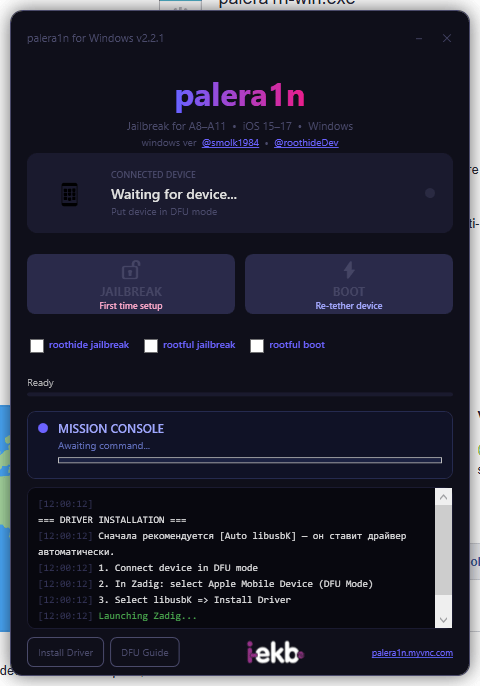
The palera1n jailbreak interface in action—showing the automatic driver installation process mission console logs and simple one-click buttons that make jailbreaking accessible even for first-timers. No more guessing what’s happening behind the scenes.
Complete Windows Installation Tutorial For Palera1n
Setting Up Palera1n Windows Takes A Few More Clicks Than Mac But It’s Not Rocket Science. Start By Downloading The Windows Executable From The Official Palera1n Github Page And Extract The Zip File. Right-click The .exe File And Choose “Run As Administrator”—This Matters Because Windows Needs Elevated Permissions For Low-level Iphone Communication. Before Connecting Anything Verify That Itunes Or Apple Mobile Device Support Is Already Installed.
You Can Check This By Plugging In Your Iphone And Seeing If Windows Makes That Device-connected Sound. No Sound? No Drivers. Install Itunes Even If You Never Plan To Use It. Now Open Palera1n And Plug Your Iphone In Via Usb Cable. The Screen Shows “Waiting For Device…” Which Is Normal You Need Dfu Mode First. Click The “Dfu Guide” Button And Follow The Exact Button Sequence It Displays.
If You See “Waiting For Device” Stuck Forever Click “Install Driver” At The Bottom. This Launches Zadig Automatically. Inside Zadig Enable “Options > List All Devices” From The Menu Find “apple Mobile Device (Dfu Mode)” In The Dropdown Select Libusbk As The Driver And Click Install. This Fixes Most Detection Problems. Some Antivirus Programs Block Jailbreak Tools So Disable Yours Temporarily During Installation.
Ios Version Compatibility Breakdown For Palera1n
The Palera1n Jailbreak Shines With Its Ios Coverage. Most Older Tools Died At Ios 14 Or Required Complicated Downgrades. This One Natively Supports The Entire Ios 16 Lineup Including Specific Builds Like Palera1n Ios 16.7.10 That Tons Of Users Are Still Running For Stability. Ios 17 Support Exists Across Most Point Releases Too Though Newer Builds Might Need You To Check Github For The Latest Compatibility Updates.
The Dev Team Pushes Fixes Regularly So Even If Your Exact Ios 17.x Version Isn’t Listed Today There’s A Good Chance It’ll Work In The Next Release. Everyone Keeps Asking About Palera1n Ios 18 Support. Right Now It’s Not Happening. Apple Patched The Checkm8 Exploit Chain That Palera1n Relies On And Finding New Vulnerabilities Takes Serious Time.
If Ios 18 Jailbreak Support Becomes Reality It’ll Appear On The Official Palera1n Github Releases Page First—not In Some Random Youtube Comment Section. Those “ios 18 Jailbreak Working 2026” Videos Floating Around Are Mostly Clickbait Designed To Get Views Or Trick You Into Downloading Fake Files. Stay Skeptical. For Now Ios 15 Through Ios 17 Gives You A Stable Tested Jailbreak Without Beta Exploit Risks. (103 Words)
Clearing Up The Ipa Confusion Around Palera1n
There’s Massive Confusion About Palera1n Ipa Download So Let’s Kill This Myth Right Now. Palera1n Is Not An Ipa File That You Sideload Through Altstore Sideloadly Trollstore Or Any Other Signing Service. It’s A Desktop Application That Runs On Your Computer—windows Mac Or Linux—and Communicates With Your Iphone Through A Usb Connection While Your Phone Is In Dfu Mode. The Entire Jailbreak Process Happens From Your Pc.
You Cannot Install Palera1n Directly On Your Phone Like A Regular App. Anyone Offering A “working Palera1n Ipa” Is Either Completely Confused About How This Works Or Actively Trying To Scam You. Now Once You Successfully Complete The Jailbreak Process Using Palera1n Cydia Palera1n Automatically Appears On Your Home Screen.
Cydia Is The Package Manager That Lets You Browse Repositories Install Tweaks Download Themes And Yes—sideload Actual Ipa Files For Other Apps. Some People Mix Up The Jailbreak Tool (palera1n) With The Package Manager It Installs (cydia). Think Of It This Way: Palera1n Is The Key That Unlocks Your Phone Cydia Is The Door That Opens After Unlocking. You Need The Computer-based Jailbreak First Then You Get Access To All The Customization Apps Afterward.
Step-by-step Guide To Your First Palera1n Jailbreak
Learning How To Use Palera1n Is Simpler Than It Looks. Download The Tool From Github Extract The Files And Open The Application (run As Admin On Windows Use Terminal On Mac/linux). Connect Your Iphone To Your Computer With A Decent Usb Cable—those Dollar-store Cables Cause Random Disconnects That Ruin Jailbreaks. The Palera1n Window Loads Showing “Waiting For Device…” At The Top. This Is Expected.
Your Phone Isn’t In Dfu Mode Yet So The Tool Can’t See It. Click “dfu Guide” At The Bottom Of The Screen. It Displays The Exact Button Sequence You Need To Follow. The Sequence Goes Like This: Press And Hold Side + Volume Down For 10 Seconds Release Side But Keep Holding Volume Down For Another 5 Seconds. Your Screen Should Stay Completely Black If You Did It Correctly.
Once In Dfu Mode Palera1n Immediately Detects Your Device And The “jailbreak – First Time Setup” Button Lights Up. Click It. The Mission Console At The Bottom Streams Live Logs—you’ll See Drivers Loading Exploits Running Files Downloading. Don’t Touch Anything. When It Finishes Your Phone Automatically Reboots And Cydia Appears On Your Home Screen. That’s The Entire Process Right There.
Why Mac Users Get The Best Palera1n Experience
Running Palera1n For Mac Is Genuinely The Smoothest Way To Jailbreak. Macos Has Native Ios Device Support Built Into The Operating System So You Completely Avoid The Driver Mess That Windows Users Fight With. Download The Palera1n Macos Universal Binary From Github—this Version Runs Perfectly On Both Intel-based Macs And Apple Silicon Chips (m1 M2 M3 M4) Without Any Compatibility Problems.
Extract The Download Fire Up Terminal Navigate To The Folder Using Cd And Execute Palera1n With Your Preferred Flags. Something Like ./palera1n -c Handles A Fresh Jailbreak While ./palera1n -f Does A Quick Re-tether. Mac Users Also Benefit From Faster Usb Communication Protocols Which Means The Entire Jailbreak Process Completes Quicker Than On Windows Machines. There’s Virtually No “waiting For Device” Errors Because Macos Already Includes Every Necessary Apple Device Driver.
If You’re On Apple Silicon The Universal Build Automatically Uses The Arm-native Version For Maximum Performance—no Rosetta Translation Layer Slowing Things Down. Once The Jailbreak Completes Your Iphone Reboots Cydia Installs Automatically And You’re Jailbroken. Fast Clean Minimal Troubleshooting Required. This Is Exactly How Jailbreaking Should Feel Without Unnecessary Complications Or Driver Hunting.
Bypassing Jailbreak Detection On Banking And Gaming Apps
Banking Apps Absolutely Hate Jailbroken Phones. So Do Streaming Services Corporate Email Systems And Competitive Games With Anti-cheat Protection. If You Need To Hide Jailbreak Palera1n From These Apps You’ll Need Additional Tweaks Installed Through Cydia After Jailbreaking. Popular Options Include A-bypass Shadow Liberty Lite Vnodebypass And Hestia. Each Uses Different Techniques—some Hide Jailbreak Files Others Block The Api Hooks Apps Use To Detect Modifications.
You’ll Probably Need To Experiment With A Few Different Tweaks Since Detection Methods Vary Wildly Between Apps. No Single Solution Works Universally For Everything. Choosing Roothide Mode During Your Initial Palera1n Setup Gives You A Head Start On Hiding. Unlike Rootful Or Rootless Modes Roothide Specifically Masks Modifications From The System Partition Where Detection Apps Usually Look.
It’s Not Foolproof—some Banking Apps Use Server-side Jailbreak Checks Or Hardware Attestation That Bypass-tweaks Can’t Touch—but It Significantly Improves Your Odds. Layer Roothide With A Solid Detection-blocking Tweak And You’ll Successfully Bypass 80-90% Of Jailbreak Checks. Just Stay On Top Of Updates Because App Developers Constantly Patch Workarounds And Tweak Developers Release Counter-updates In Response. It’s An Ongoing Cat-and-mouse Game.
Jailbreaking Apple Tv With Palera1n
Yes Palera1n Apple Tv Jailbreaking Exists But Set Realistic Expectations. It Currently Supports Apple Tv 4k (2nd Gen) And Apple Tv Hd Running Tvos 15 Or Tvos 16. The Process Mirrors Iphone Jailbreaking—you Need A Mac Or Linux Computer A Usb-c Cable And The Palera1n Binary. Put Your Apple Tv Into Dfu Mode Using The Remote (menu + Volume Down) Connect It To Your Computer Via Usb-c And Run The Jailbreak Command In Terminal.
Success Means You Can Sideload Unauthorized Apps Install Kodi For Expanded Media Options Or Remove Apple’s Built-in Restrictions. Here’s The Reality Check: Apple Tv Jailbreaking Has Maybe 5% Of The Community Support That Iphone Jailbreaking Enjoys. Finding Tvos Tweaks Is Hard. Most Developers Ignore Tvos Completely And Focus On Ios Where The User Base Is Massive.
If Something Breaks During Your Jailbreak Troubleshooting Resources Are Scarce And You Might End Up Restoring To Stock Tvos And Losing Everything. That Said If You Want Deep System Control—global Dns Configuration Os-level Ad Blocking Or Apps That Apple Banned From The App Store—palera1n Is One Of The Only Tools That Can Deliver Right Now.
Common Error Messages And Quick Fixes
Beyond Bootstrap Failures Certain Errors Pop Up Constantly. “Device Not Detected” Usually Means Cable Problems Wrong Usb Port Or Driver Issues. Swap Your Cable First—Seriously Bad Cables Cause More Jailbreak Failures Than Anything Else. Try A Usb 2.0 Port Instead Of Usb 3.0 Since Some Motherboards Have Communication Bugs With Ios Devices On 3.0 Ports. On Windows Reinstall Itunes Completely Or Use Zadig To Manually Install Libusbk Drivers. “Exploit Failed” Messages Typically Mean Dfu Mode Wasn’t Entered Properly.
Try The Button Sequence Again Being Extremely Precise With Timing Hold Both Buttons Exactly 10 Seconds Then Only Volume Down For 5. If Palera1n Launches Then Immediately Crashes You’re Probably Running An Ancient Version. Download The Newest Release From Github And Try Again.
Antivirus Interference Causes Random Crashes Too Add Palera1n’s Entire Folder To Your Antivirus Exclusions List Before Running It. “Kernel Panic” Or Bootloop Situations After Jailbreaking Usually Trace Back To Incompatible Tweaks. Force Restart Your Phone Boot Into Safe Mode (Hold Volume Up During Startup) Open Cydia And Delete Recently Installed Tweaks One By One Until You Identify The Problem Child. For Everything Else The Github Issues Page Has Documented Solutions For Almost Every Error You’ll Encounter.
Comparing Palera1n Against Alternative Jailbreak Tools
Stack Palera1n Jailbreak Against Checkra1n And The Differences Are Obvious. Checkra1n Stopped At Ios 14.8.1 For Most Devices And Never Added Windows Support That Actually Worked. Palera1n Pushes Through Ios 17 And Runs Natively On Windows Mac And Linux. Unc0ver And Taurine Were Fantastic For A12+ Devices But Development Completely Stopped In 2021. Palera1n Focuses Exclusively On A8-a11 Chips But Does It Exceptionally Well With Active Monthly Updates.
The Mission Console Giving You Live Terminal Output Beats Staring At Vague Progress Bars. Built-in Dfu Guides And Automatic Zadig Driver Installation Make It Way More Beginner-friendly. What Are The Downsides? It’s Semi-tethered Meaning You Need Computer Access If Your Phone Fully Restarts. Untethered Jailbreaks That Survived Reboots Were Amazing But Those Don’t Exist Anymore On Modern Ios.
Apple Closed The Vulnerabilities That Made Them Possible. The A8-a11 Device Restriction Means Iphone 11 And Newer Are Incompatible—those Need Different Exploit Chains Palera1n Doesn’t Support. But If You’re Running An Iphone X Or Older On Ios 15-17 Palera1n Is Legitimately Your Best Option Right Now. Active Development Solid Community Backing Frequent Bug Fixes And New Features Make It More Reliable Than Abandoned Legacy Tools.
Is Palera1n Worth The Risks And Effort?
Jailbreaking Comes With Tradeoffs. Banking Apps Might Break Or Block Access. Apple Pay Could Stop Working. Corporate Email Systems That Detect Jailbreaks Will Refuse To Sync. Security Protections That Apple Built Into Ios Get Disabled Slightly Increasing Malware Risk. You Lose The Ability To Casually Update Ios—installing Ios 18 When It Drops Means Losing Your Jailbreak And Waiting Months For Compatibility.
These Aren’t Small Considerations If You Depend On Your Phone For Work Or Financial Apps. Weigh These Factors Carefully Before Committing To A Jailbreak Especially If This Is Your Only Phone. But The Customization Potential Is Unmatched. System-wide Themes That Completely Change Ios’s Appearance. Gesture Controls That Make Navigation Faster. App Modifications That Unlock Features Developers Purposely Restricted.
File System Access For Advanced Management. Tweaks That Fundamentally Alter How Ios Functions In Ways Apple Would Never Allow. Palera1n Makes This Accessible Without Being Unnecessarily Complicated. The 1-click Setup Actually Works. Re-tethering Takes 30 Seconds. Built-in Troubleshooting Tools Fix Common Errors Automatically. If You’re On Iphone 6 Through Iphone X And Miss The Days When You Controlled Your Own Device Give It A Shot. Just Backup Everything First.
Frequently Asked Questions (FAQs)
Can I Jailbreak My Iphone 12 Or Newer Models Using Palera1n?
No Palera1n Only Works On Devices With A8 Through A11 Chips (iphone 6 To Iphone X). Newer Iphones Use A12 And Later Processors That Require Completely Different Exploits Which Palera1n Doesn’t Support. You’ll Need To Wait For Other Jailbreak Tools Targeting Newer Devices.
Will Jailbreaking With Palera1n Void My Apple Warranty?
Technically Yes But It’s Reversible. If You Restore Your Iphone Through Itunes Or Finder Before Taking It To Apple They Can’t Tell It Was Ever Jailbroken. The Jailbreak Leaves No Permanent Traces After A Full Restore So Your Warranty Remains Intact As Long As You Remove It First.
What Happens If I Update Ios While Jailbroken With Palera1n?
You’ll Lose The Jailbreak Completely. Ios Updates Overwrite The Modified Files And Patches That Make Jailbreaking Possible. After Updating You’ll Need To Wait For The Palera1n Developers To Add Support For That New Ios Version Which Can Take Weeks Or Months Depending On Apple’s Changes.
Is It Safe To Use Online Banking Apps After Jailbreaking?
It Depends. Many Banking Apps Have Jailbreak Detection And Will Refuse To Open. You Can Install Bypass Tweaks Like A-bypass Or Shadow To Hide The Jailbreak But There’s Always A Small Security Risk Since Jailbreaking Disables Some Of Apple’s Built-in Protections. Use At Your Own Discretion.
Can I Remove Palera1n Jailbreak Without Losing My Data?
Yes But It Requires A Full Restore Through Itunes Or Finder Which Erases Everything. You Should Backup Your Data First Using Icloud Or Itunes Then Restore Your Iphone To Remove The Jailbreak. After Restoring You Can Reload Your Backup And Get All Your Data Back On A Clean Non-jailbroken Device.
Conclusion
Palera1n Is Genuinely One Of The Smartest Jailbreak Tools Out There For Older Iphones (6 Through X). What Sets It Apart Isn’t Just That It Works—it’s How Much Easier They’ve Made Everything. The One-click Setup Built-in Terminal Logs And Automatic Driver Fixing Through Zadig Solve Problems That Used To Have People Stuck For Hours Searching Forums. Plus Giving Users Actual Choices Between Rootless Rootful And Roothide Environments Shows They Understand Different People Have Different Needs.
It’s Clear The Developers Didn’t Just Build Something Functional—they Built Something Thoughtful. That Said You Need To Go In With Realistic Expectations. This Is Semi-tethered So Every Time Your Phone Restarts Or Dies You’re Back At Your Computer Re-jailbreaking It. That Gets Old Pretty Fast. And Let’s Not Sugarcoat It—jailbreaking Always Means Accepting Security Risks And Kissing Your Warranty Goodbye.
But If You’ve Got An Older Device That Apple’s Basically Stopped Caring About And You Want To Customize It Or Extend Its Usefulness Palera1n Does Exactly What It Promises Without The Usual Headaches. Just Make Sure You Understand The Trade-offs Before Jumping In.
How To Download
To Download Palera1n Follow These Steps:
- Go To The A2zflashfile.com Website Of Palera1n.
- Find The Download Page And Don’t Click Button And Click Only The (Download Link)
- Below Buttons Are Advertisements. Please Use The Download Links Above.
- Wait For The Download To Complete.
- Locate The Downloaded File On Your Device Once The Download
Palera1n 2.2.1
Download Link:: Usersdrive – Mediafire – 4shared – My.pcloud – Mega – Vexfile – Google Drive – Drive Proton


