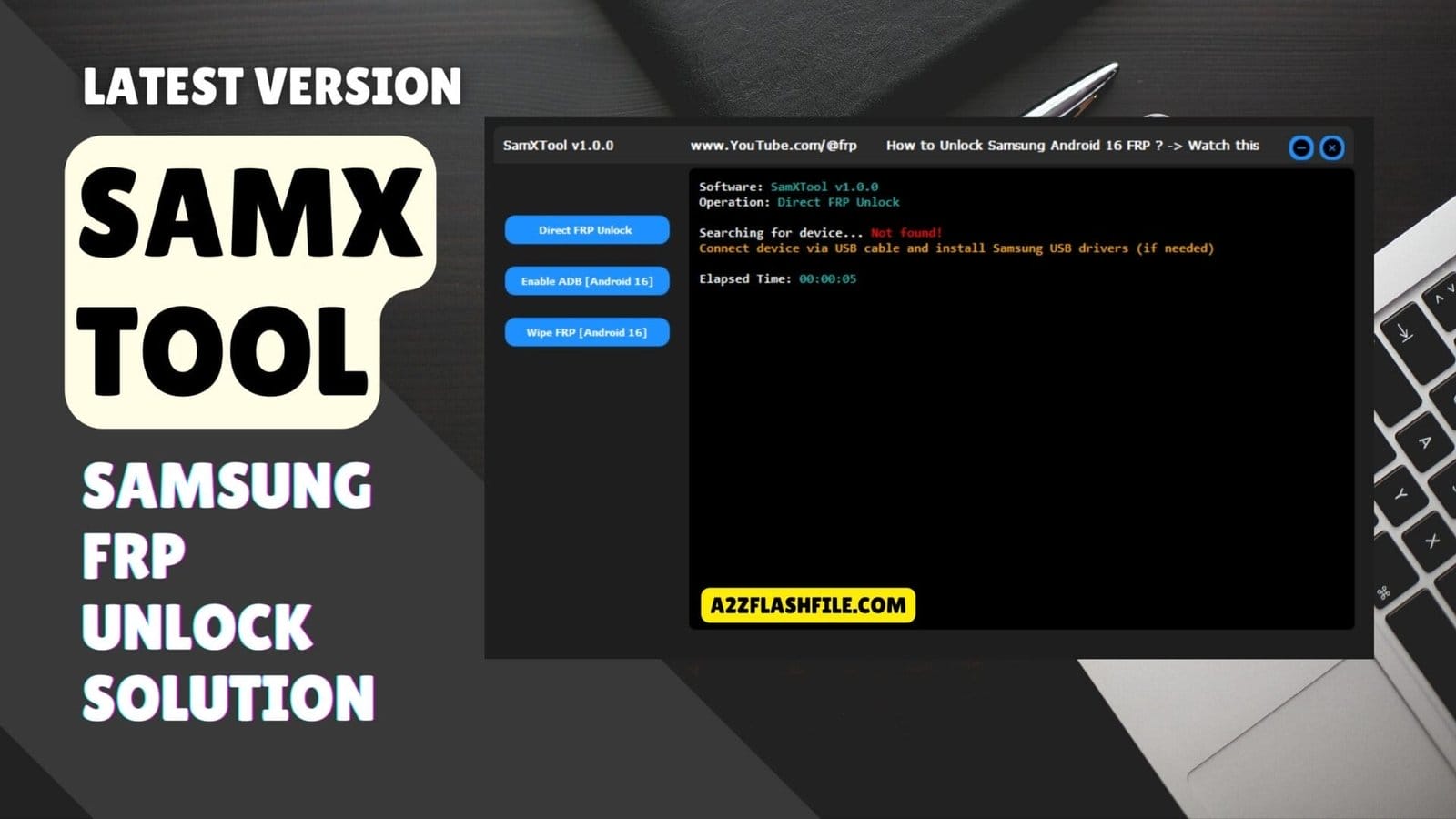
Samx tool professional samsung frp unlock and adb enable solution.
You Know That Sinking Feeling When A Samsung Phone Lands On Your Desk With A Stubborn Frp Lock And The Owner Is Begging You To Save Their Data. You Try Different Tricks Youtube Methods And Patched Files But Nothing Works Or Everything Takes Too Long. After A Few Failed Attempts You Just Want A Simple Way To Handle Samxtool Direct Frp Unlock Enable Adb (android 16) And Wipe Frp (Android 16) Without Losing Your Mind.
In This Blog You’ll See Exactly How Samxtool Can Help You Deal With Modern Samsung Frp Jobs In A Cleaner Faster Way. I’ll Walk You Through What Each Option Does When To Use Direct Frp Unlock When It’s Better To Enable Adb Or Wipe Frp And What To Watch Out For. By The End You’ll Know If This Tool Fits Your Workflow And How To Use It Step By Step So Those Locked Devices Stop Slowing You Down.
Contents
- 1 What Is The Samxtool
- 2 Download The Samxtool Latest Versoin
- 3 Key Features Of SamXTool
- 4 When To Use Enable Adb (Android 16)
- 5 Supported Samsung Models And Android Versions
- 6 Common Errors In Samxtool And How To Fix Them
- 7 Samxtool Vs Other Samsung Frp Tools
- 8 How To Install & Use (Step-by-step)
- 9 Frequently Asked Questions (FAQs)
- 10 Conclusion
- 11 How To Download
What Is The Samxtool
When You Work On Samsung Phones Every Day Frp‑locked Devices Can Easily Eat Up Your Time And Patience. Samxtool Is A Small But Focused Utility Built To Handle These Jobs In A Cleaner And Safer Way. It’s Designed For Technicians Who Want To Fix Frp Problems Without Running Ten Different Scripts Or Risky Tricks.
Instead Of Guessing Which Method Works On Each Security Patch You Get Clear Options On One Simple Screen. With This Tool You Can Use Features Like Direct Frp Unlock Enable Adb (android 16) And Wipe Frp (Android 16) On Supported Models. Direct Frp Unlock Is There For Cases Where You Want A Fast One‑click Style Solution On Compatible Phones.
When That Path Is Blocked You Can Try Enable Adb (Android 16) First And Then Use Other Methods Once Adb Access Is Open. In Tougher Situations Wipe Frp (Android 16) Gives You Another Practical Route To Remove The Lock And Return The Phone To A Usable State.
Don’t Miss Any Mobile Software Update!
- Join WhatsApp Group 01 (Latest Posts) 👉 Click Here to Join
- Join WhatsApp Group 02 (New Updates) 👉 Click Here to Join
Download The Samxtool Latest Versoin
Before You Start Removing Frp You Need To Download The Latest Versoin Of Samxtool From A Trusted Source. It’s Always Better To Use Well‑known Gsm Forums The Original Developer Page Or A Respected Repair Community Instead Of Random Links. New Releases Often Bring Better Support For Newer Samsung Patches And More Stable Direct Frp Unlock Behavior.
Keeping The Tool Updated Means You’re Less Likely To Hit Strange Errors In The Middle Of A Job. After You Download The File Place It In A Clean Tools Folder And Extract It With A Program Like Winrar Or 7‑zip. Make Sure You’ve Installed The Correct Samsung Usb Drivers So The Phone Can Be Detected When You Connect It.
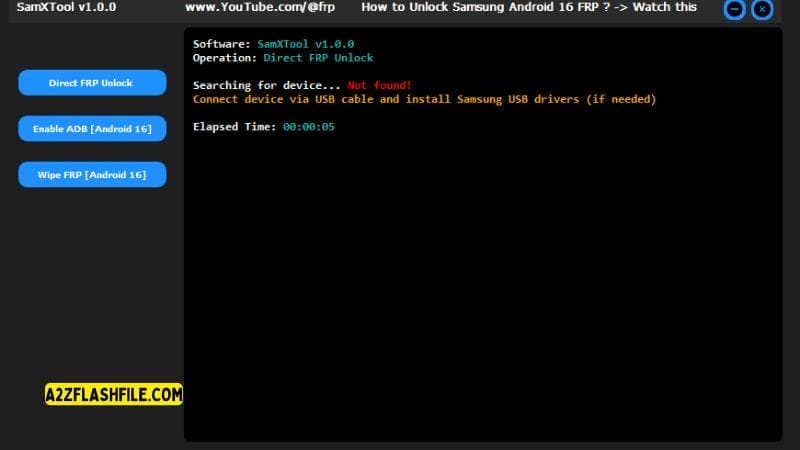
When The Tool Opens You’ll See The Options For Direct Frp Unlock Enable Adb (Android 16) And Wipe Frp (android 16) Ready To Use On Compatible Devices. From There You Can Choose The Method That Best Fits Each Phone’s State And Finish Frp Work With Fewer Steps And Less Stress.
Key Features Of SamXTool
- Direct Frp Unlock
- Enable Adb (Android 16)
- Wipe Frp (Android 16)
Samxtool direct frp unlock
When To Use Enable Adb (Android 16)
Enable Adb (android 16) Is There For Times When The Phone Is Blocked But Still Offers A Chance To Open A Door Through Adb. On Certain Android 16 Builds Once You Enable Adb The Device Will Accept Extra Commands That Help You Remove Or Bypass Frp. In Practice You Connect The Phone Run Enable Adb (Android 16) And Watch For Signs That The Device Now Responds To Adb In The Tool Or In A Command Window.
After That You Can Use Other Functions Or Scripts That Rely On This New Connection. This Path Is Especially Helpful When Direct Frp Unlock Doesn’t Work But The Phone Isn’t Completely Locked Down. It Lets You Take A More Controlled Approach Instead Of Jumping Straight To Wiping Everything.
For Example You Might Use Adb To Change A Setting Clear A Service Or Prepare The Phone For A Softer Reset. Knowing When To Try Enable Adb (android 16) Keeps You From Doing More Damage Than Needed And Can Save Your Client’s Time And Data.
Supported Samsung Models And Android Versions
Samxtool Focuses On Samsung Phones But Support Still Depends On How Each Model Handles Frp And Security. Older Devices And Mid‑range Models Often Respond Better To Direct Frp Unlock While Newer Android 16 Builds Might Push You Toward Enable Adb Or Wipe Frp. It’s Always Smart To Keep A Small Notebook Or Digital List Of Models You’ve Tested And Which Method Worked.
Over Time That Personal Database Becomes More Valuable Than Any Simple Compatibility List. Because Samsung Updates Its Firmware Often No Frp Tool Can Promise 100% Coverage Of Every Patch. That’s Why Staying On The Latest Version Of Samxtool Matters So Much.
Each Update Has A Chance To Improve Support Across More Devices And Tighten Up Methods For Android 16. When You Match An Up‑to‑date Tool With Careful Testing You’ll Find That A Surprising Number Of Phones Can Be Unlocked Without Too Much Drama.
Common Errors In Samxtool And How To Fix Them
Even A Good Frp Tool Will Throw Errors When Something In The Chain Isn’t Right. In Samxtool You Might See The Phone Not Detected A Failed Connection During Direct Frp Unlock Or Timeouts When Trying Enable Adb (android 16). Many Of These Problems Come Down To Drivers Cables Or A Usb Port That Quietly Disconnects Under Load.
Swapping To A Shorter Cable Changing Ports Or Reinstalling Drivers Often Fixes More Issues Than People Expect. Other Errors Appear When The Firmware Version Or Security Patch Doesn’t Match What The Method Was Built For. In Those Cases The Log Might Complain About Unsupported Commands Blocked Access Or Missing Responses From The Phone.
When That Happens Your Best Move Is To Try A Different Method Inside Samxtool Or Update The Tool Before Trying Again. Learning To Read These Small Signs Turns Errors From A Headache Into Simple Hints About What To Do Next.
Samxtool Vs Other Samsung Frp Tools
There Are Many Samsung Frp Tools Floating Around From One‑click Apps To Complicated Scripts That Only Work On Certain Days Of The Week. What Makes Samxtool Stand Out Is How It Keeps The Focus On A Few Well‑chosen Methods Rather Than A Huge Confusing List. You Get Direct Frp Unlock For Fast Cases Enable Adb (Android 16) When You Need A Gentle Door Into The System And Wipe Frp (Android 16) When Everything Else Fails.
That Balance Of Speed And Control Fits The Way Real Technicians Actually Work. Other Tools Might Offer More Menus Or Claim Support For Every Version Under The Sun But They Often Hide What They’re Doing Behind The Scenes. With Samxtool You Can See Each Step Clearly And Choose Your Path Based On What You Know About The Phone.
It Doesn’t Try To Replace Every Utility On Your Computer It Just Handles The Part Most People Hate: Samsung Frp. For Many Shops That’s Exactly The Kind Of Focused Help They’ve Been Looking For.
How To Install & Use (Step-by-step)
- Download The Tool Zip File From The Link Provided Below.
- Extract (Unzip) All The Files Directly Into Your C: Drive.
- Right-click On The Tool’s Icon And Select “Run As Administrator”.
- Your Tool Is Now Ready To Use. Connect Your Device And Enjoy!.
Frequently Asked Questions (FAQs)
Is Samxtool Safe To Use On My Customer’s Samsung Phones?
Yes It’s Safe If You Use It Correctly Keep It Updated And Always Follow Basic Rules Like Using Good Drivers Stable Cables And Getting Clear Permission From The Device Owner.
When Should I Use Direct Frp Unlock Instead Of Wipe Frp (Android 16)?
Try Direct Frp Unlock First On Supported Models Because It’s Usually Faster And Less Invasive And Only Move To Wipe Frp (android 16) When Lighter Methods Fail.
What Does Enable Adb (Android 16) Actually Do?
Enable Adb (Android 16) Tries To Open Adb Access On Certain Android 16 Builds So You Can Run Extra Commands Or Methods That Help Remove Frp More Safely.
Do I Need Internet Access For Samxtool To Work?
Most Core Operations Run Offline But Having Internet Helps You Download The Latest Version Drivers And Any Updated Instructions From Trusted Forums.
Will Using Samxtool Erase All Data On The Phone?
Some Methods Like Wipe Frp (android 16) Can Lead To Data Loss So You Should Warn The Owner First And Always Choose The Least Destructive Option That Still Removes Frp.
Conclusion
In Daily Repair Life The Best Tools Are The Ones That Quietly Do Their Job And Don’t Get In Your Way. Samxtool Fits That Role By Turning Messy Frp Cases Into A Simple Series Of Choices You Can Follow Without Stress. With Features Like Direct Frp Unlock Enable Adb (android 16) And Wipe Frp (android 16) It Gives You A Ladder Of Methods Instead Of A Blind Gamble.
That Means More Phones Unlocked Fewer Wasted Hours And Calmer Conversations With Worried Customers. Of Course No Tool Can Replace Your Judgment Or Basic Good Habits Like Checking Ownership And Keeping Backups Where Possible. You Still Need To Read Logs Stay Updated And Treat Each Device With Care.
But If You Want A Focused Samsung Frp Helper That Feels Built For Working Techs Instead Of Lab Demos Samxtool Is Worth A Place On Your Main Repair Pc. Used Wisely It Turns One Of The Most Annoying Jobs In The Shop Into Something You Can Handle With Confidence.
How To Download
To Download Samxtool Follow These Steps:
- Go To The A2zflashfile.com Website Of Samxtool.
- Find The Download Page And Don’t Click Button And Click Only The (Download Link)
- Below Buttons Are Advertisements. Please Use The Download Links Above.
- Wait For The Download To Complete.
- Locate The Downloaded File On Your Device Once The Download
Samxtool V1.0
Download Link:: Usersdrive – Mediafire – 4shared – My.pcloud – DropBox – Mega – Vexfile – Google Drive