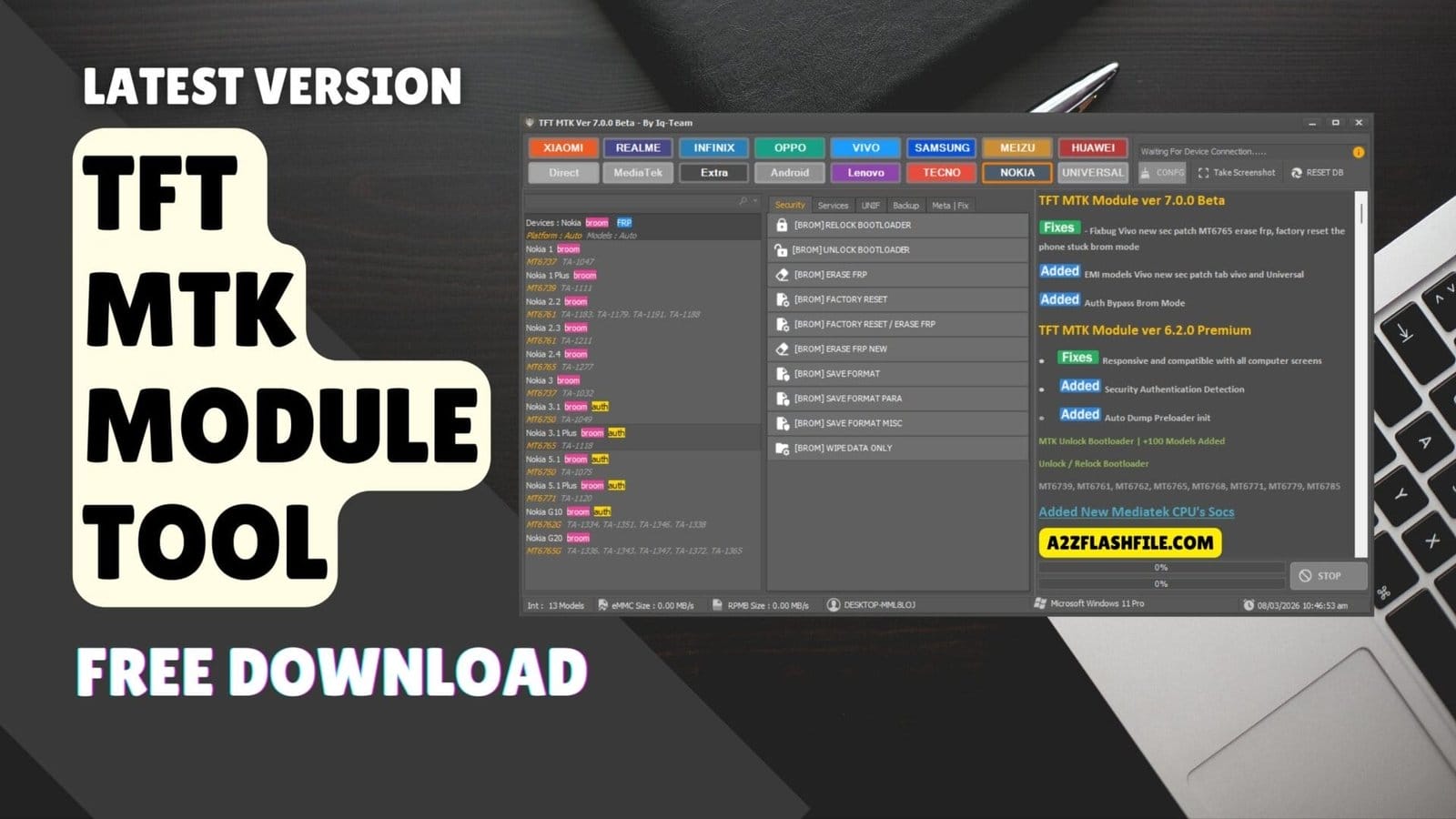
Powerful mtk module in tft tool for flashing frp remove and unlocking mediatek devices.
Dealing With A Locked Mediatek Phone Honestly Ruins Your Whole Mood In The Shop. You Just Waste Hours Looking Online For A Real Fix For That Stubborn Frp Lock Or Micloud Account. Finding Outdated Methods That Do Not Work Is Super Annoying. It Gets Incredibly Frustrating When The Customer Is Literally Standing Right There Waiting For Their Device. We All Just Need A Fast Way To Get These Dead Phones Running Again.
This Is Exactly Where The Tft Mtk Module Tool Steps In To Save Your Daily Workflow. I Am Going To Show You How To Easily Erase Frp Or Run A Quick Auth Bypass Without Any Headache. The Software Also Lets You Safely Backup Critical Partitions On Big Brands Like Xiaomi Samsung And Oppo. You Really Do Not Need To Rely On Paid Server Credits For These Basic Software Jobs Anymore. Just Keep Reading To See How This Utility Brings Those Stubborn Phones Back To Life Instantly.
Contents
What Is The Tft Mtk Module Tool
Think Of This Utility As Your Main Weapon Against Tough Android Software Locks. It Skips The Complicated Command Lines And Gets Straight To Work On Modern Devices. You Do Not Need Expensive Dongles To Unlock Bootloader Or Relock Bootloader Anymore. The Software Talks Directly To The Processor To Push Heavy Commands Like Factory Reset Easily. That Is Why Guys Doing Deep Mediatek Repairs Rely On It Every Single Day.
Setup Takes Maybe A Minute On Any Normal Windows Laptop In Your Shop. Jumping Into The Meta | Fix Section Handles Tough Phones Completely Flawlessly. Technicians Love Using It To Run Erase Micloud Or Manage Huawei Security Locks Quickly. Manual Button Combinations And Confusing Read Info Steps Are A Thing Of The Past. You Just Click A Single Button To Execute A Save Format Without Breaking A Sweat.
Also Read
Tft Mtk Module Tool Latest Versoin Free Download
You Always Want The Newest Setup To Beat Those Annoying Monthly Security Patches. Many Guys Test Out The Software To See The Magic Themselves Before Buying Anything. Just Grab The Installer File And Set Up Your Drivers For A Smooth Connection. Doing A Factory Reset / Erase Frp Combo Saves A Massive Amount Of Time On Busy Days. Your Pc Is Now Completely Ready To Tackle Direct Operations And Deep Nvram Jobs.
This Software Also Has A Really Solid Backup Tab For Your Critical System Files. Pulling A Read Dump Preloader Or A Read Dump Boot File Takes Only A Few Seconds. You Can Even Run Backup Full Flash Commands To Save The Whole Partition Structure. Wiping A Bricked Phone Is Risky But This Clean Version Protects Your Shop Completely. It Basically Handles All Your Vivo And Samsung Devices Without Asking For Extra Server Credits.
Security Operations And Erasing Critical Partitions
Handling Corrupted System Drives Requires A Very Specific Set Of Digital Services Tools. You Can Effortlessly Execute An Erase (boot) Partition Command For Heavily Bricked Models. The Interface Also Allows You To Run An Erase (rpmb) Partition Safely. Technicians Even Get Access To The Erase (nvdata) Partition Feature Right Now. Wiping The Erase (nvram) Partition Makes Fixing Weird Baseband Issues Much Less Stressful For You.
Advanced Backup Commands And Restoring Data
Customers Always Panic When They Realize A Repair Might Delete Their Precious Network Data. You Can Easily Offer A Backup Nvram Service To Save Their Imei Securely. The Tool Handles Backup Boot / Vbmeta Without Crashing The Entire Operating System. You Can Also Run Restore Boot / Vbmeta If A Previous Software Flash Failed. It Is Definitely The Perfect Way To Run Restore Nvram And Save The Day.
Unif Mode And Specialized Brand Fixes
Fixing A Locked Chinese Smartphone Always Requires Special Attention To The Brand Details. You Can Easily Run An Erase Frp New Process For Infinix Or Tecno Models. The Software Also Lets You Safely Format Data Or Run A Reset Micloud On Older Units. It Communicates Directly To Backup Efs Sec_efs Protect1 Protect2 On Modern Phones. These Extra Features Help You Recover Bricked Lenovo And Meizu Units Effortlessly.
Meta Mode Solutions And Disabling Security
Keeping A Bypassed Phone Stable Means You Must Block Future System Verity Checks. You Can Run The Disable Verity / Realme Command Via A Simple Usb Connection. The Meta Tab Also Helps You Execute An Erase Micloud / Erase Frp Combo. It Allows You To Read Dump Build.prop Or Read Dump Rpmb Almost Effortlessly. You Secure The Nokia Repair Permanently So The Customer Never Returns Complaining Tomorrow.
Features TFT MTK Module:
Security
- Relock Bootloader
- Unlock Bootloader
- Erase Frp
- Factory Reset
- Factory Reset / Erase Frp
- Erase Frp New
- Erase Micloud / Erase Frp
- Erase Micloud
- Save Format

Tft mtk module tool providing multiple operations for mediatek devices including flashing frp bypass and unlocking.
Services
- Auth Bypass
- Disable Verity / Realme
- Erase (boot) Partition
- Erase (rpmb) Partition
- Erase (nvdata) Partition
- Erase (nvram) Partition
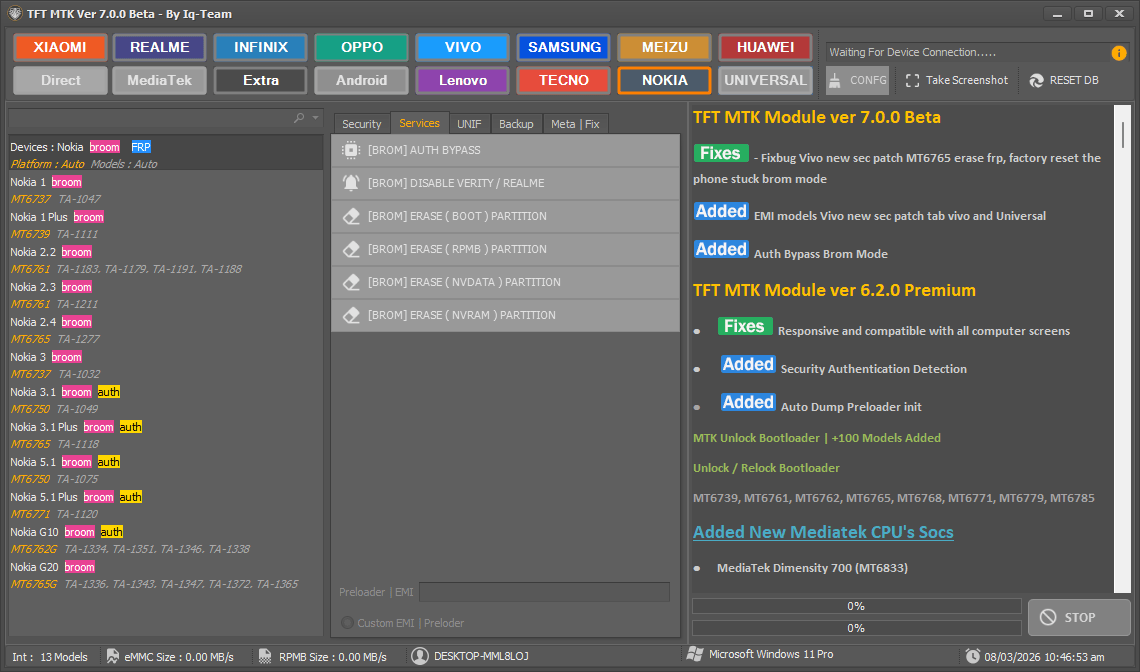
Tft mtk module tool – powerful mediatek servicing software for flashing unlocking and repair operations.
Unif
- Read Info
- Unlock Bootloader
- Relock Bootloader
- Erase Frp
- Reset Micloud
- Format Data
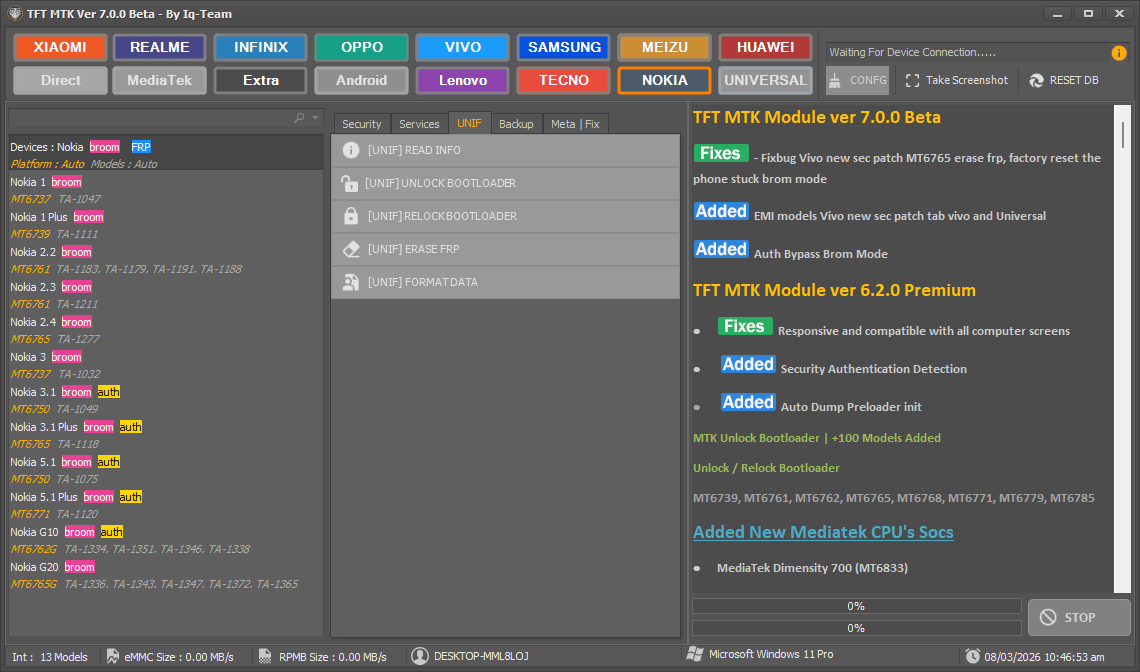
Tft mtk module allows users to flash firmware bypass frp unlock devices and repair imei on mediatek smartphones.
Backup
- Read Dump Build.prop
- Backup Boot / Vbmeta
- Restore Boot / Vbmeta
- Backup Nvram
- Restore Nvram
- Read Dump Boot
- Read Dump Preloader
- Backup Efs Sec_efs Protect1 Protect2
- Backup Full Flash
- Read Dump Rpmb
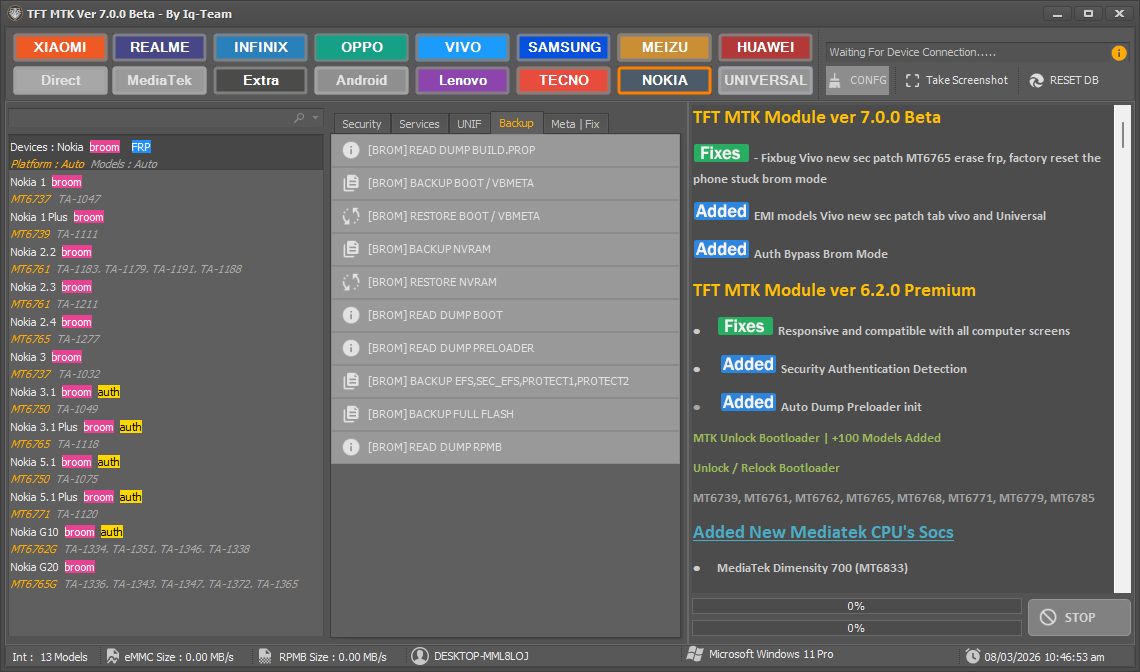
Tft mtk module tool – powerful mediatek servicing module for flashing frp removal and device repair.
Meta | Fix
- Erase Frp
- Factory Reset
- Erase Micloud
- Save Format
- Backup Nvram
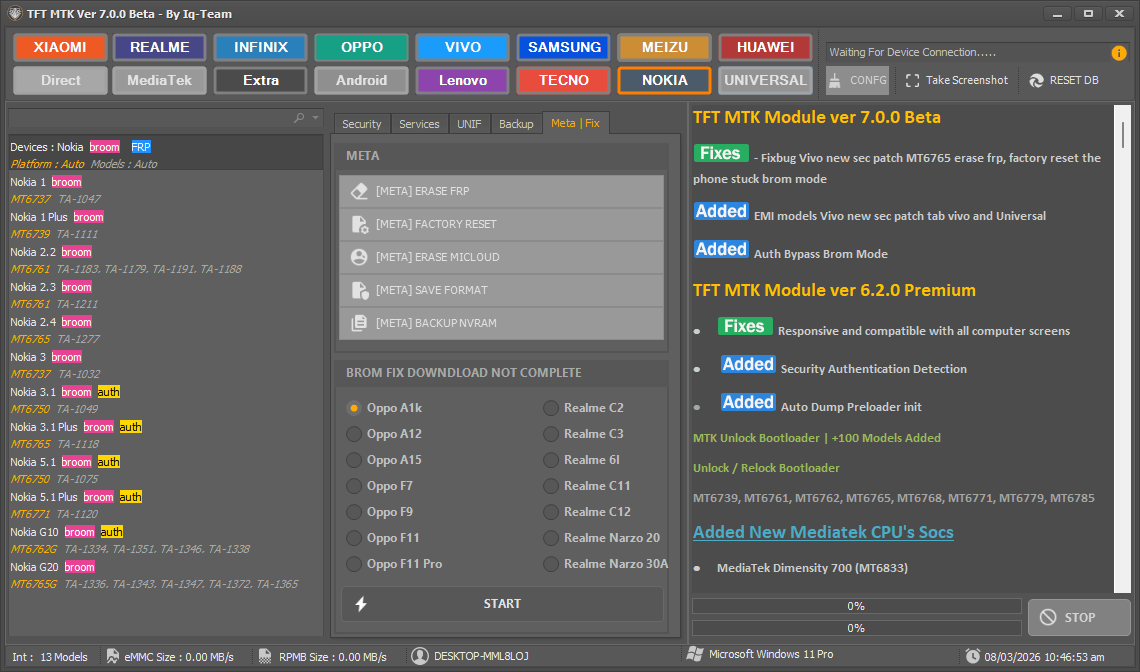
Tft mtk module tool for mediatek devices with frp bypass flashing unlocking and repair options.
Brands
- Xiaomi
- Realme
- Infinix
- Oppo
- Vivo
- Samsung
- Meizu
- Huawei
- Direct
- Mediatek
- Extra
- Android
- Lenovo
- Tecno
- Nokia
- Universal
Supported Brands And Mediatek Processors
Dealing With Random Phone Models Walking Into Your Shop Is Always A Massive Challenge. The Tool Supports Big Names Like Xiaomi And Oppo Right Out Of The Box. You Can Even Handle Lesser-known Android Devices Without Hunting For Special Files Online. It Communicates Perfectly With Both Old And Brand New Mediatek Chips Today. You Just Plug The Dead Phone In And Let The Software Do The Heavy Lifting.
Some Customers Bring In Totally Dead Meizu Or Lenovo Tablets For A Quick Repair. You Can Still Run A Clean Format Data On These Weird Units Very Easily. The Universal Tab Helps You Tackle Almost Any Generic Chinese Smartphone Instantly. It Saves You From Downloading A Dozen Different Flashing Programs For Every Single Brand. Having One Solid Program For Everything Honestly Makes Your Daily Job Much Easier.
Fixing Common Android Software Bricks
Customers Always Love Messing Around With Custom Roms And Bricking Their Own Phones. You See Devices Stuck On The Startup Logo Almost Every Single Week. This Software Lets You Fix Those Annoying Bootloops Via A Quick Restore Boot / Vbmeta Flash. You Can Also Run The Disable Verity / Realme Command To Stabilize The System Completely. It Gives You The Exact Power Needed To Reverse A Really Bad Software Update.
Sometimes A Basic Factory Reset Just Does Not Clear The Actual Software Problem. You Really Need To Wipe The Erase (nvdata) Partition To Fix Missing Baseband Numbers. The Tool Even Lets You Erase (rpmb) Partition When Dealing With Extreme Security Locks. Pulling A Read Dump Build.prop Helps You Figure Out Exactly What Firmware To Download Later. You Basically Get Full Control Over The Deepest Parts Of The Mobile Motherboard.
Frequently Asked Questions (FAQs)
Does The Tft Mtk Module Tool Support The Latest Xiaomi Phones?
Yes The Tft Mtk Module Tool Handles Modern Xiaomi Devices Very Easily Today. You Can Run Micloud Bypasses And Frp Removes Without Needing Expensive Server Credits.
Will I Lose Customer Data During An Frp Reset?
Running A Standard Frp Erase Usually Wipes The Device Storage Completely. You Should Always Use The Save Format Option To Protect Personal User Files Safely.
Can This Software Fix A Phone Stuck In A Bootloop?
It Definitely Can Recover Bricked Mediatek Devices Very Fast. You Just Need To Run A Restore Boot Command Or Use The Meta Mode Options.
Do I Need An Internet Connection To Use This Utility?
Most Direct Operations Work Perfectly Without Any Internet Access In The Shop. However Certain Auth Bypass Features Might Require A Brief Connection To Verify The Mobile Chip.
Is It Safe To Backup The Nvram Before Flashing?
Running A Backup Nvram Command Is The Smartest Thing A Technician Can Do. It Protects The Original Imei And Network Data From Getting Wiped During A Deep Flash.
Conclusion
Dealing With Dead Phones Does Not Have To Ruin Your Entire Workday Anymore. The Tft Mtk Module Tool Gives You Everything Needed To Handle Tough Software Issues. You Can Effortlessly Unlock A Bootloader Or Perform A Complex Backup Without Paying For Credits. It Covers Massive Brands Like Huawei And Samsung Directly From One Simple Interface. Every Repair Shop Needs A Reliable Utility To Execute An Erase Frp New Process Safely.
Stop Wasting Your Valuable Time On Fake Online Tutorials That Brick Customer Devices. This Software Simplifies The Whole Flashing Process So You Can Focus On Making Money. Just Download The Setup Today To Run A Quick Factory Reset And Erase Frp Combo. You Will Quickly Master Meta Mode Fixes And Deep Partition Erase Commands Easily. Your Daily Mobile Repair Workflow Will Honestly Never Look The Exact Same Again.
How To Download
To Download Tft Mtk Module Tool Follow These Steps:
- Go To The A2zflashfile.com Website Of Tft Mtk Module Tool
- Find The Download Page And Don’t Click Button And Click Only The (Download Link)
- Below Buttons Are Advertisements. Please Use The Download Links Above.
- Wait For The Download To Complete.
- Locate The Downloaded File On Your Device Once The Download
Tft Mtk Module Tool 7.0.0
Download Link:: Usersdrive – Mediafire – 4shared – My.pcloud – DropBox – Mega – Vexfile – Google Drive