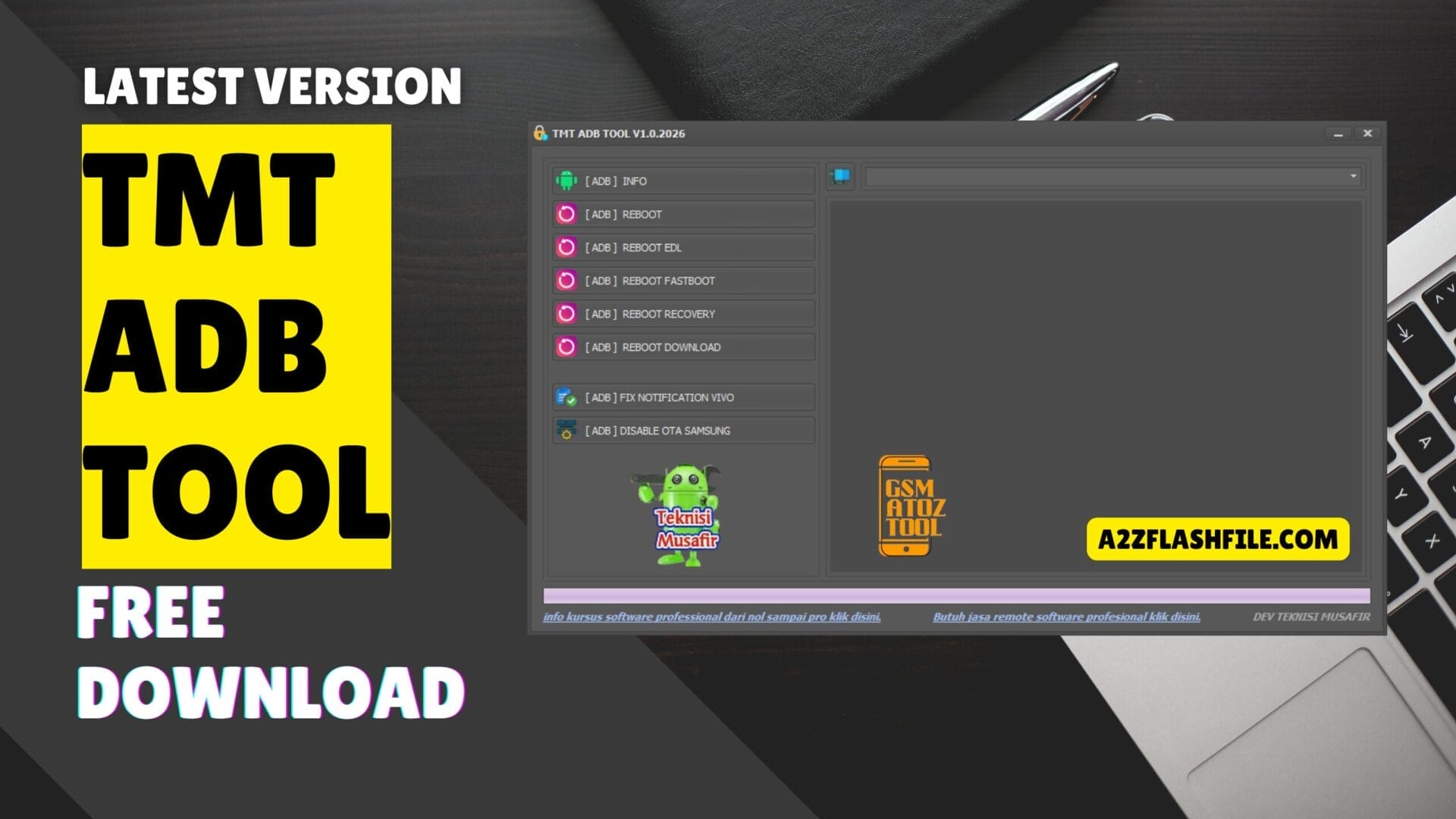
Tmt adb tool dashboard with one-click adb reboot recovery fastboot and device
It’s Honestly So Draining When Your Phone Starts Acting Up Right When You Need It Most. Whether It’s A Stubborn Notification That Won’t Go Away Or An Update That Feels Forced That Feeling Of Losing Control Over Your Own Device Is Just The Worst. You Don’t Want A Complicated Manual; You Just Want Your Phone To Work The Way It’s Supposed To.
That’s Where The Tmt Adb Tool Steps In To Save The Day. We’re Diving Into How Simple Commands Like Adb Reboot Adb Reboot Edl Adb Reboot Fastboot Adb Reboot Recovery And Adb Reboot Download Can Help You Bypass Those Annoying Roadblocks. Plus We’ll Show You How To Handle Specific Issues Like Adb Fix Notification (vivo) And Adb Disable Ota (samsung) So You Can Finally Get Your Mobile Experience Back On Your Own Terms.
Contents
Tmt Adb Tool Latest Version Best Adb Utility For Android Devices
If You’ve Ever Worked On Android Phones You Already Know How Frustrating Simple Tasks Can Become Without The Right Tools. One Wrong Step And Suddenly You’re Stuck In A Boot Loop Or Can’t Access Recovery Mode. That’s Exactly Where Tmt Adb Tool Steps In Making Common Adb Tasks Feel Less Stressful And More Under Control.
This Tool Is Built For People Who Want Quick Results Without Typing Long Commands. Whether You’re Checking Device Details Switching Boot Modes Or Fixing Small Software Issues Everything Is Laid Out In A Way That Just Makes Sense. You Plug In Your Phone Click What You Need And The Job Gets Done.
What Is The Tmt Adb Tool
The Tmt Adb Tool Is A Lightweight Android Utility Designed To Work Through Adb Mode. In Simple Words It Lets You Control And Manage Android Devices Directly From Your Computer. You Don’t Need Deep Command-line Knowledge Which Is A Huge Relief For Beginners And Technicians Alike.
What Makes It Useful Is How It Groups Essential Features In One Place. You Can View Adb Info Perform Adb Reboot Or Send Your Device Straight Into Fastboot Recovery Or Download Mode With A Single Click. For Supported Devices It Even Includes Options Like Adb Fix Notification (vivo) And Adb Disable Ota (samsung) Which Saves Time During Real-world Repair Work.
Also Read
Download The Tmt Adb Tool Latest Versoin
Getting Started With The Tmt Adb Tool Is Pretty Straightforward. Once Downloaded You Simply Extract The Files And Run The Tool As Administrator. Make Sure Usb Debugging Is Enabled On Your Phone Otherwise Adb Won’t Detect The Device Properly.
After Connecting Your Phone The Tool Can Instantly Read Device Details Using Adb Info. From There You Can Safely Use Options Like Adb Reboot Edl Adb Reboot Fastboot Adb Reboot Recovery Or Adb Reboot Download Depending On What You’re Trying To Fix. The Whole Experience Feels Smooth Especially If You’ve Struggled With Manual Adb Commands Before.
Features:
Adb Info And Device Detection
The Moment You Connect A Phone Adb Info Helps Confirm Whether The Device Is Properly Detected. This Sounds Basic But It Saves You From Guessing If Drivers Or Usb Debugging Are Working. You Instantly See That The Connection Is Solid. For Beginners This Feature Builds Confidence. For Experienced Users It Removes Unnecessary Checks. Either Way It’s A Small Step That Prevents Bigger Mistakes Later.
Adb Reboot Options Explained
Rebooting A Device Sounds Simple But Choosing The Wrong Mode Can Create Problems. That’s Why The Adb Reboot Section Feels Thoughtfully Designed. Each Reboot Option Is Clearly Labeled So You Know Exactly Where Your Phone Is Going. You Can Reboot Normally Or Send The Device Directly Into Special Modes Without Touching Hardware Keys. It’s Cleaner Faster And Far Less Frustrating Than Button-press Gymnastics.
Adb Reboot Edl And Fastboot Mode
For Deeper Repairs Adb Reboot Edl And Adb Reboot Fastboot Become Essential. These Modes Are Often Required For Flashing Firmware Or Fixing Serious Software Corruption. Doing This Manually Can Be Risky If You’re Not Careful. With Tmt Adb Tool The Process Feels Controlled. One Click And The Phone Enters The Correct Mode Without Confusion. That Alone Can Save Hours During Troubleshooting.
Adb Reboot Recovery And Download Mode
Recovery And Download Modes Are Commonly Used Especially On Samsung And Other Android Devices. The Tool Lets You Access Adb Reboot Recovery And Adb Reboot Download Instantly Without Pressing Volume And Power Buttons Together. This Is Especially Helpful When Hardware Keys Are Damaged Or Unresponsive. The Feature Quietly Solves A Real-world Problem Most Users Don’t Talk About Enough.
Adb Fix Notification For Vivo Devices
Vivo Users Often Face Notification Issues After Updates Or Resets. The Adb Fix Notification (vivo) Option Exists For This Exact Reason. Instead Of Searching Forums Or Random Scripts You Get A Ready Solution. It’s One Of Those Features That Shows The Tool Was Built By Someone Who Understands Common Android Headaches. Simple Fix. Real Impact.
Adb Disable Ota For Samsung Phones
Automatic Updates Can Be Helpful But Not During Repair Work. Adb Disable Ota (samsung) Allows You To Stop Unwanted System Updates That Might Interfere With Flashing Or Testing. For Technicians This Feature Is A Quiet Lifesaver. It Keeps The Device Stable While You Work Without Surprises Popping Up Mid-process.
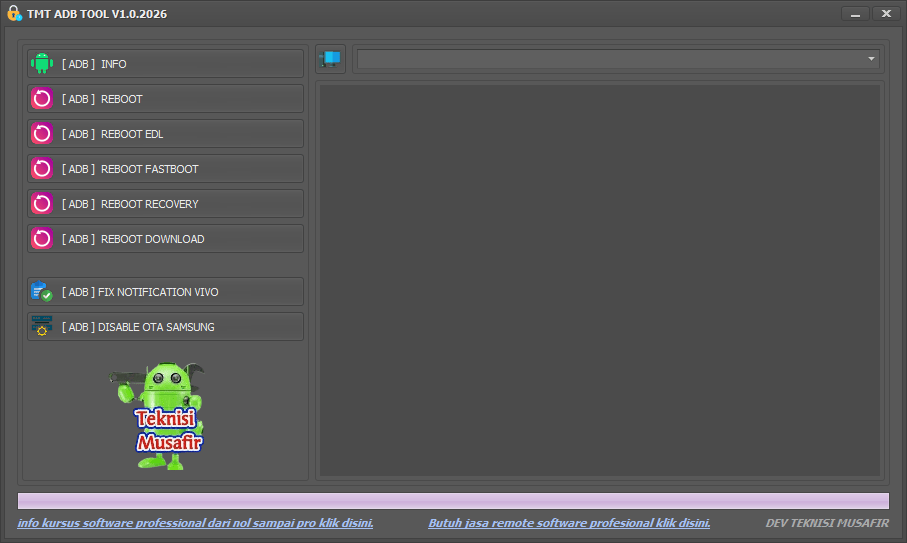
Tmt adb tool dashboard with one-click adb reboot modes device info and android repair utilities
Is Tmt Adb Tool Safe To Use
Used Correctly The Tmt Adb Tool Is Safe And Reliable. It Doesn’t Modify Anything Unless You Choose An Action Yourself. That Puts Control Firmly In Your Hands. Of Course Basic Precautions Still Matter. Always Double-check The Option You’re Clicking And Make Sure The Device Is Compatible. A Little Care Goes A Long Way.
Who Should Use The Tmt Adb Tool
This Tool Isn’t Just For Professionals. Beginners Who Are Learning Android Repair Will Appreciate How Straightforward Everything Feels. There’s Less Fear Of Doing Something Wrong. At The Same Time Advanced Users Benefit From Speed And Convenience. Whether You’re Fixing One Phone Or Many The Tool Adapts Easily To Your Workflow.
Final Thoughts
The Tmt Adb Tool Latest Version Offers A Clean And Focused Solution For Common Android Adb Tasks. It Doesn’t Try To Do Everything But What It Does It Does Well. From Reboot Modes To Device-specific Fixes It Keeps Things Simple And Efficient. If You’re Tired Of Memorizing Commands Or Dealing With Button Combinations This Tool Is Worth Trying. With Proper Setup And Careful Use It Can Save Time And Reduce Frustration. For Many Android Users That Alone Makes It Valuable.
How To Download
To Download Tmt Adb Tool Follow These Steps:
- Go To The Gsmatoztool.com Website Of Tmt Adb Tool.
- Find The Download Page And Don’t Click Button And Click Only The (Download Link)
- You Should Not Download From The Download Button Because It Is An Ad File Link
- Wait For The Download To Complete.
- Locate The Downloaded File On Your Device Once The Download Is Finished.
- Double-click On The File To Start The Installation Process.
- Follow The On-screen Instructions To Complete The Installation.
Tmt Adb Tool
Download Link:: Usersdrive – Mediafire – 4shared – My.pcloud – Playbook – DropBox – Mega – Vexfile – Google Drive