
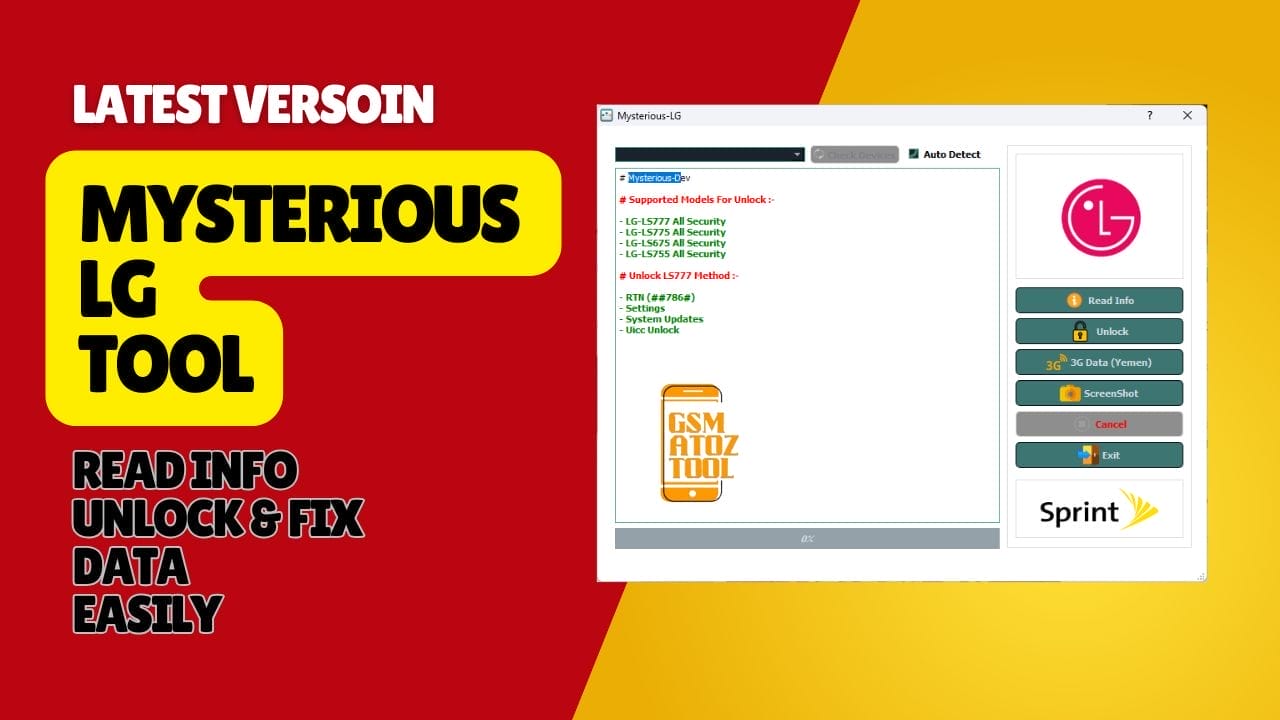
Unlock lg phones fix data issues and auto detect devices with the mysterious-dev lg tool.
Sometimes You Just Want Your Lg Phone To Work Again—network Unlocked Mobile Data Fixed And Basic Info Readable—without Wasting Hours On Random Tools And Videos. It’s Frustrating When You Try Everything You Find Online But Nothing Solves The Issue Especially When Data (yemen) Still Won’t Work After Flashing. I’ve Felt That Same Confusion And Stress Hoping There Was One Tool That Could Simply Read Info Unlock And Fix Things Without Drama.
In This Post You’ll Learn How The Mysterious-dev Lg Tool Brings All These Essential Features Together In One Place. I’ll Show You How It Can Check Devices (auto Detect) Pull Accurate Details Unlock Supported Models And Repair Data Settings That Cause Headaches For Many Users. By The End You’ll Know Exactly How This Tool Helps You Get Your Device Working Again—quickly And Confidently.
Mysterious-Dev LG Tool Read Info, Unlock & Fix Data Easily
Unlocking Or Fixing An Lg Phone Shouldn’t Feel Like Solving A Puzzle. Many Users Get Stuck When Their Device Refuses To Read Info Shows No Network After Flashing Or Can’t Connect To The Internet Even After Multiple Attempts. It’s Stressful When Nothing Works And Every Guide Tells You To Try Something Different. If You’ve Been Stuck In This Loop You’re Not Alone.
The Good News Is That The Right Tool Can Simplify Everything In Just A Few Steps. If You Want Quick Access To Features Like Read Info Unlock Stable Data (yemen) Settings And Automatic Device Detection Then You’ve Come To The Right Place. This Guide Shows You How The Mysterious-dev Lg Tool Helps You Get Your Device Working Again Without Wasting Time.
What Is The Mysterious-dev Lg Tool
The Mysterious-dev Lg Tool Is A Compact Software Used To Unlock Supported Lg Devices Restore Mobile Data Settings And Quickly Read System Information For Troubleshooting. It’s Especially Helpful For Users Dealing With Network Problems After Switching Carriers Or Flashing Firmware.
The Tool Keeps Things Simple By Offering Options Like Read Info Unlock And Check Devices (auto Detect) In One Place So You Don’t Need Multiple Tools To Finish One Job. When You Start Using It One Feature Stands Out — Automatic Device Recognition. Instead Of Searching Through Long Menus Or Pressing Random Buttons The Tool Detects Your Lg Phone Instantly With The Check Devices (auto Detect) Function.
Once Connected You Can Check Sim Restrictions Remove Carrier Locks Or Repair Data (yemen) To Restore Internet Access After Converting A Device From Cdma To Gsm. If You Want A Single Solution For Quick Repairs Mysterious-dev Lg Tool Does The Work Without Unnecessary Complications.
Also Read
Mysterious-dev Lg Tool Latest Version Free Download
Most Lg Models Supported By This Tool Come From Sprint Or Similar Carriers Which Means Unlocking Is Often Required Before Using Any Sim. With The Unlock Feature Users Can Switch Networks Remove Limitations And Activate Calling And Texting Without Special Codes Or Paid Services.
The Unlock Option Works With Selected Models And Is Commonly Used After Flashing Firmware Or Performing A Factory Reset. It Saves Time Compared To Manual Steps That Require Testing Different Dial Codes Or Scripts. The Read Info Option Is Ideal When You’re Not Sure What’s Wrong With The Device. It Gathers Basic System Details Such As Imei Model Software Version And Security Status Making Troubleshooting Clearer.
Meanwhile Data (yemen) Helps Users Inside Yemen Configure Working Data Settings After Converting Their Device From Cdma To Gsm. The Combination Of These Features Gives You More Control Over Your Phone’s Condition And Allows You To Bring It Back To Daily Use Without Waiting For A Technician.
Features Mysterious-Dev LG Tool:
- Read Info
- Unlock
- Data (Yemen)
- Check Devices (Auto Detect)
Supported Models:-
- LG- LS777 All Security
- LG- LS775 All Security
- LG- LS675 All Security
- LG- LS755 All Security
Unlock LS777 Method:-
- RTN (##786#)
- Settings
- System Updates
- Uicc Unlock
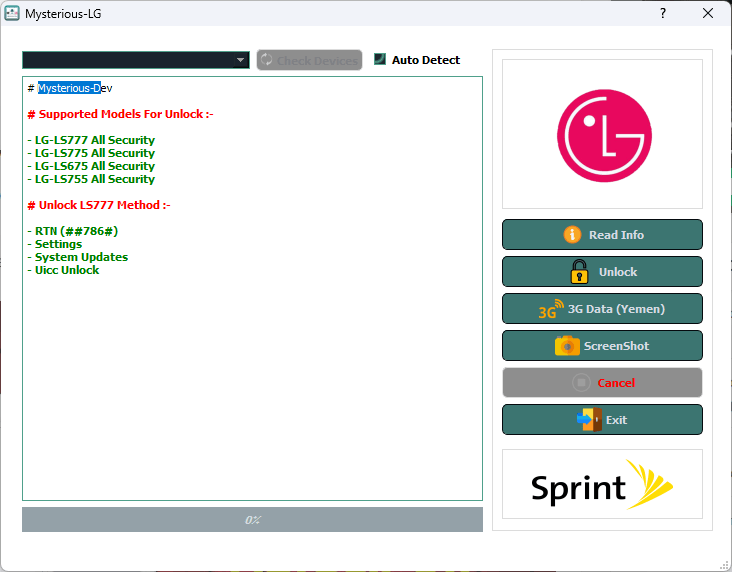
Free download mysterious-dev lg tool to unlock lg phones fix data (yemen) and auto detect devices.
How to Use?
- You Will Need To First Download The Zip From The Below Link.
- Then, Unzip All The Files In The C Drive.
- Then, Install The Setup With The Basic Instructions.
- Run The Tool As Admin “Mysterious-Dev LG Tool“
- If You Already Have Drivers Installed, Skip This Step.
- Enjoy !!!
Final Thoughts
Unlocking And Repairing Lg Devices Doesn’t Have To Be Complicated. With Features Like Read Info Unlock Check Devices (auto Detect) And Dedicated Data (yemen) Support This Tool Helps You Solve The Most Common Issues In A Practical Way. If You’re Tired Of Methods That Don’t Work Trying The Mysterious-dev Lg Tool Might Be The Step You’ve Been Searching For.
How To Download
To Download Mysterious-Dev LG Tool Follow These Steps:
- Go To The A2zflashfile.com Website Of Mysterious-Dev LG Tool.
- Find The Download Page And Don’t Click Button And Click Only The (Download Link)
- Below Buttons Are Advertisements. Please Use The Download Links Above.
- Wait For The Download To Complete.
- Locate The Downloaded File On Your Device Once The Download
Mysterious-Dev LG Tool
Download Link:: Usersdrive – Mediafire – 4shared – My.pcloud – Playbook – Limewire – Disk.Yandex – DropBox – Mega – Vexfile


