
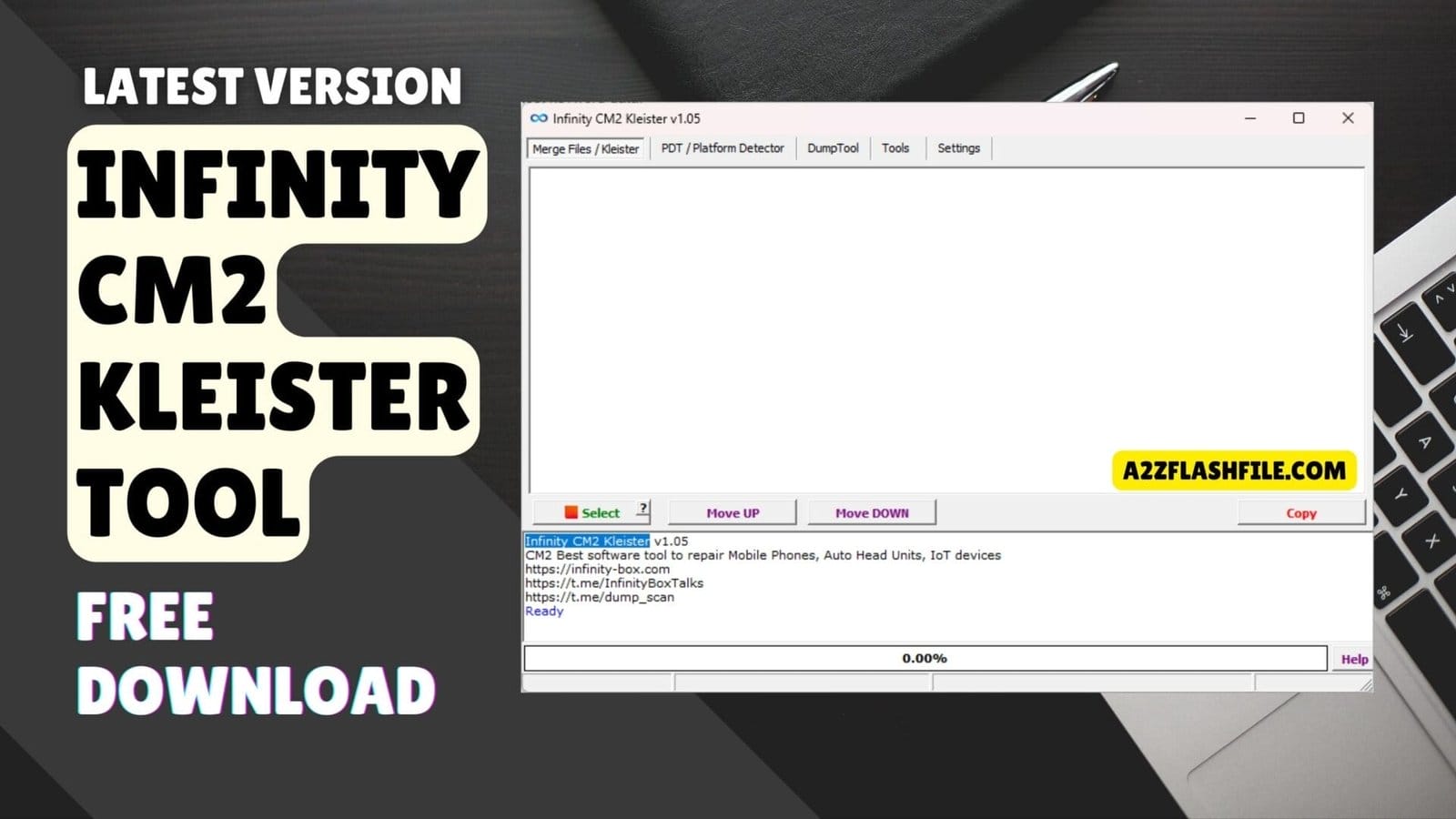
The infinity cm2 kleister tool v1. 05 featuring the merge files pdt and dumptool tabs for mobile firmware repair.
It Is Incredibly Draining When You Are Trying To Fix A Bricked Phone Or Manage Firmware Files And Nothing Seems To Work Quite Right. You Probably Feel That Familiar Wave Of Frustration When Your Files Won’t Merge Or Your Device Isn’t Being Detected Despite Your Best Efforts. Most Of Us Just Want A Reliable Way To Handle These Technical Headaches Without Feeling Like We Are Fighting Against The Software Every Single Step Of The Way.
In This Guide I Will Show You Exactly How To Master The Infinity Cm2 Kleister Tool To Simplify Your Mobile Repair Workflow. We Will Walk Through Everything From Using The Pdt / Platform Detector To Mastering The Dumptool For Saving Essential Partitions. By The End Of This Post You Will Feel Confident Navigating The Settings Panel And Using Every Function To Get Your Device Back In Perfect Working Order.
What Is The Infinity Cm2 Kleister Tool
This Software Is A Dedicated Utility Designed To Help Technicians Handle Complex Firmware Files And Identify Device Platforms Easily. At Its Core It Gives You A Clean Interface To Merge Files / Kleister So You Can Build Custom Firmware Packages Without Relying On Messy Third-party Scripts. For Example If You Have Scattered Partition Files The File Working Area Panel Lets You Organize Them Logically.
You Just Use The Select Option To Grab What You Need Then Arrange Everything Perfectly With The Move Up Function And The Move Down Function. Beyond Just Combining Files The Program Acts As A Diagnostic Bridge Between Your Pc And The Smartphone. When You Navigate To The Pdt / Platform Detector Tab You Can Instantly Read The Hardware Details Of An Unknown Device.
All You Have To Do Is Follow The Exact Device Connection Instruction (hold Both Volume Keys + Insert Usb Cable) To Successfully Link The Phone. Once Connected Just Hit The Start Button To Begin Reading The Data Or Use The Stop Button If You Need To Cancel The Process Safely.
Also Read
Whatsapp Group
- GSM ATOZ TOOL :: Group Link Join
- GSM ATOZ TOOL 1:: Group Link Join
- GSM ATOZ TOOL 2 :: Group Link Join
- Gsm Atoz Tool Remotely Services :: Group Link Join
- Telegram Group GSM ATOZ TOOL :: Group Link Join
- Telegram Group GSM ATOZ TOOL 1 :: Group Link Join
Download The Infinity Cm2 Kleister Tool Latest Versoin
Grabbing The Newest Update Of The Infinity Cm2 Kleister Tool Is Non-negotiable If You Want To Work On Modern Androids. A Fresh Install Means Your Tools Section Won’t Bug Out When Dealing With The Latest Security Patches. It Also Completely Opens Up The Dumptool Tab Which Is Your Best Friend When Backing Up A Phone Before Flashing. You Definitely Don’t Want To Accidentally Brick A Customer’s Device Just Because Your Software Was A Year Out Of Date.
After Downloading And Unzipping The Setup Take A Second To Check The Settings Panel So Your Output Folders Are Ready To Go. Inside You Will Spot A Dedicated Functions Section Packed With Utilities You Will Use Every Single Day. Staying Updated Guarantees That Features Like The Save Parts Button Actually Work When Extracting Specific Memory Blocks. Always Grab Your Download From A Trusted Source Though Because Nobody Wants Malware Ruining Their Workspace.
Features:
Merge Files / Kleister
- PDT / Platform Detector
- DumpTool
- Tools Section
- Settings Panel
- Select Option
- Move UP Function
- Move DOWN Function
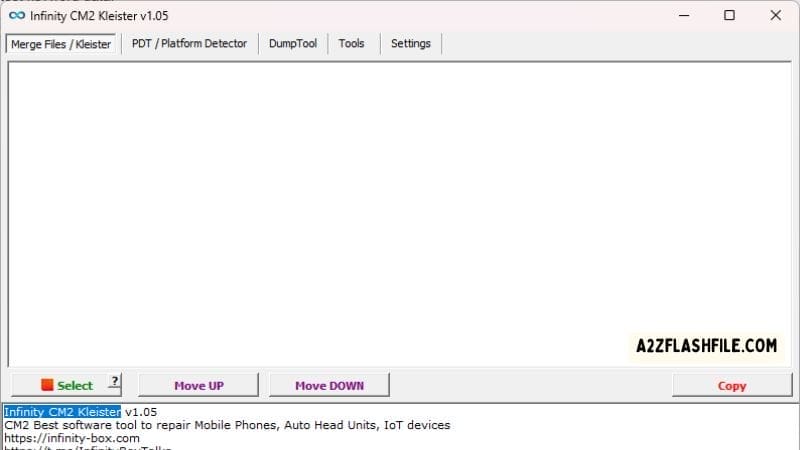
Download the latest infinity cm2 kleister tool to easily merge files and repair mobile firmware.
PDT / Platform Detector Tab
- Start Button
- Stop Button
- Device Connection Instruction (Hold Both Volume Keys + Insert USB Cable)
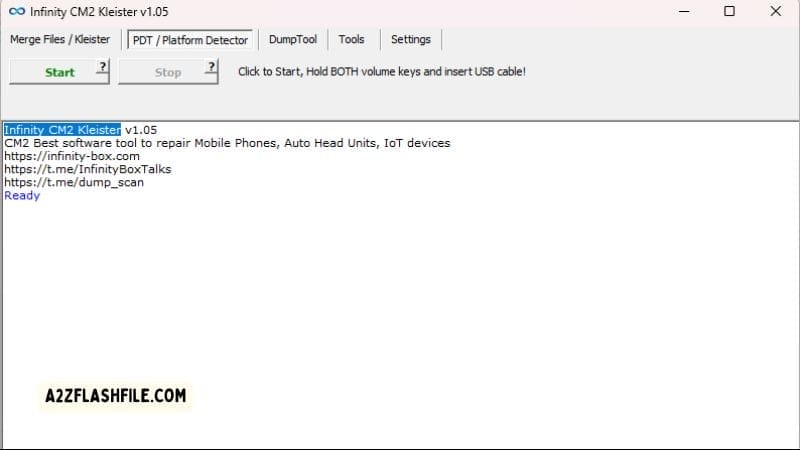
The pdt / platform detector tab provides direct instructions for connecting a dead or unknown device.
DumpTool Tab
- Load Raw/Dump Option
- Save Parts Button
- Open Dir Button
- Functions Section
- File Working Area Panel
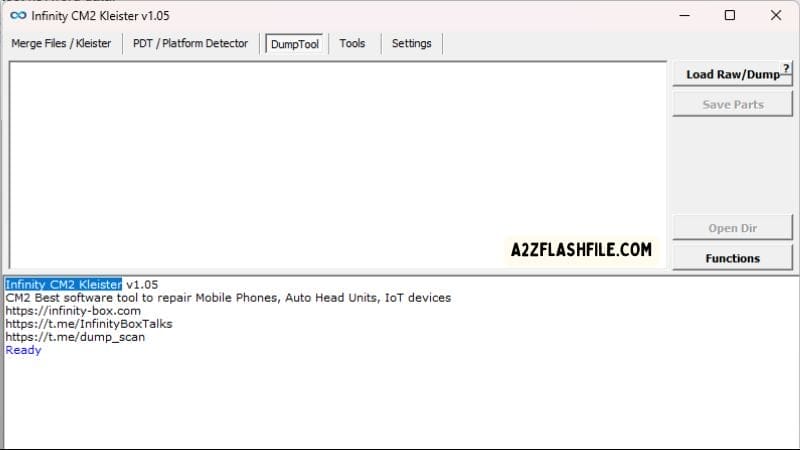
Use the dumptool tab to load raw files extract system images and save individual partitions safely.
Tools
- Sparse to Bin Option
- Bin to Sparse Option
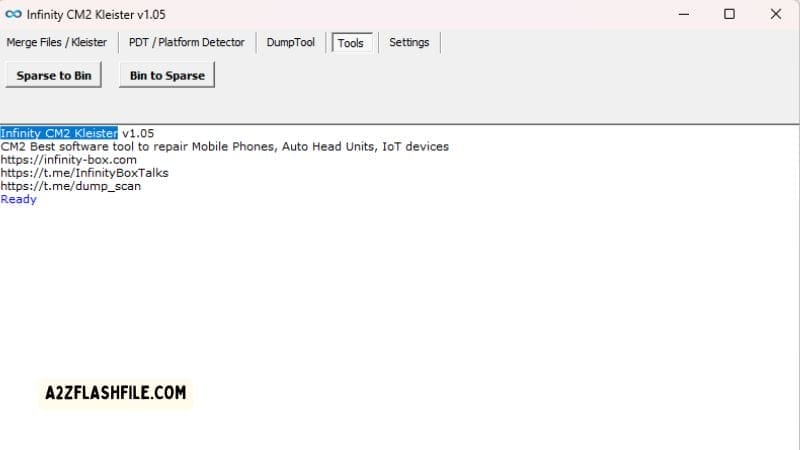
The built-in tools section lets you quickly compress and convert between sparse and bin firmware formats.
Troubleshooting With The Pdt / Platform Detector
Sometimes A Customer Brings In A Phone That Is Completely Dead And You Have Absolutely Zero Clue What Chipset Is Inside. That Is Exactly Where The Pdt / Platform Detector Comes Into Play To Save Your Repair. It Completely Takes Away The Guessing Game By Analyzing The Hardware And Telling You Exactly What You Are Dealing With. You No Longer Have To Spend An Hour Searching Google For Spec Sheets Just To Figure Out The Processor Type.
If The Software Isn’t Reading The Phone At All You Need To Double-check Your Steps On The Pdt / Platform Detector Tab. You Have To Follow The Device Connection Instruction (hold Both Volume Keys + Insert Usb Cable) Perfectly Or Your Computer Will Just Ignore The Device. Once You Hear That Familiar Windows Connection Chime Just Hit The Start Button To Pull The Data. If The Read Looks Scrambled Or Hangs Up Smash The Stop Button And Try A Different Usb Port.
Why You Need The Merge Files / Kleister
Flashing A Dead Phone Is Risky Enough Without Having To Worry About Scattered Broken Partition Files. The Merge Files / Kleister Tool Lets You Stitch Those Random Pieces Back Into One Solid Flashable Package. It Is Honestly A Game-changer When You Are Dealing With Sketchy Firmware Downloads From Random Online Forums. You Get To Build Exactly What The Phone Needs Instead Of Hoping A Pre-packaged File Works.
Instead Of Typing Out Complicated Commands You Just Load Everything Right Into The Functions Section Of The Software. From There You Just Verify Your File Order And Let The Program Handle The Heavy Lifting Of Combining Them. Having This Kind Of Control Over Your Files Means Fewer Flashing Errors And Way Fewer Bricked Devices On Your Desk.
Frequently Asked Questions (FAQs)
What Exactly Does The Infinity Cm2 Kleister Tool Do?
It Is A Specialized Utility That Helps Mobile Technicians Merge Scattered Firmware Files Detect Unknown Chipsets And Extract System Partitions Safely.
Why Isn’t The Pdt / Platform Detector Reading My Phone?
You Probably Missed A Step In The Connection Process. Make Sure You Follow The Device Connection Instruction (hold Both Volume Keys + Insert Usb Cable) Exactly Or Your Pc Will Completely Ignore The Device.
Is There A Way To Backup My Current Firmware Before I Flash Anything?
Absolutely. You Just Head Over To The Dumptool Tab Load Up A Raw Memory Read And Hit The Save Parts Button To Keep Your Essential Files Safe.
How Do I Fix A Massive Sparse Image File That My Flasher Won’t Accept?
Just Drop The File Into The Tools Section And Click The Sparse To Bin Option To Instantly Convert It Into A Clean Flashable Binary File.
How Do I Arrange My Files Before I Merge Them Together?
Drop Everything Into The File Working Area Panel Click The Select Option For The Files You Need And Organize The Stack Using The Move Up Function And Move Down Function.
Conclusion
Honestly Having The Infinity Cm2 Kleister Tool On Your Pc Is A Total No-brainer If You Do Any Kind Of Software Repair. It Takes The Most Annoying Parts Of The Job—like Merging Scattered Files Or Guessing A Phone’s Platform—and Handles Them In Seconds. You Can Finally Stop Juggling Five Different Programs Just To Prep A Single Firmware File.
Get The Latest Version Downloaded Practice Connecting A Few Devices And You Will See Exactly Why Technicians Rely On It. It Just Works And Sometimes That Is All You Really Need To Get Through A Busy Day Of Repairs.
How To Download
To Download Infinity CM2 Kleister Tool Follow These Steps:
- Go To The A2zflashfile.com Website Of Infinity CM2 Kleister Tool.
- Find The Download Page And Don’t Click Button And Click Only The (Download Link).
- Below Buttons Are Advertisements. Please Use The Download Links Above.
- Wait For The Download To Complete.
- Locate The Downloaded File On Your Device Once The Download.
Get Instant Access to All Professional Tools at Best Prices:
Unlock Tool | DFT Pro | Pandora | MDM Fix | Chimera | Cheetah | EFT Pro | UMT | NCK | CM2 | Hydra | Z3X | Sigma | Octopus | Griffin | TFM | TSM | EMT | MST | DT Pro | AMT | TR Tool | CF Tool | UAT | 360 Tool | Scorpion | Easy Box | Best Dongle | HCU | Sams Tool
Instant Activation | 24/7 Service | Worldwide Support
[Click Here to Get Tool on WhatsApp]
Infinity CM2 Kleister Tool V1.11
Download Link:: Usersdrive – Mediafire – 4shared – My.pcloud – Playbook – Google Drive – DropBox – Mega – Vexfile – Drive.proton


