

Qst pro tools an all-in-one mobile solution for unlocking flashing and repairing samsung mi oppo vivo realme and oneplus smartphones featuring mtk bootloader unlock frp removal and mi account bypass
Ever Needed To Fix Volte On A Samsung Unlock Hidden Menus On An Lg And Translate A Phone’s Interface To Arabic All Before Lunch? It’s A Genuinely Wide Range Of Problems To Juggle And Most Tools Only Handle One Or Two Of Them Well Before You’re Back To Searching For Something Else. You Start Wishing For One Program That Actually Spans This Much Ground Without Falling Apart On The Less Common Stuff.
That’s Exactly What Qst Pro Tool Is Built For And This Post Breaks Down What’s Inside It. From Samsung’s Arabic Translation And Csc Management To Lg’s Hidden Menus Xiaomi Frp Resets And Network Tools Like Volte And Engineer Mode We’ll Walk Through Each Section In Plain Terms. By The End You’ll Know Exactly Where To Look For Whatever Repair Or Setup Task You’re Dealing With.
What Is The Qst Pro Tool
Qst Pro Tool Is A Multi-purpose Smartphone Unlocking And Configuration Utility That Spans Samsung Lg Xiaomi And Generic Android Functions Under One Interface. It’s Not Just An Frp Remover Though It Handles That Too It Also Covers Language Translation Carrier Csc Settings Volte Activation And App Management Areas Most Unlocking Tools Skip Entirely. That Breadth Is Exactly What Makes It Worth A Closer Look If You’re Regularly Working Across Different Brands And Repair Types.
What Separates It From A Narrower Tool Is How It Treats Setup And Configuration Work As Seriously As Unlocking. Arabic Translation Support Alone Spans Multiple Android Version Ranges And Even Extends To Brands Like Zte And Motorola Not Just Samsung. So Whether You’re Bypassing Frp On A Samsung Opening Hidden Menus On An Lg Or Just Trying To Get Volte Working Properly There’s A Dedicated Function Rather Than A Generic Workaround.
Also Read
Download The Qst Pro Tool Latest Version
Grab The Current Build Rather Than Something Saved A While Back Since Android Versions Keep Climbing And Samsung’s Translation And Frp Methods Get Updated To Match. An Older Version Might Not Cover Android 15 Translation Or A Newer Frp Security Patch Leaving You Stuck Without The Right Option. So Always Pull The Latest Release Rather Than Trusting An Old Download.
Before Connecting A Device Make Sure The Right Drivers Are Installed For Whichever Brand You’re Working With Samsung Lg And Mtk-based Xiaomi Devices All Need Slightly Different Setups. Get The Phone Into The Correct Mode Too Adb Download Fastboot Or Port-based Connection Depending On The Specific Function You’re Running. If The Tool Doesn’t Recognize Your Device Right Away That’s Almost Always A Driver Or Connection Mode Issue Rather Than A Problem With The Software Itself.
Features QST Pro Tool
- Samsung
- LG
- Mi
- Arabic
- VoLTE
- Command
- Android
- Apps
- MTK
How to Install QST Pro Tool
- Download And Extract The QST Pro Tool To Your Computer.
- Now Extract The Tool Using Winrar Or 7zip,

- Run the QST Pro Tool.exe as Administrator.
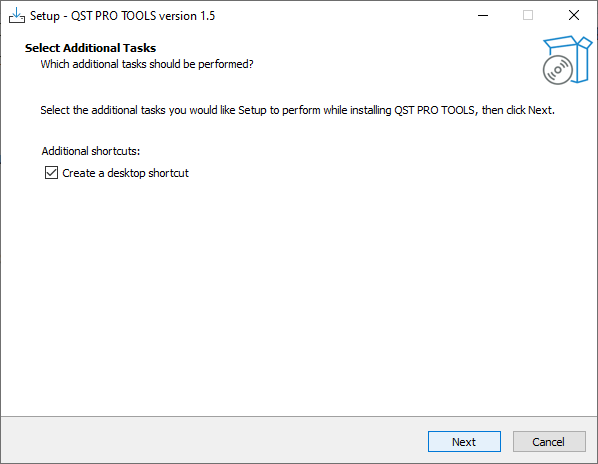
- Click Next ->
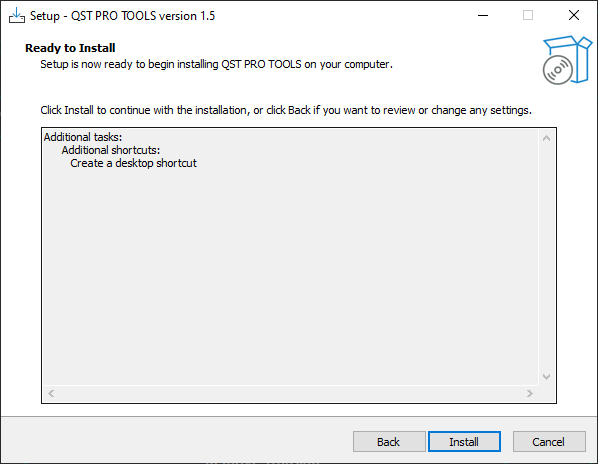
- Click Install ->
- Click Finish ->
- Now The Tool Will Open Successfully.
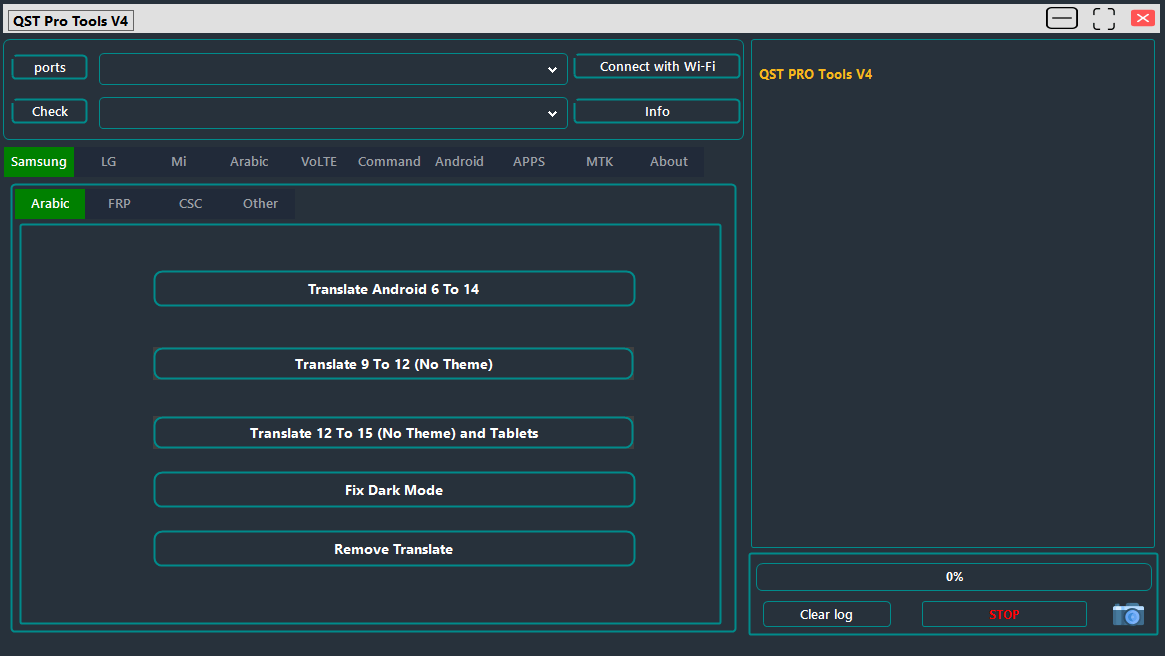
How To Use?
- Run The QST Pro Tool For Pc.
- Now You Can Use It.
Samsung Tools
[Arabic Translation]
- Translate Android 6 to 14
- Translate Android 9 to 12 (No Theme)
- Translate Android 12 to 15 (No Theme) – Includes Tablets
- Fix Dark Mode Issues
- Remove Translation
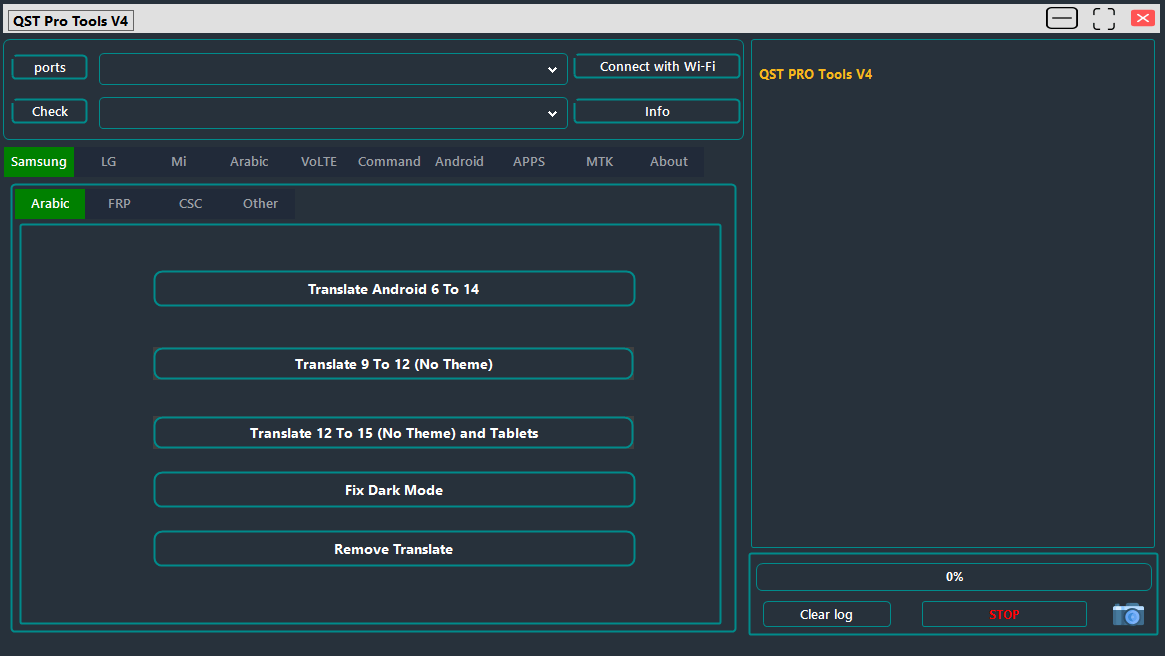
Qst pro tools showing samsung tab with arabic language translation options for android 6 to 15 dark mode fix and translation removal
[FRP Bypass]
- Reset FRP in Test Mode
- Reset FRP Test Mode (2022 Update)
- Reset FRP & Knox
- Bypass MDM / Knox (ADB)
- Reset FRP via ADB
- FRP Bypass via QR Code
- Enable/Disable Diag Mode
- Supports New & Old FRP Methods
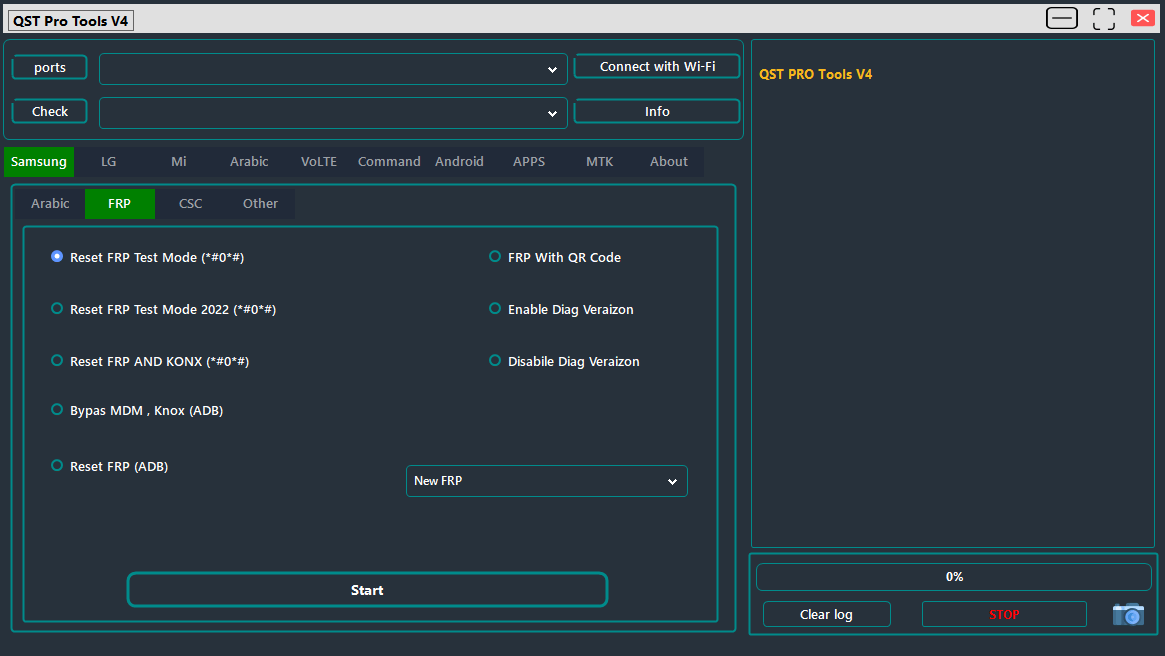
Qst pro tools samsung frp tab showing reset options: frp test mode konx bypass mdm/knox bypass adb reset qr code frp and diag verizon controls
[CSC Management]
- Change CSC (All Models)
- Set to: VZW, GCF, ATT, TMB, SPR
- Fast CSC Change via Port (Modem)
- Enable / Disable CSC SIM
- Read Supported Carrier List
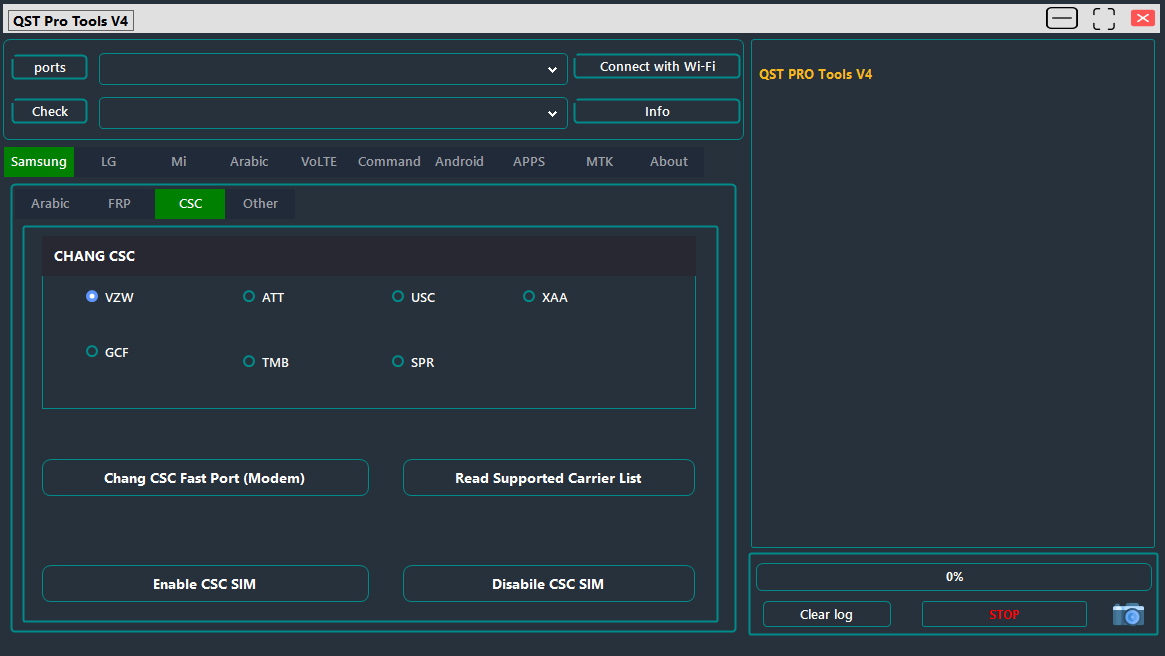
Qst pro tool samsung csc tab showing carrier selection options (vzw att usc xaa gcf tmb spr) with csc fast port change and sim enable/disable controls
[Other Samsung Functions]
- Remove Pre-installed Apps
- Enable System Updates
- Disable / Stop Updates
- Stop Activation (SPR Models)
- Show Mobile Data Icon
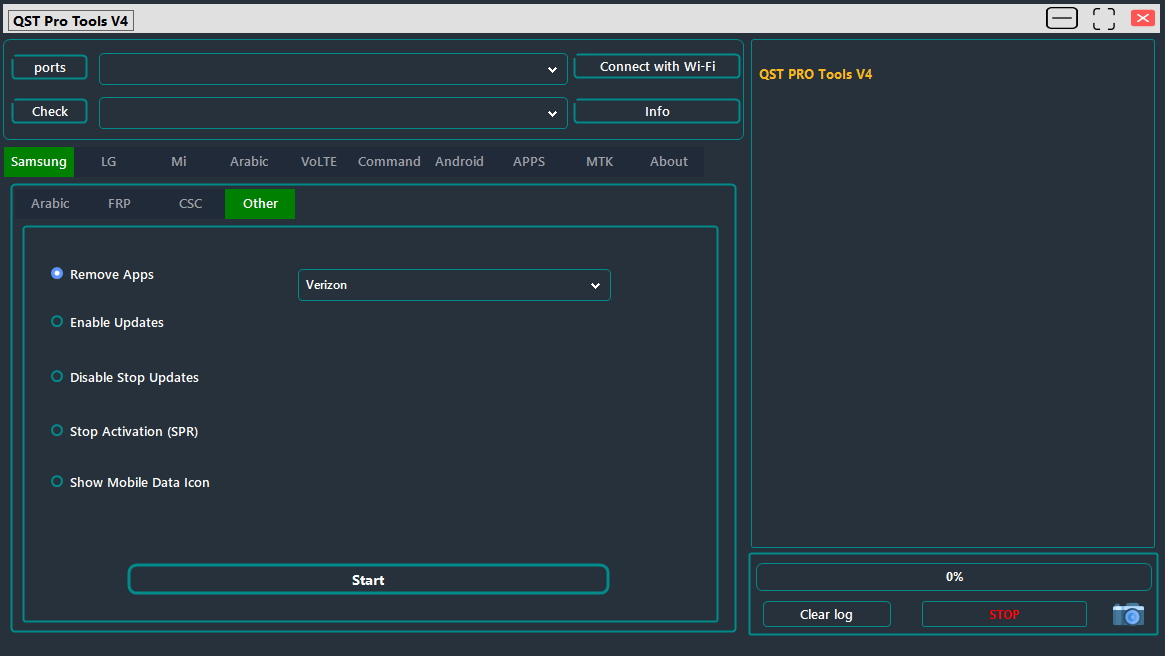
Qst pro tool samsung other tab showing remove apps (verizon) enable/disable updates stop activation (spr) and show mobile data icon options
LG Tools
[ADB Functions]
- Open APN Hidden Menu
- Open Port Access
- Stop LG Activation
- Open Hidden Menus
- Open Bands (MTK)
- Open Band & Diag Menus
- Open MCFG_LG
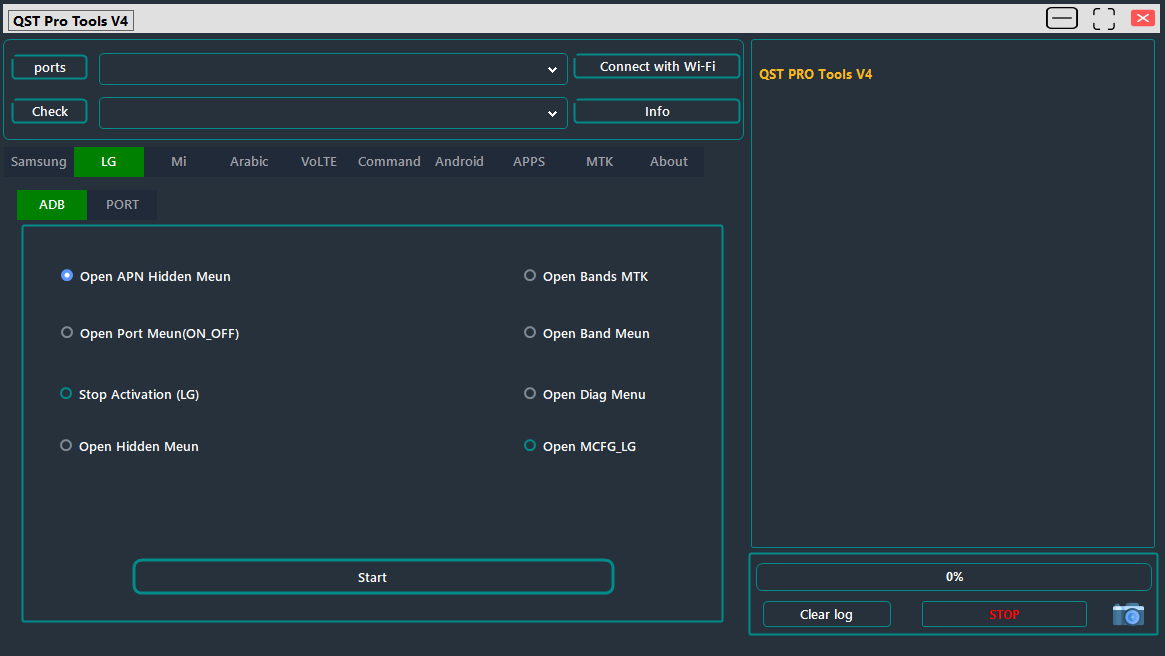
Qst pro tool lg adb tab showing open apn hidden menu open port menu stop activation open bands mtk open diag menu and open mcfg_lg options
[PORT Functions]
- Skip LG Lock Screen
- Zero SPC LG
- Reboot to Download Mode
- Format Factory (Modem & Port Based)
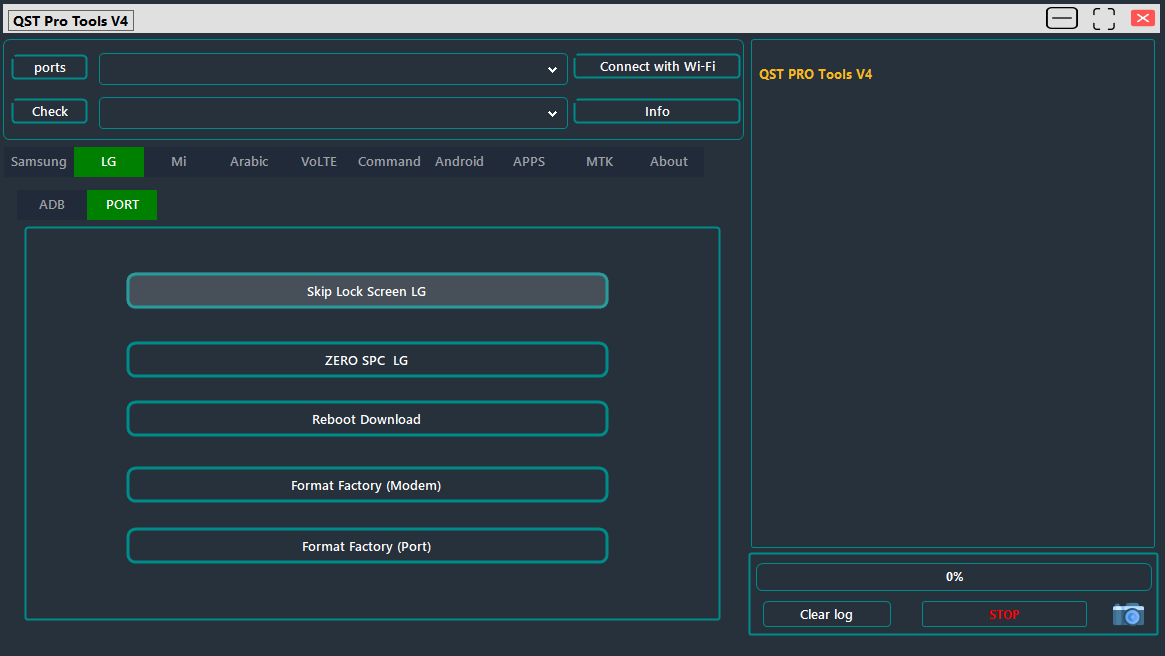
Qst pro tools lg port tab showing skip lock screen lg zero spc lg reboot download and format factory (modem/port) options
Xiaomi / Mi Tools
- FRP in Fastboot Mode (SPD Devices)
- FRP Reset
- FRP in Fastboot (Unlocked Bootloader Only)
- Read Device Info
- Factory Reset / Wipe Data
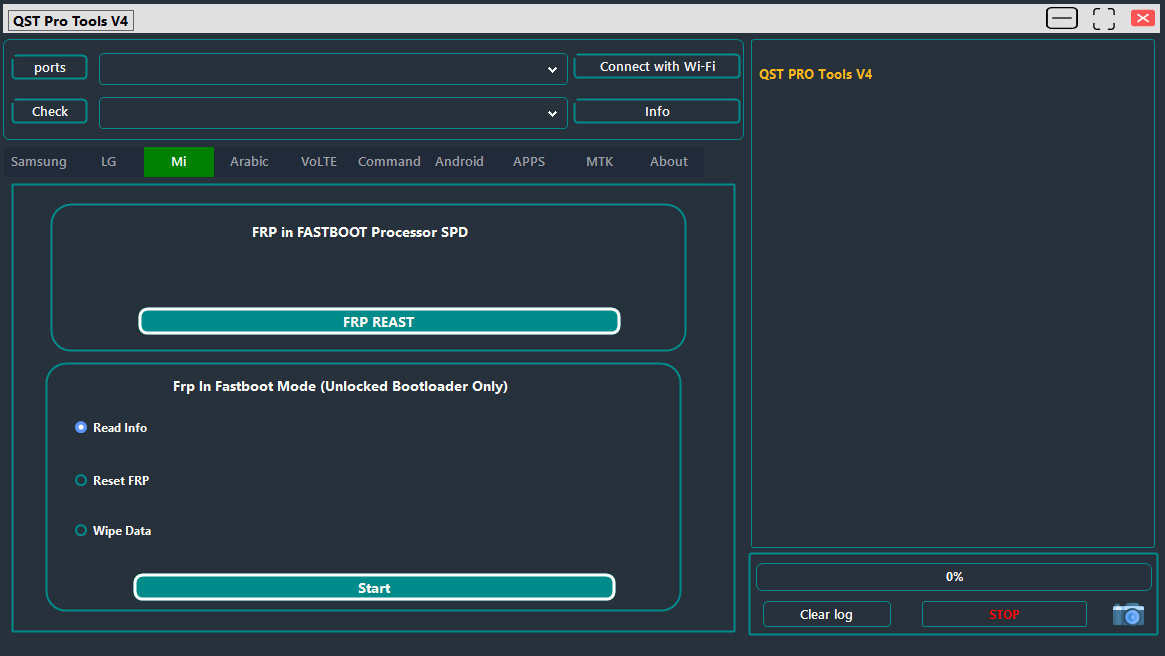
Qst pro tools mi tab showing frp in fastboot processor spd reset button and frp in fastboot mode with read info reset frp and wipe data options
Arabic Language Support
- Arabic for ZTE TRCFONE
- Arabic for All China Mobiles
- Arabic Support for Motorola
- MoreLocale12 Support
- Change Language (New Method)
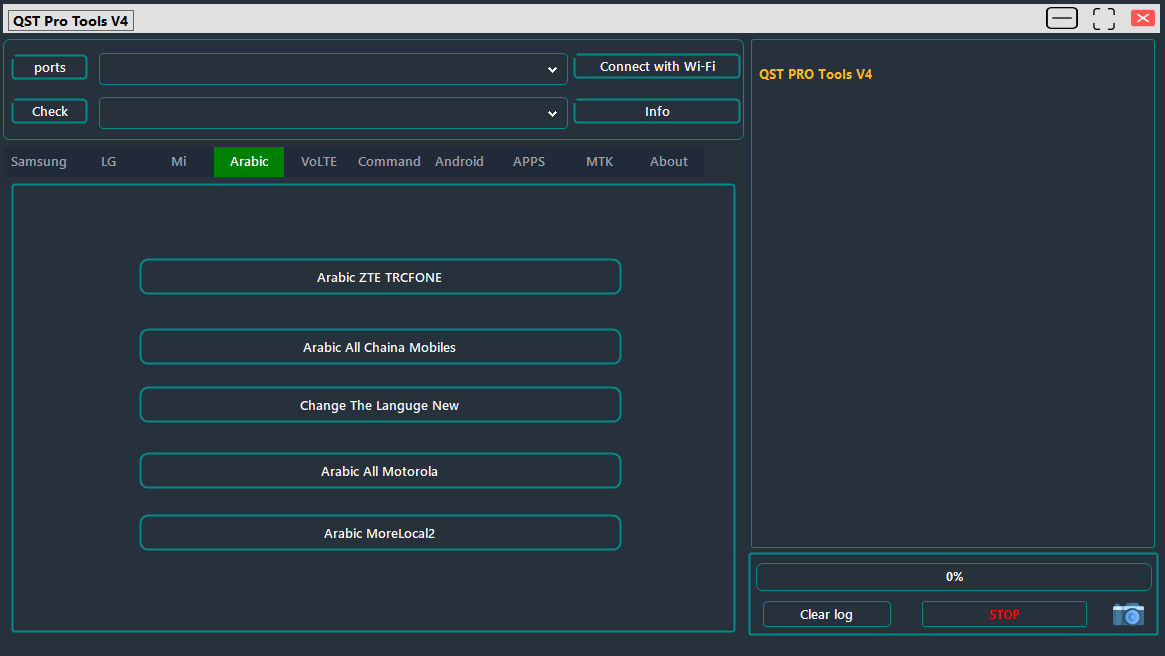
Qst pro tools v4 arabic tab showing arabic zte trcfone arabic all china mobiles change the language new arabic all motorola and arabic morelocal2 options
VoLTE & Network Tools
- Open IMS (Samsung, LG)
- Enable VoLTE for All (Android 11+)
- Open MTK CMW500
- Open/Install MTK Misc HVoLTE
- Open Engineer Mode (MTK, SPD)
- Show Access Point Names (OhLTE)
Commands & Utilities
[General Commands]
- Enable 4G (Samsung Exynos/MTK)
- Fix 3G on Samsung SPR Models
- Reboot to Download
- Format Data via Modem
[MTP Mode Commands]
- Open Browser Access (YouTube, Internet, Galaxy Store)
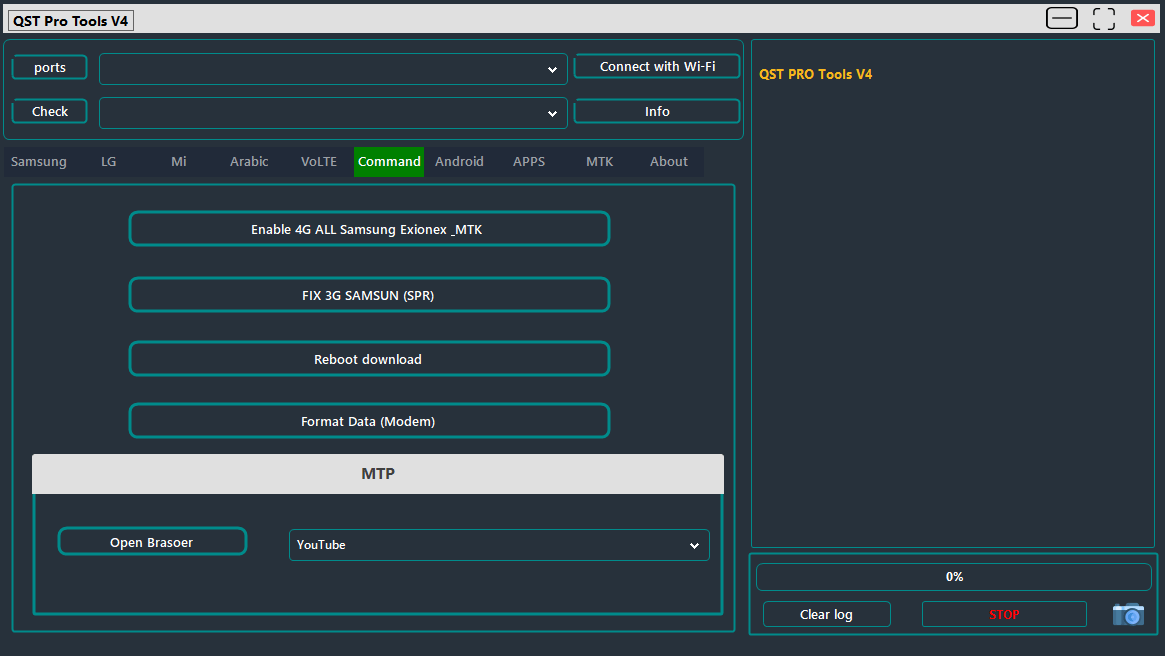
Qst pro tools command tab showing enable 4g all samsung exynos/mtk fix 3g samsung (spr) reboot download format data (modem) and mtp open browser options
Android General Functions
- Reboot (Normal, Recovery, Download, EDL, Fastboot)
- Install Utility Apps:
- New Keyboard
- Shortcut Master
- Network Mode App
- APN App
- Mood_MOTO
- HiddenMenuCall
- Enable Diag (LT Mobile, Redmi)
- Open Network Mode
- Show Mobile Data Icon
- Add Access Point Names (APNs)
- Show Mobile Screen
- Enable Unknown Sources

Qst pro tools v4 android tab showing reboot install apps enable diag open network mode show screen mobile show mobile data icon enable unknown sources and add access point names options
App Management
- Show All Apps / System / User / Disabled
- Uninstall / Disable / Enable Apps
- Force Stop Apps
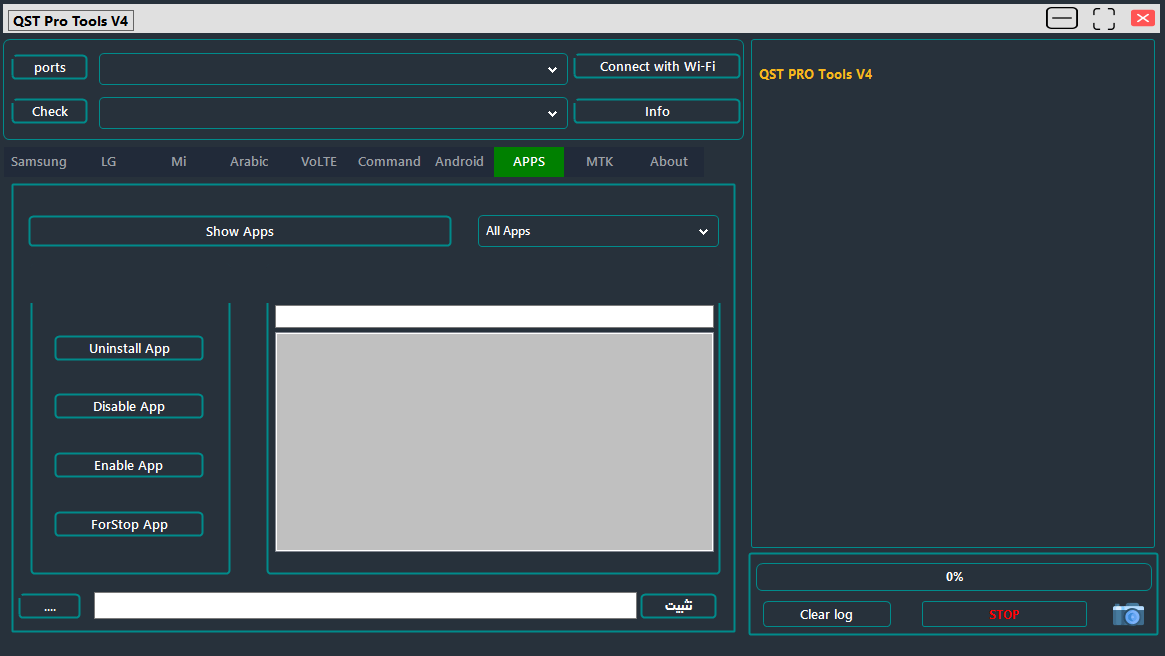
Qst pro tools apps tab showing show apps list with uninstall app disable app enable app and forstop app controls
MTK Tools
- Relock / Unlock Bootloader
- Erase FRP (Samsung)
- Remove Demo Mode (Vivo, Oppo)
- Wipe FRP
- Wipe Data (with and without media wipe)
- Remove MI Account
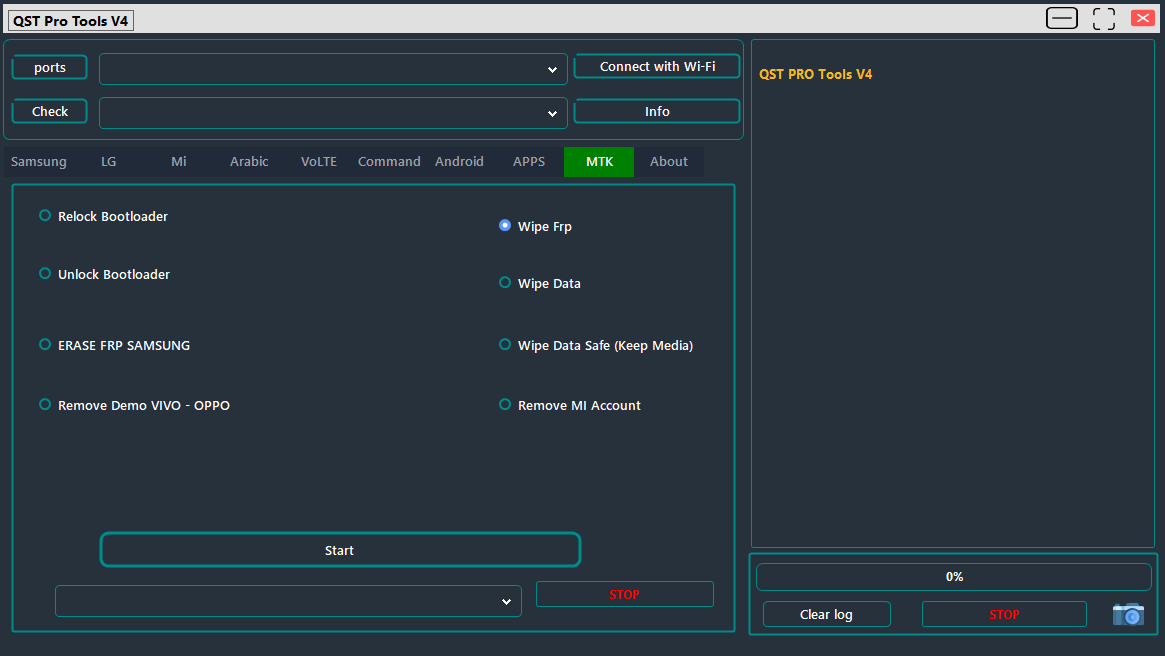
Qst pro tools v4 mtk tab showing relock/unlock bootloader erase frp samsung remove demo vivo-oppo wipe frp wipe data and remove mi account options
System Requirements Before You Start
App Information
| Detail | Info |
|---|---|
| Version | QST Pro Tool V4 |
| Size | 358Mb |
| Developer | QST Team |
| Updated | 2026 |
System Requirements
| Requirement | Details |
|---|---|
| OS | Windows 10/11 |
| RAM | 4GB minimum |
| Storage | 400mb Free Space |
With Translation Unlocking Network Fixes And General Utilities All Packed Into Qst Pro Tool Going In Some Kind Of Order Helps Avoid Wasted Attempts. Here’s Roughly How Most Tasks Go.
- Identify The Brand And The Actual Task Translation Frp Csc Or Network Fix
- Install The Matching Drivers And Confirm The Correct Connection Mode
- Run Read Device Info Or An Equivalent Check First To Confirm Detection
- Select The Specific Function Matched To The Device’s Brand And Android Version
- Execute The Task And Confirm The Change Actually Applied
- Reboot Using The Appropriate Option Once Everything Completes
For Example Fixing Volte On A Samsung Device Usually Starts With Open Ims While A Xiaomi Frp Issue Depends Entirely On Whether The Bootloader’s Unlocked Or Not. Matching The Function To The Device’s Actual State Not Just The Brand Avoids A Lot Of Wasted Attempts Across A Tool Like Qst Pro Tool With This Many Options.
Common Issues And How To Work Through Them
Even With This Much Coverage In Qst Pro Tool A Handful Of Recurring Issues Come Up Often Enough To Flag Ahead Of Time.
- Device Not Detected – Confirm The Correct Driver Set For That Specific Brand And Connection Mode
- Translation Causes Dark Mode Glitches – Run Fix Dark Mode Issues Afterward To Correct Display Problems
- Frp Bypass Fails Via Adb – Try The Qr Code Method Instead Especially On Newer Security Patches
- Xiaomi Frp In Fastboot Doesn’t Work – Confirm The Bootloader Is Actually Unlocked First
- Volte Still Doesn’t Work After Enabling – Check Open Engineer Mode To Confirm The Correct Network Settings Applied
Most Of These Trace Back To Skipping A Device-state Check Bootloader Status Android Version Security Patch Rather Than Any Real Flaw In Qst Pro Tool. Confirming The Device’s Actual Condition Before Running A Function Solves The Majority Of These Issues Before They Even Start.
Final Thoughts
Between Translation Fixes Frp Removal Csc Management Network Configuration And General Android Utilities Qst Pro Tool Covers A Genuinely Wide Range Of Smartphone Repair And Setup Work In One Package. It Handles Samsung Lg Xiaomi And Generic Android Functions Without Forcing You To Juggle Separate Programs For Each Brand Or Task Type.
Whether You’re Clearing Frp On A Samsung Fixing Volte After A Carrier Switch Or Translating An Older Android Device To Arabic Matching The Right Section To Your Specific Task Makes The Process A Lot Smoother. Start With A Device Info Check Confirm Drivers And Connection Mode And The Rest Of The Process Tends To Fall Into Place From There.
QST Pro Tools
Download Link:: Usersdrive – Mediafire – 4shared – My.pcloud – Playbook – Google Drive – DropBox – Mega – Drive.Proton


