
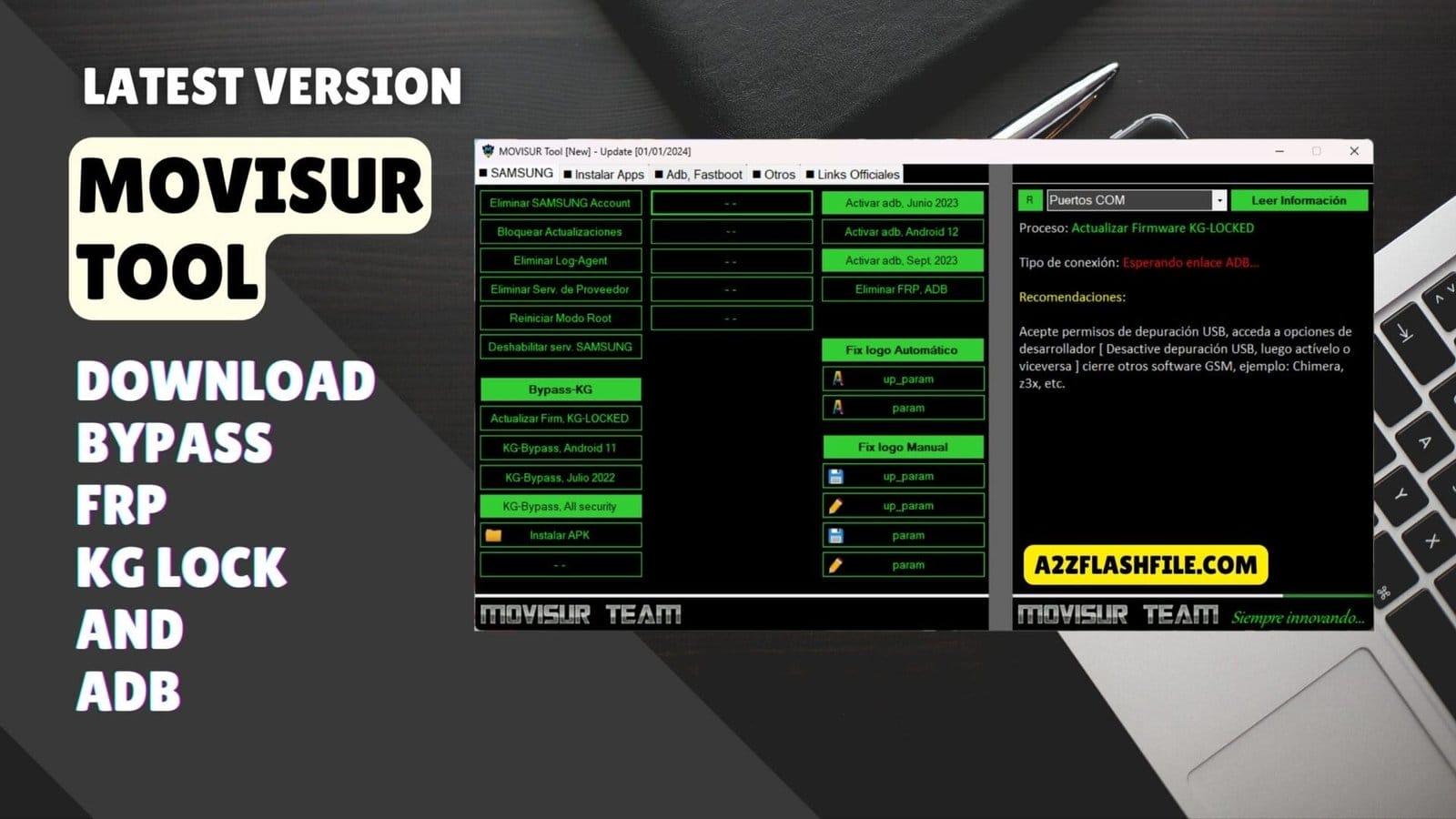
Movisur tool dashboard with samsung frp removal kg bypass and adb activation
Sometimes It Feels Like Every Samsung That Lands On Your Desk Comes With A New Problem: Frp One Day Kg Lock The Next Then Some Weird Logo Hang After A Bad Flash. You Jump Between Different Apps To Remove Samsung Account Block System Updates Remove Log Agent Or Fight Another Frp / Adb Issue And It All Starts To Blur Together. That’s Usually The Moment You Start Looking For One Solid Movisur Tool Setup That Can Actually Handle Most Of This In One Place.
In This Blog I’ll Walk You Through What Movisur Tool Can Really Do From Adb / Frp Options Like Enable Adb Enable Adb (Android 12) And Remove Frp Via Adb To The Full Kg Bypass Section With Bypass Kg Lock Update Firmware (Kg-locked) And Kg Bypass (All Security Versions).
You’ll Also See How To Use Apk Installation Fix Logo Section (Automatic Logo Fix Up_param Param) Magisk Installation Root & File Management Tools Plus Handy Utilities And Adb & Fastboot Features Like Remove Mdm And Honor / Huawei Fastboot. By The End You’ll Know Exactly Which Part Of Movisur Tool To Open For Each Problem Instead Of Guessing Through Random Methods.
Movisur Tool Bypass Frp Kg Lock And Adb
When You Work On Modern Samsung Devices It Can Feel Like Every Phone Has A New Kind Of Lock Or Problem. One Device Needs Frp Removal Another Is Kg‑locked After A Bad Flash And The Next Comes In Stuck On A Boot Logo. Instead Of Opening Ten Small Apps And Random Scripts You Really Want One Clean Solution That Can Handle Most Of These Jobs In A Single Place.
That’s Exactly Where Movisur Tool Fits In. It’s Built For Technicians Who Deal With Account Locks System Restrictions Logo Issues And Root‑related Tasks Every Day. In This Post You’ll See What It Does How Its Main Sections Work And How To Safely Download The Latest Version So You Can Put It To Work In Your Repair Workflow.
Also Read
Don’t Miss Any Mobile Software Update!
- Join WhatsApp Group 01 (Latest Posts) 👉 Click Here to Join
- Join WhatsApp Group 02 (New Updates) 👉 Click Here to Join
What Is The Movisur Tool
What Is The Movisur Tool? It’s An All‑in‑one Service Utility Mainly Focused On Samsung Designed To Handle Everything From Simple Clean‑up Actions To Deep Unlock Jobs. Inside The Panel You’ll Find Options To Remove Samsung Account Block System Updates Remove Log Agent And Remove Service Provider So You Can Strip Out Bloat Or Carrier Restrictions That Get In Your Way.
On Top Of That It Gives You Powerful Adb / Frp Controls Such As Enable Adb Enable Adb Enable Adb And Remove Frp Via Adb When You Have Debugging Access. The Tool Is Organized Into Clear Sections So You Don’t Have To Guess Where To Click. The Kg Bypass Section Covers Jobs Like Bypass Kg Lock Update Firmware (Kg-locked) Kg Bypass Kg Bypass And Kg Bypass (All Security Versions) Which Are Critical On Newer Samsung Security Updates.
Download The Movisur Tool Latest Versoin
Download The Movisur Tool Latest Versoin From Trusted Gsm Forums Or Known Developer Sources So You Don’t Risk Malware On Your Work Pc. Each New Build Usually Improves Stability For Adb / Frp Operations And Keeps Features Like Enable Adb Enable Adb And Enable Adb Working On The Newest Firmware. Updates Also Help Maintain Compatibility For The Kg Bypass Section Including Bypass Kg Lock Kg Bypass And Update Firmware Which Is Vital When Samsung Pushes Security Patches.
After You Download The Archive Extract It To A Dedicated Tools Folder And Run It With Administrator Rights. From There You Can Explore Magisk Installation Options Like Install Magisk 23.0 24.3 25.1 25.2 26.1 26.3 26.4 And Install Magisk Delta Or Use Root & File Management Tools Such As Install Eftsu Install Root Explorer Install Mixplorer Install Activity Manager And Install Netpatch.
Utilities Like Install Firewall (no Root) Install Quickshortcutmaker Copy Magisk Delta.zip And Extra Install Apk Options Sit Next To Adb & Fastboot Features Including Adb Universal Remove Claro Block Remove Frp Via Adb Remove Mdm Remove Mdm (new Method) Fastboot Fix Preloader – Redmi 9a / 9c Fix Commserver – Motorola Honor / Huawei Fastboot Honor & Huawei Fastboot Section Read Information And Unlock Frp Key Giving You A Broad Toolkit For Samsung And Some Other Popular Brands.
Features of Movisur Tool
Samsung
- Remove Samsung Account
- Block System Updates
- Remove Log Agent
- Remove Service Provider
- Reboot to Root Mode
- Disable Samsung Services
ADB / FRP
- Enable ADB (June 2023)
- Enable ADB (Android 12)
- Enable ADB (September 2023)
- Remove FRP via ADB
KG Bypass Section
- Bypass KG Lock
- Update Firmware (KG-LOCKED)
- KG Bypass (Android 11)
- KG Bypass (July 2022)
- KG Bypass (All Security Versions)
APK Installation
Install APK
Fix Logo Section
- Automatic Logo Fix
- up_param
- param
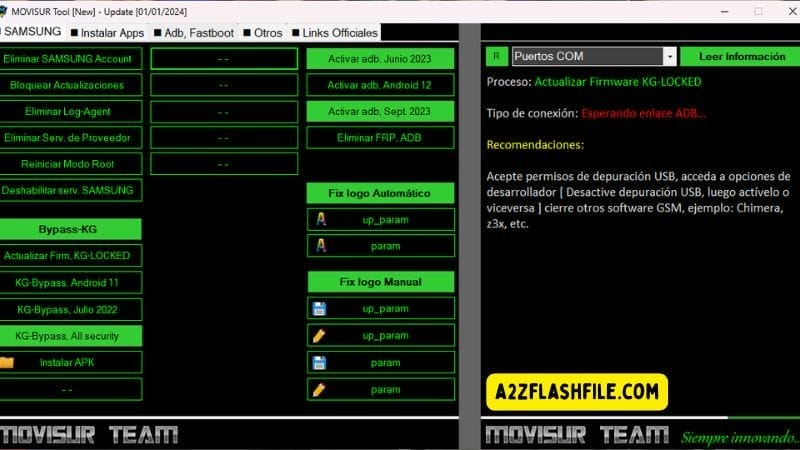
Movisur tool dashboard with samsung frp removal kg bypass and adb activation
Install Apps
Magisk Installation
- Install Magisk 23.0
- Install Magisk 24.3
- Install Magisk 25.1
- Install Magisk 25.2
- Install Magisk 26.1
- Install Magisk 26.3
- Install Magisk 26.4
- Install Magisk Delta
Root & File Management Tools
- Install EFTsu
- Install Root Explorer
- Install MiXplorer
- Install Activity Manager
- Install Netpatch
Utilities
- Install Firewall (No Root)
- Install QuickShortcutMaker
- Copy Magisk Delta.zip
- Install APK
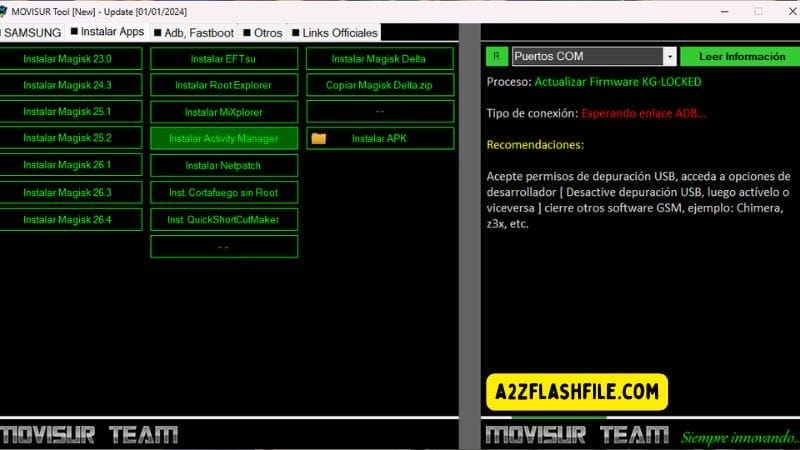
Movisur tool install apps tab with multiple magisk versions and root utilities.
ADB & Fastboot
ADB Universal
- ADB Universal
- Remove Claro Block
- Remove FRP via ADB
- Remove MDM
- Remove MDM (New Method)
Fastboot
- Fix Preloader – Redmi 9A / 9C
- Fix CommServer – Motorola
Honor / Huawei Fastboot
- Honor & Huawei Fastboot Section
- Read Information
- Unlock FRP Key

Movisur tool adb & fastboot
How To Use
- You Will Need To First Download The Zip From The Below Link.
- Then, Unzip All The Files In The C Drive.
- Then, Install The Setup With The Basic Instructions.
- Run The Tool As Admin “Movisur Tool.exe“
- If You Already Have Drivers Installed, Skip This Step.
- Enjoy ! !!
Frequently Asked Questions (FAQs)
What Is Movisur Tool Used For?
Movisur Tool Is An All‑in‑one Service Utility That Helps You Work On Samsung And Other Android Devices Including Tasks Like Remove Samsung Account Remove Frp Via Adb Bypass Kg Lock And Fix Boot Logo Issues.
Can Movisur Tool Help With Kg‑locked Samsung Phones?
Yes The Kg Bypass Section Includes Options Like Bypass Kg Lock Update Firmware (kg-locked) And Kg Bypass (all Security Versions) To Handle Different Security Patches On Kg‑locked Devices.
Do I Need Adb Enabled For Frp Removal With Movisur Tool?
For Methods Such As Remove Frp Via Adb You Do Need Adb Enabled And The Tool Offers Options Like Enable Adb (june 2023) Enable Adb (android 12) And Enable Adb (september 2023) To Help With That On Supported Versions.
Does Movisur Tool Support Rooting And Magisk Installation?
Yes There’s A Magisk Installation And Root & File Management Tools Section Where You Can Install Magisk 23.0–26.4 Install Magisk Delta Install Eftsu And Add File Managers Like Root Explorer Or Mixplorer.
Can Movisur Tool Fix Non‑samsung Devices Too?
It’s Mainly Focused On Samsung But The Adb & Fastboot Section Includes Features Like Fix Preloader – Redmi 9a / 9c Fix Commserver – Motorola And Honor / Huawei Fastboot Tools So You Can Repair Certain Issues On Other Brands As Well.
Conclusion
Movisur Tool Pulls Together A Huge Range Of Samsung‑focused Features So You Can Remove Accounts Handle Adb / Frp Work Bypass Kg Lock Repair Logo Issues Manage Magisk And Root Files And Even Solve Adb & Fastboot Problems On Other Devices. By Downloading The Latest Version From A Safe Source And Taking A Little Time To Learn Each Section You Turn A Confusing Pile Of Separate Utilities Into One Organized Reliable Workflow. Use It Carefully Only On Devices You’re Authorized To Service And It Can Quickly Become One Of Your Main Repair Tools On The Bench.
How To Download
To Download Movisur Tool Follow These Steps:
- Go To The A2zflashfile.com Website Of Movisur Tool.
- Find The Download Page And Don’t Click Button And Click Only The (Download Link)
- Below Buttons Are Advertisements. Please Use The Download Links Above.
- Wait For The Download To Complete.
- Locate The Downloaded File On Your Device Once The Download
Movisur Tool
Download Link:: Usersdrive – Mediafire – 4shared – My.pcloud – Mega – Vexfile – Google Drive


