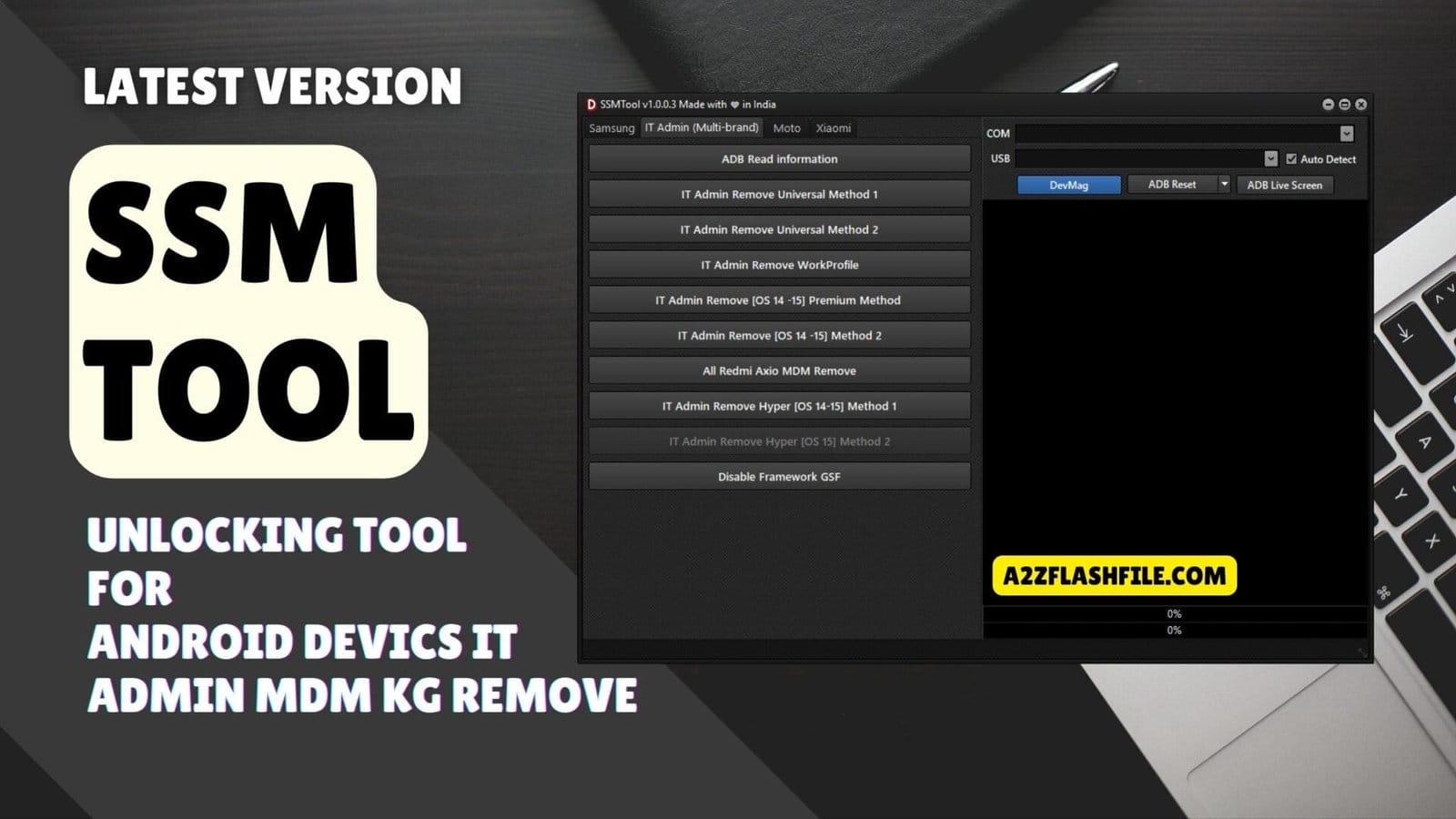
It admin removal and mdm management options available in ssmtool under the multi-brand section.
It Is Incredibly Frustrating When You Finally Get A New Device Only To Find It Restricted By Annoying Mdm Locks Or “it Admin” Profiles That You Can’t Remove. You Feel Like You Don’t Even Own Your Own Phone Because You Are Blocked From Basic Settings And Features. Most People Just Want A Simple Way To Clear These Hurdles Without Spending A Fortune At A Repair Shop.
In This Post I Am Going To Show You How The Ssm Tool Can Handle Everything From Kg Status Checks To Full Mdm Removal On The Latest Android And Hyperos Versions. We Will Cover The Specific Methods For Mdm(adb) Odin Flashing And Removing It Admin Restrictions Across Various Patches. By The End Of This You Will Have The Exact Steps Needed To Finally Take Full Control Of Your Device.
Contents
Ssm Tool Unlocking Tool For Android Devics
Staring At A Locked Screen When You Just Want To Use Your Phone Is Incredibly Frustrating. You Might Feel Like You Don’t Even Own Your Device Because Of A Restrictive “it Admin” Profile Or An Mdm Lock. Most People Just Want A Simple Reliable Way To Clear These Hurdles Without Spending A Fortune Or Needing A Degree In Computer Science.
In This Guide I Will Show You How The Ssm Tool Handles Everything From Checking Kg Status To Full Mdm Removal On The Latest Patches. We Will Look At How It Manages Mdm(adb) Odin Flashing And Removing Administrative Restrictions Across Various Android Versions. By The End You Will Have A Clear Path To Finally Taking Full Control Of Your Smartphone Again.
Also Read
Whatsapp Group
- GSM ATOZ TOOL :: Group Link Join
- GSM ATOZ TOOL 1:: Group Link Join
- GSM ATOZ TOOL 2 :: Group Link Join
- Gsm Atoz Tool Remotely Services :: Group Link Join
- Telegram Group GSM ATOZ TOOL :: Group Link Join
- Telegram Group GSM ATOZ TOOL 1 :: Group Link Join
What Is The Ssm Tool
The Ssm Tool Is A Specialized Utility Built To Help Technicians And Users Bypass Deep-level Security Locks On Android Devices. It Is Especially Famous For Its Ability To Handle Read Kg Status [adb] And Remove Mdm Profiles That Usually Block Your Access To Settings. It Acts As A Bridge Between Your Pc And Your Phone To Clear Restrictions That Standard Factory Resets Simply Cannot Touch.
This Software Is A Lifesaver If You Are Dealing With A Kg Locked To Active Os 15 (all Patches) Or Older Versions Like Os 14. It Uses Different Modes Like Mtp And Adb To Ensure The Lock Is Actually Gone And Doesn’t Just Come Back After A Few Minutes. Whether You Are Using A Samsung Xiaomi Or Redmi Device This Tool Provides A Direct Way To Clean Your Firmware.
Download The Ssm Tool Latest Versoin
Getting The Ssm Tool Latest Version Is The First Step Toward Fixing Your Device’s Security Issues. Having The Most Updated Setup Is Vital Because It Includes The Newest Scripts For Kg Remove Os 14-15 (new Sec) [mtp]. Without The Latest Drivers And Patches Your Computer Might Not Recognize The Phone While It Is In A Locked State.
The Download Usually Includes Everything You Need For Odin Flash Operations Such As The Ability To Select Ap File Or Select Cp File. Once You Install It You Can Easily Access Advanced Features Like Enable Adb (qr Code) New Security. Using The Latest Version Ensures That The It Admin Remove – Universal Method 2 Works Smoothly On Your Specific Firmware.
Mdm And Kg Status Removal
The Tool Excels At Managing Kg Remove Os 13-14 (2024-2025) [mtp] And Clearing Persistent Mdm Locks. You Can Use Frp Remove [adb Mode] To Skip Google Verification And Factory Reset Disable [adb] To Prevent The Lock From Triggering Again. It Is Designed To Be A “one-stop” Solution For High-level Security Bypasses On Modern Android Operating Systems.
Advanced Odin Flashing Features
For Those Who Need To Rewrite Firmware The Tool Offers A Complete Odin Interface Where You Can Select Bl File Select Csc File And Select Data File. You Can Also Toggle The Nanderase Checkbox Or Ignoremd5 Checkbox For More Complex Repairs Before Hitting The Start Flash Button. This Gives You Full Control Over The Flashing Process Without Needing Multiple Separate Programs.
It Admin And Hyperos Restrictions
If You Are Dealing With A Corporate-locked Device You Can Use It Admin Remove – Work Profile Or The It Admin Remove [ios 14–15] – Premium Method. It Even Supports The Newest Xiaomi Software Through It Admin Remove Hyperos [15] – Method 2 And Disable Framework Gsf. This Ensures That Even The Most Modern Administrative Locks Can Be Bypassed Successfully.
Features:
Mdm(Adb):
- Read KG Status [ADB]
- KG Locked to Active OS 15 (All Patches)
- KG Locked to Active OS 14 (All Patches)
- KG Remove OS 12-13 (2023-2024) [MTP]
- KG Remove OS 14-15 (New Sec) [MTP]
- KG Remove OS 13-14 (2024-2025) [MTP]
- Factory Reset Disable [ADB]
- FRP Remove [ADB Mode]
- Enable ADB (QR Code) New Security
- Enable ADB [MTP Mode] Old Security
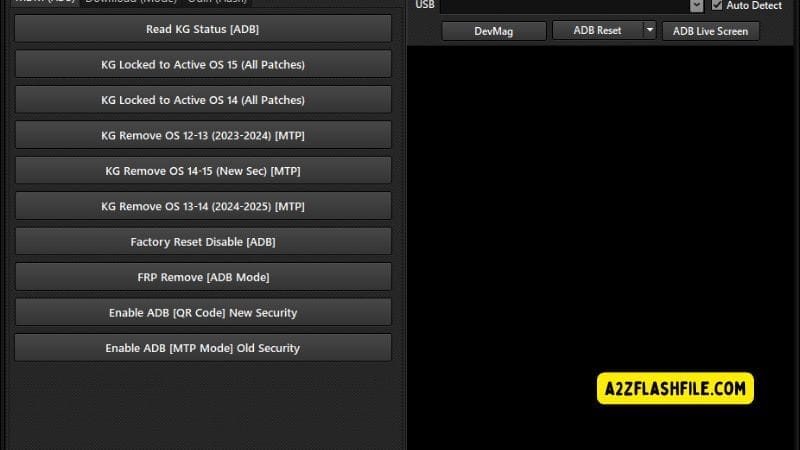
Ssmtool samsung kg lock frp remove and adb management
Odin Flash:
- Select Ap File
- Select Bl File
- Select Cp File
- Select Csc File
- Select Data File
- Auto Reboot Checkbox
- Nanderase Checkbox
- Ignoremd5 Checkbox
- Start Flash Button
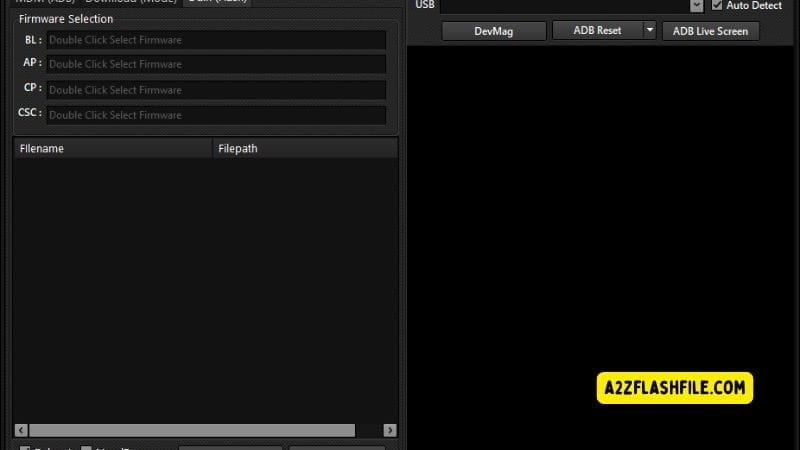
Samsung odin (flash) section in ssmtool for selecting bl ap cp and csc firmware files and flashing devices.
It Admin Remove:
- ADB Read Information
- IT Admin Remove – Universal Method 1
- IT Admin Remove – Universal Method 2
- IT Admin Remove – Work Profile
- IT Admin Remove [iOS 14–15] – Premium Method
- IT Admin Remove [iOS 14–15] – Method 2
- All Redmi / Xiaomi MDM Remove
- IT Admin Remove HyperOS [14–15] – Method 1
- IT Admin Remove HyperOS [15] – Method 2
- Disable Framework GSF

It admin (multi-brand) section in ssmtool with multiple mdm and workprofile removal methods via adb.
Frequently Asked Questions (FAQs)
Does The Ssm Tool Support The Latest Android 15 Patches?
Yes It Is Specifically Designed To Handle Kg Locked To Active Os 15 (all Patches) And Newer Security Updates. It Uses Advanced Adb And Mtp Methods To Ensure The Bypass Stays Active Even On The Newest Firmware.
Can I Remove It Admin Profiles On Xiaomi Devices?
Absolutely You Can Use The It Admin Remove Hyperos [14–15] – Method 1 To Clear Restrictions On Xiaomi And Redmi Phones. It Is One Of The Few Tools That Supports The Transition From Miui To The New Hyperos System.
Is It Possible To Skip The Google Frp Lock With This Software?
Yes You Can Use The Frp Remove [adb Mode] Or Enable Adb [mtp Mode] Old Security To Bypass Google Verification. It Allows You To Get Back To The Home Screen Without Needing The Previous Owner’s Account Details.
What Should I Do If The Phone Isn’t Recognized By The Pc?
You Should Try To Enable Adb (qr Code) New Security Or Check Your Usb Drivers Within The Tool. Making Sure You Have The Latest Version Of The Software Will Usually Fix Any Connection Issues With The Phone.
Does The Odin Flash Feature Allow For A Full Data Wipe?
Yes By Checking The Nanderase Checkbox Before You Click The Start Flash Button You Can Perform A Deep Wipe Of The Memory. This Is Often Necessary When Clearing Persistent Kg Or Mdm Locks That Hide In The System Partition.
Conclusion:
The Ssm Tool Is Really Just About Giving You Back The Phone You Actually Paid For. It Is Incredibly Annoying To Be Locked Out Of Your Own Settings By An “it Admin” Profile Or A Kg Lock But This Tool Finally Levels The Playing Field. Whether You Are Trying To Bypass A Kg Locked To Active Os 15 Status Or Just Need A Clean Frp Remove [adb Mode] It Gets The Job Done Without The Usual Headache.
It Handles The Heavy Lifting Across Android And Hyperos So You Don’t Have To Be A Coding Genius To Fix Your Device. By Using The Built-in Odin Flasher And The New Security Adb Methods You Can Finally Clear Those Administrative Hurdles For Good. It Is A Solid Reliable Utility That Belongs In Your Toolkit If You Are Serious About Unlocking The True Potential Of Your Smartphone.
How To Download
To Download Follow These Steps:
- Go To The A2zflashfile.com Website Of Frpfile Activator A12 + Tool.
- Find The Download Page And Don’t Click Button And Click Only The (Download Link).
- Below Buttons Are Advertisements. Please Use The Download Links Above.
- Wait For The Download To Complete.
- Locate The Downloaded File On Your Device Once The Download.
Ssm Tool
Download Link:: Usersdrive – Mediafire – 4shared – My.pcloud – DropBox – Mega – Vexfile – Google Drive