
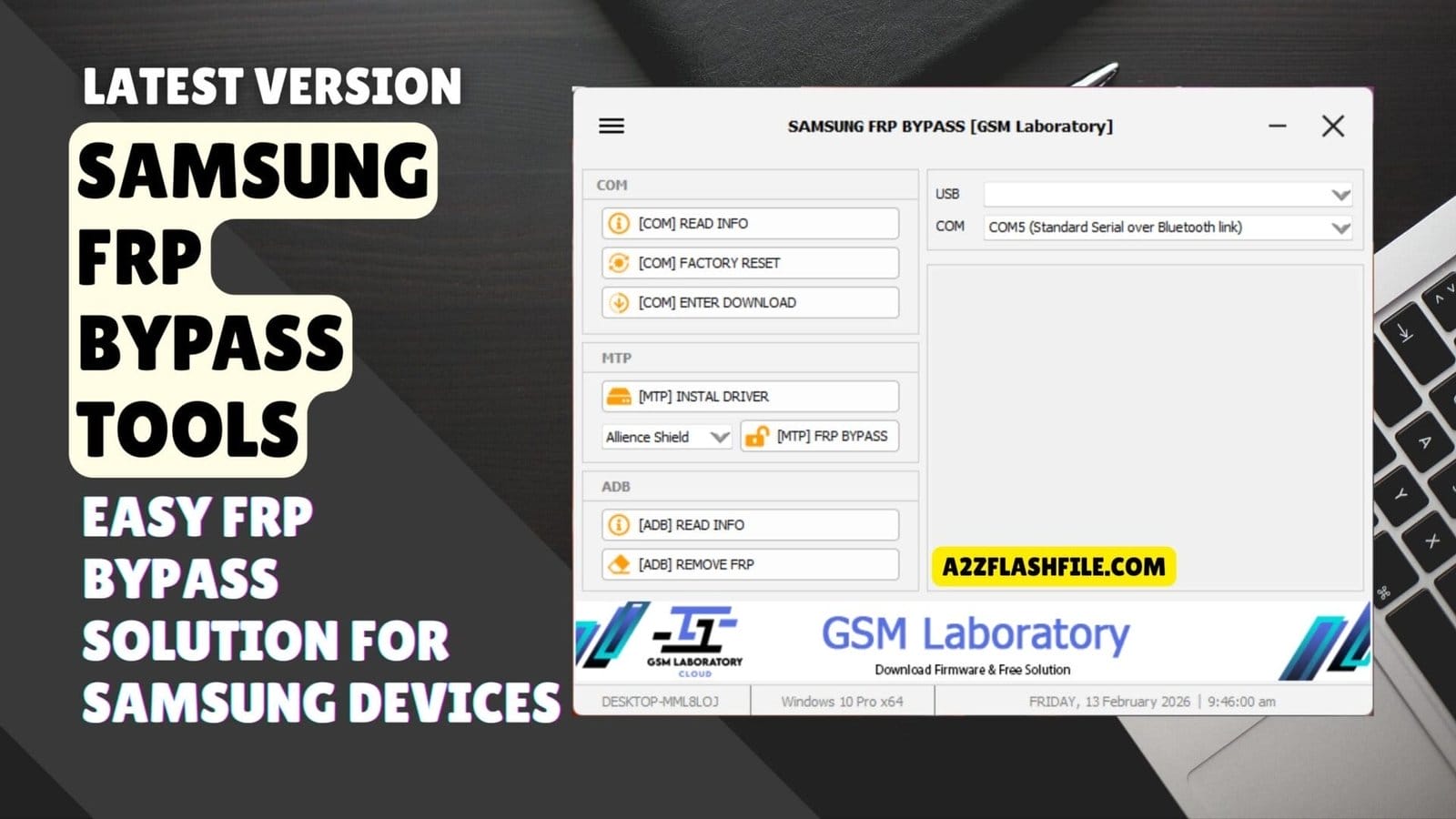
Samsung frp bypass tools – easy frp bypass solution for samsung devices ( gsm laboratory )
Sometimes It Feels Like Every Samsung Frp Job Is A New Headache. One Phone Needs [com] Read Info Another Only Responds When You [com] Enter Download Mode And A Third Won’t Budge Unless You Try [mtp] Frp Bypass Or [adb] Remove Frp. When You’re Juggling Drivers Random Apps And Different Guides You Just Want One Clear Way To Use Samsung Frp Bypass Tools Without Wasting Time.
In This Blog I’ll Break Down Exactly How These Samsung Frp Bypass Tools Work Across Com Mtp And Adb So You Know When To Use Each One. You’ll See How Options Like [com] Factory Reset [mtp] Install Driver Alliance Shield Option [adb] Read Info And More Fit Into A Simple Step‑by‑step Workflow. By The End You’ll Have A Clean Roadmap You Can Follow On Real Devices Instead Of Guessing Your Way Through Every Frp Lock
Samsung Frp Bypass Tools Samsung Frp & Unlock Solution
When You Talk About Modern Samsung Servicing You’re Really Dealing With Three Main Connection Modes: Com Mtp And Adb. Good Samsung Frp Bypass Tools Bring All Three Together So You Can Move From Reading Device Info To Entering Download Mode To Removing Frp Without Changing Software Every Few Minutes. That Makes Your Workflow Cleaner Faster And Far Easier To Teach To New Techs In Your Shop.
The Real Advantage Is Control And Flexibility On Every Job. Older Phones Might Only Need A Reset While Newer Android Builds Often Demand More Targeted Actions And Careful Steps. With The Right Tools You Can Pull Detailed Info Push The Phone Into The Exact Mode You Need And Then Apply The Safest Frp Method That Still Works On That Security Patch.
Also Read
Don’t Miss Any Mobile Software Update!
- Join WhatsApp Group 01 (Latest Posts) 👉 Click Here to Join
- Join WhatsApp Group 02 (New Updates) 👉 Click Here to Join
What Is The Samsung Frp Bypass Tools
Samsung Frp Bypass Tools Are All‑in‑one Utilities Built To Service Samsung Phones At Different Connection Levels. Instead Of Using A Separate Program For Each Small Task You Get A Single Panel That Handles Reading Info Entering Special Modes Resetting Devices And Removing Frp When You’re Authorized. This Unified Approach Saves Time And Keeps Your Process Consistent From One Phone To The Next.
These Tools Focus On Three Core Areas: Com Mtp And Adb. Com Handles Low‑level Communication When The Phone Identifies As A Port Mtp Deals With Devices That Show Up As Media Players And Adb Works Once You Have Debugging Access. Together They Cover Most Situations You’ll Meet In Daily Samsung Repair Work.
Download The Samsung Frp Bypass Tools Latest Versoin
Getting The Latest Versoin Of Samsung Frp Bypass Tools Is Just As Important As Learning Each Feature. Always Download From Trusted Gsm Forums Known Developers Or Established Repair Blogs That Show Clear Changelogs And User Feedback. New Builds Often Improve Stability For [com] Read Info Fix Bugs In [mtp] Frp Bypass And Refine [adb] Remove Frp For Newer Android Security Patches.
Once You Find A Reliable Source Download The Archive And Extract It To A Dedicated “gsm Tools” Folder On Your Windows Pc. Install All Recommended Drivers For Com Mtp And Adb Then Restart If The Installer Suggests It. After That Run The Tool As Administrator And Test Safe Options Like [com] Read Info [mtp] Install Driver And [adb] Read Info On A Non‑critical Device Before Touching Customer Phones.
Key Features
COM Features
- [COM] Read Info
- [COM] Factory Reset
- [COM] Enter Download Mode
MTP Features
- [MTP] Install Driver
- Alliance Shield Option
- [MTP] FRP Bypass
ADB Features
- [ADB] Read Info
- [ADB] Remove FRP

Gsm laboratory samsung frp bypass tool with com mtp and adb
Setup Tips For Stable Connections
A Stable Pc Environment Makes A Huge Difference To Your Success Rate. Use A Good Quality Usb Cable Avoid Cheap Hubs And Always Prefer Direct Motherboard Ports When You Can. Many “mystery Errors” Vanish When You Change Nothing But The Cable.
You Should Also Keep Your Operating System Reasonably Updated And Free From Conflicting Phone Suites. If You Run Several Service Tools Close The Ones You’re Not Using To Avoid Port Conflicts. A Clean Simple Setup Lets Samsung Frp Bypass Tools Talk To Devices Without Constant Interruptions.
Best Practices For Daily Repair Work
In Daily Use Start With Information And Low‑risk Steps Before Jumping To Heavy Actions. Run [com] Read Info Or [adb] Read Info First So You Fully Understand The Device You’re About To Touch. Then Decide Whether Com Mtp Or Adb Gives You The Safest Path For That Particular Phone.
Always Work Only On Devices You Have Permission To Service And Explain Frp‑related Risks To The Owner. Keep A Small Notebook Or Digital Log Of What Works On Each Model And Firmware So Your Own “database” Grows Over Time. That Personal Experience Combined With Solid Tools Is What Really Speeds Up Your Workflow.
Frequently Asked Questions (FAQs)
What Is Samsung Frp Bypass Tools?
Samsung Frp Bypass Tool Is A Utility That Helps Remove Factory Reset Protection (frp) Lock From Samsung Devices.
Is Samsung Frp Bypass Tools Free To Use?
Yes Most Versions Are Free To Download And Offer Basic Frp Removal Features.
Which Connection Modes Does This Tool Support?
It Supports Com Mtp And Adb Modes For Different Samsung Device Operations.
Can I Use Samsung Frp Bypass Tools On Windows 10 And 11?
Yes The Tool Works On Windows 10 And Windows 11 Both 32‑bit And 64‑bit Systems (depending On The Build).
Do I Need To Install Drivers Before Using This Tool?
Yes You Must Install Proper Samsung Usb Drivers So The Tool Can Detect Your Device Correctly In Com Mtp And Adb Modes.
Conclusion
Samsung Frp Bypass Tools Give You A Simple Organized Way To Deal With Locked Samsung Phones Using Com Mtp And Adb In One Place. Instead Of Jumping Between Random Apps And Risky Tricks You Can Read Device Info Do A Factory Reset Enter Download Mode And Remove Frp In A Controlled Step‑by‑step Process.
If You Download The Tool From A Trusted Source Install The Right Drivers And Only Work On Devices You’re Allowed To Service It Can Turn Difficult Frp Jobs Into Routine Work. Over Time You’ll Learn Which Mode And Feature Work Best For Each Model And That Experience Plus A Solid Frp Tool Is What Really Makes Your Repair Workflow Faster Safer And More Professional.
How To Download
To Download Samsung Frp Bypass Tools Follow These Steps:
- Go To The A2zflashfile.com Website Of Samsung Frp Bypass Tools.
- Find The Download Page And Don’t Click Button And Click Only The (Download Link)
- Below Buttons Are Advertisements. Please Use The Download Links Above.
- Wait For The Download To Complete.
- Locate The Downloaded File On Your Device Once The Download
Samsung Frp Bypass Tools
Download Link:: Usersdrive – Mediafire – 4shared – My.pcloud – DropBox – Mega – Vexfile – Google Drive


