
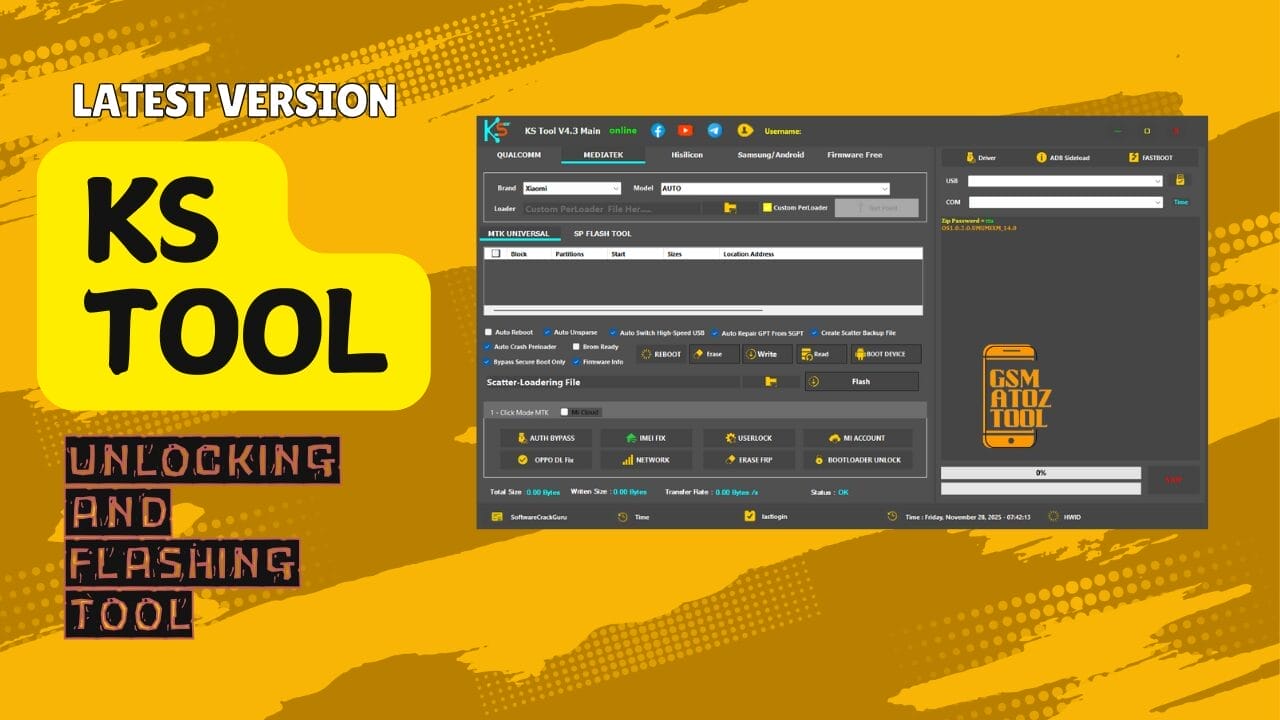
Ks tool is a lightweight yet powerful mobile repair tool for flashing unlocking frp bypass and diagnostic tasks.
If You Fix Phones Every Day You’ve Probably Had That Moment Where A Device Just Refuses To Cooperate. Maybe It’s Stuck On A Logo Maybe Edl 9008 Won’t Detect Or Maybe You’re Tired Of Swapping Between Different Tools Just To Erase Frp Check Firmware Info Or Bypass A Mi Account. That’s Usually When People Start Searching For Something Better—something Faster Cleaner And Actually Reliable. And That’s Exactly Why So Many Technicians End Up Looking For Ks Tool V4.3 In The First Place.
In This Blog You’ll Get A Simple Breakdown Of How Ks Tool Works And Why It’s So Useful Across Qualcomm Mediatek Hisilicon And Samsung/android Devices. We’ll Walk Through The Key Features Like Custom Loader Test Point Gpt Skip Bootloader Unlock Imei Fix And The Different 1-click Modes That Make Repairs Easier. If You’ve Been Wanting A Clear Friendly Guide That Actually Helps You Understand The Tool Instead Of Confusing You You’re In The Right Place—just Scroll Down And Everything Is Explained For You.
What Is The Ks Tool V4.6
The Ks Tool V4.3 Is A Powerful Mobile Servicing Utility Designed For Technicians Who Repair Smartphones Daily. It Combines Flashing Unlocking And Diagnostic Functions Into One Clean Interface Making It Easier For You To Fix Devices That Won’t Boot Stay Stuck On A Logo Or Need Frp And Account Removal. You Don’t Need Dongles Or Boxes And You Can Work With Major Chipsets Like Qualcomm Mediatek Hisilicon And Samsung/android In One Place.
What Makes Ks Tool A Favorite In Repair Shops Is Its Speed And Simplicity. Instead Of Jumping Between Different Tools You Simply Select The Brand Model Loader And Operation—then Start Repairing. It Supports Test Point Edl 9008 Mode Scatter Flashing Secure Boot Bypass Mi Account Removal Samsung Frp And Dozens Of Advanced Operations That Normally Require Expensive Tools.
Also Read
The Ks Tool V4.6 Latest Version Free Download
The Latest Version Ks Tool V4.3 Comes With Major Performance Improvements And Expanded Chipset Support. You Get Faster Flashing More Stable Loader Handling And Better Detection For Devices In Critical Modes Like Edl And Brom. The Update Also Includes Ui Improvements For Qualcomm Mediatek Hisilicon And Samsung Modes Making Navigation Smoother For New And Expert Users.
Downloading Ks Tool V4.3 Is Easy And Doesn’t Require Any Activation. Simply Extract Install The Drivers And Run The Tool. This Version Is Designed To Work On Most Windows Systems And You Can Start Repairing Devices Immediately After Selecting Your Configuration.
Supported Chipsets & Device Platforms
Ks Tool Supports All Major Chipsets Used In Modern Smartphones. Whether You Work With Older Devices Or The Newest Models With Secure Boot The Tool Offers Wide Coverage. You Can Handle Qualcomm Mediatek Hisilicon Samsung Xiaomi Oppo Vivo Honor And Many More Devices.
Qualcomm Chipset Coverage
Qualcomm Users Get Support For Edl 9008 Custom Loaders Test Point Detection Gpt Repair Mi Account Bypass Frp Erase Network Repair Bootloader Unlock And Ufs Operations.
Mediatek Chipset Coverage
Mtk Devices Benefit From Options Like Custom Preloader Brom Ready Scatter Flashing Partition Reading Imei Fix Userlock Removal And Secure Boot Bypass.
Hisilicon Chipset Coverage
Hisilicon Models Gain Access To Update.app Flashing Frp Erase Fastboot Operations Bootloader Unlocking And Test Point Features.
Samsung Xiaomi Oppo Vivo Coverage
These Brands Support Mtp Info Adb Frp Removal Factory Reset Download Mode Entry Ota Update Disable And Mi Account Bypass For Old And New Security Levels.
Features KS Tool:
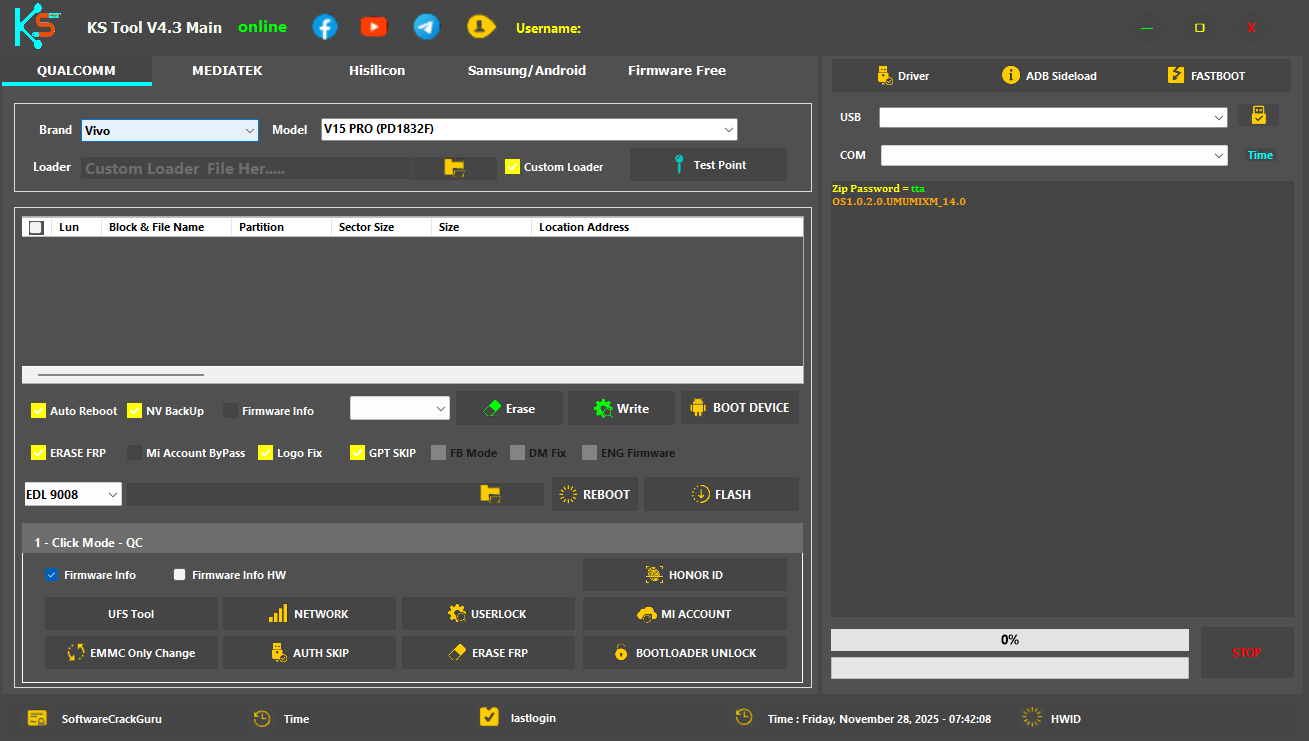
Qualcomm
Brand / Model Section
- Brand:
- Model:
- Loader: Custom Loader (button)
- Test Point (button)
Checkbox Options
- Auto Reboot
- NV Backup
- Firmware Info
- ERASE FRP
- Mi Account ByPass
- Logo Fix
- GPT SKIP
- FB Mode
- DM Fix
- ENG Firmware
- EDL 9008 (dropdown)
- REBOOT (button)
- FLASH (button)
- Erase
- Write
- BOOT DEVICE
1-Click Mode – QC
- Firmware Info
- Firmware Info Hw
- Ufs Tool
- Network
- Userlock
- Mi Account
- Emmc Only Change
- Auth Skip
- Erase Frp
- Bootloader Unlock
- Honor Id
Ks tool crack – all-in-one flashing and unlocking solution for qualcomm mtk samsung and more
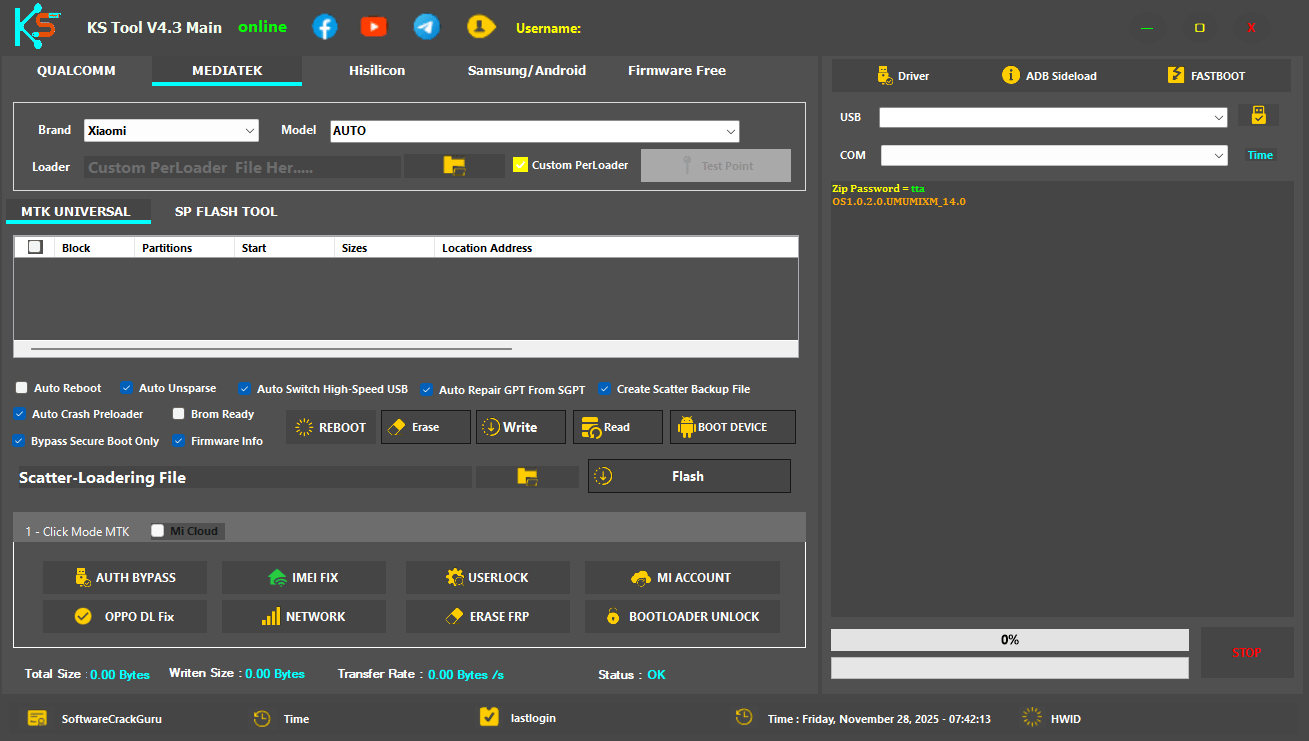
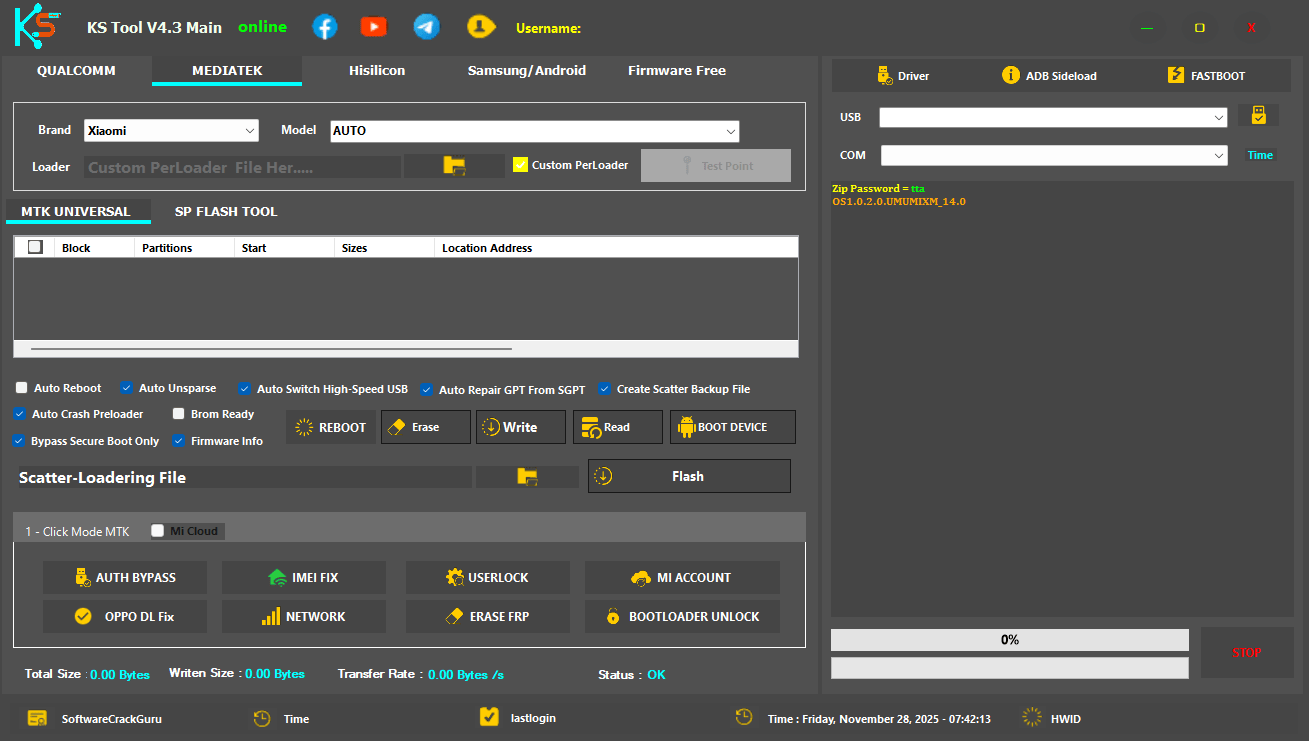
Mediatek
- Brand:
- Model: AUTO
- Loader: Custom PreLoader (button)
- Custom PreLoader (checkbox)
- Test Point (disabled button)
Mtk Universal
- Block
- Partitions
- Start
- Sizes
- Location Address
- Auto Reboot
- Auto Unsparse
- Auto Switch High-Speed USB
- Auto Repair GPT From SGPT
- Create Scatter Backup File
- Auto Crash Preloader
- Brom Ready
- Bypass Secure Boot Only
- Firmware Info
- REBOOT
- Erase
- Write
- Read
- BOOT DEVICE
- Scatter-Loadering File (title)
- Flash (button)
- Mi Cloud (checkbox)
1-Click Mode MTK
- Auth Bypass
- Imei Fix
- Userlock
- Mi Account
- Oppo Dl Fix
- Network
- Erase Frp
- Bootloader Unlock
Download ks tool v4. 3 for easy flashing unlocking and mobile repair.
Hisilicon
Model Section
- Model:
- Test Point (button)
Main Operation Panel
- Check All
- REBOOT
- ERASE FRP
- Double Click Or UPDATE.APP File Here…..
- FLASH (button)
Click Mode – HI
- UNLOCK (Toggle)
- [FASTBOOT] ERASE FRP
- [USB1.0] ERASE FRP
- [USB1.0] BOOTLOADER UNLOCK
Ks tool v4. 3 – a lightweight mobile flashing and unlocking tool for qualcomm mediatek samsung and hisilicon devices.
Samsung/Android
Click Mode Samsung
- [ COM ] SAMSUNG MTP Info
- [ COM ] FACTROY RESET
- [ ADB ] SAMSUNG FRP [ Old ]
- [ COM ] SAMSUNG FRP [ New ]
- [ COM ] ENTER DOWNLOAD
- [ ADB ] SAMSUNG FRP [ New ]
Click Mode ADB
- Diag Mode – Need Root
- OTA Updata Disable [ VIVO ]
- OTA Updata Disable [ OPPO ]
- FRP Lock Remove [ New ]
- Diag Mode [ Xiaomi Miui All Version ]
- OTA Updata Disable [ Xiaomi ]
- MIUI 9 Mi Account ByPass [ Old Security ]
- MIUI 13/14/HyperOS Mi Account Bypass [ New Security ]
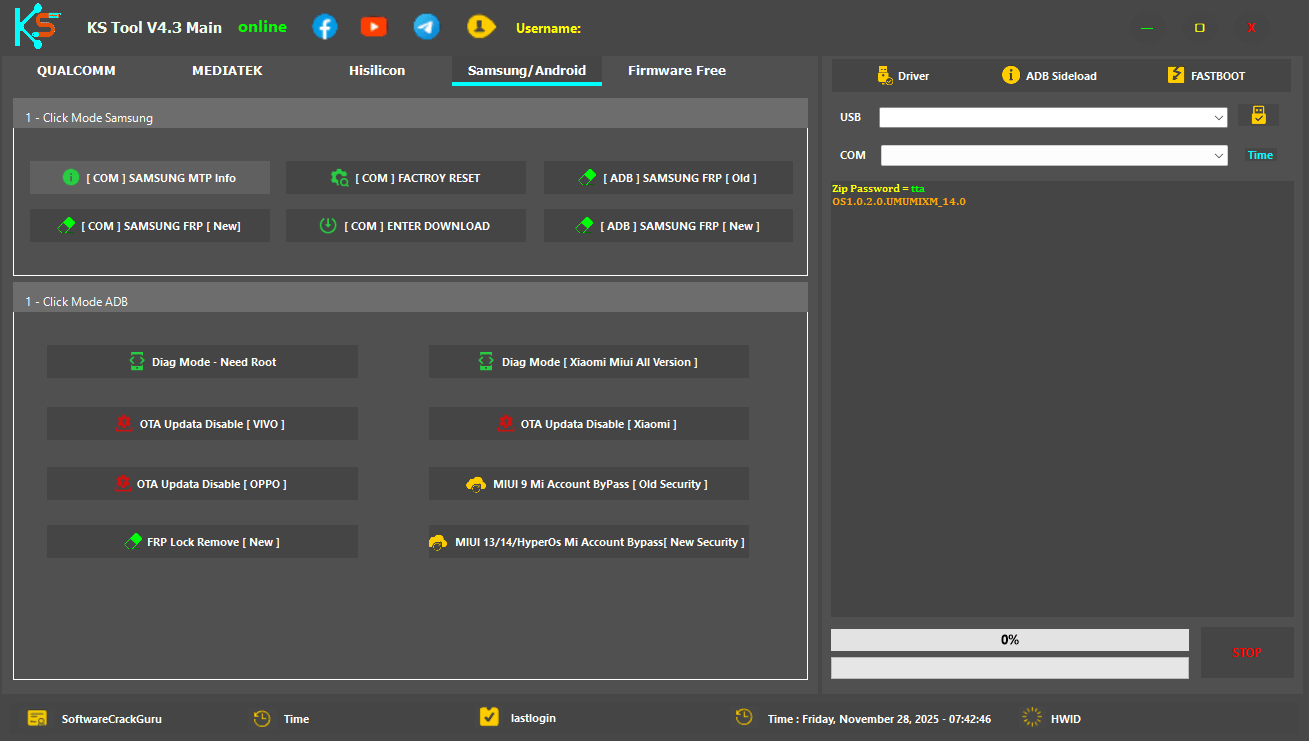
Ks tool v2 crack full version with flashing unlocking and repair features for qualcomm and mediatek devices.
Safety Tips Before Using Ks Tool On Any Device
Before Performing Operations Always Check The Battery Level And Ensure The Correct Firmware Or Loader Is Selected. Wrong Files May Cause Dead Boot Issues Especially In Mtk And Qualcomm Devices. You Should Also Keep Drivers Updated And Test Device Connectivity Before Flashing. If You’re Working In Edl Brom Or Usb1.0 Modes Handle Test Point Carefully To Avoid Damaging The Board. Using Auto Reboot And Nv Backup Is Recommended So You Can Restore Device Data If Something Goes Wrong.
Common Errors And Their Fixes In Ks Tool
If The Phone Doesn’t Connect Reinstall Drivers Or Switch To A Different Usb Port. Qualcomm Devices Sometimes Need A Custom Loader To Enter Edl. Mediatek Devices May Require Secure Boot Bypass Or Brom Mode To Detect Properly. Samsung Frp Issues Can Often Be Solved By Switching Between Adb And Com Modes. Partition Errors Usually Occur Due To Wrong Firmware Files But Gpt Repair Features Can Fix Many Of These Problems. If The Tool Crashes Simply Restart It And Reconnect The Device.
How to Use
- You Will Need To First Download The Zip From The Below Link.
- Then, Unzip All The Files In The C Drive.
- Then, Install The Setup With The Basic Instructions.
- Run The Tool As Admin “Xiaomi Anonymouse Fastboot to EDL Tool“
- If You Already Have Drivers Installed, Skip This Step.
- Enjoy ! !!
How To Download
To Download Follow These Steps:
- Go To The Gsmatoztool.com Website Of KS Tool .
- Find The Download Page And Click On The (Download Link).

- Wait For The Download To Complete.
- Locate The Downloaded File On Your Device Once The Download Is Finished.
- Double-click On The File To Start The Installation Process.
- Follow The On-screen Instructions To Complete The Installation.
Get Instant Access to All Professional Tools at Best Prices:
Unlock Tool | DFT Pro | Pandora | MDM Fix | Chimera | Cheetah | EFT Pro | UMT | NCK | CM2 | Hydra | Z3X | Sigma | Octopus | Griffin | TFM | TSM | EMT | MST | DT Pro | AMT | TR Tool | CF Tool | UAT | 360 Tool | Scorpion | Easy Box | Best Dongle | HCU | Sams Tool
Instant Activation | 24/7 Service | Worldwide Support
[Click Here to Get Tool on WhatsApp]
KS Tool V2.4
Download Link:: Mediafire – Usersdrive – Mega – Google Drive – 4shared – TeraBox – Drive.Filen – Workupload
KS Tool V3.0
Download Link:: Usersdrive – Mediafire – Drive.Filen – FastuUpLoad – Workupload – Sendcm – TeraBox – 4Shared – Mega
KS Tool V4.3
Download Link:: Usersdrive – Mediafire – 4shared – My.pcloud – Limewire – Disk.Yandex
KS Tool V4.6
Download Link:: Usersdrive – Mediafire – 4shared – My.pcloud – Google Drive – Mega – Vexfile


