
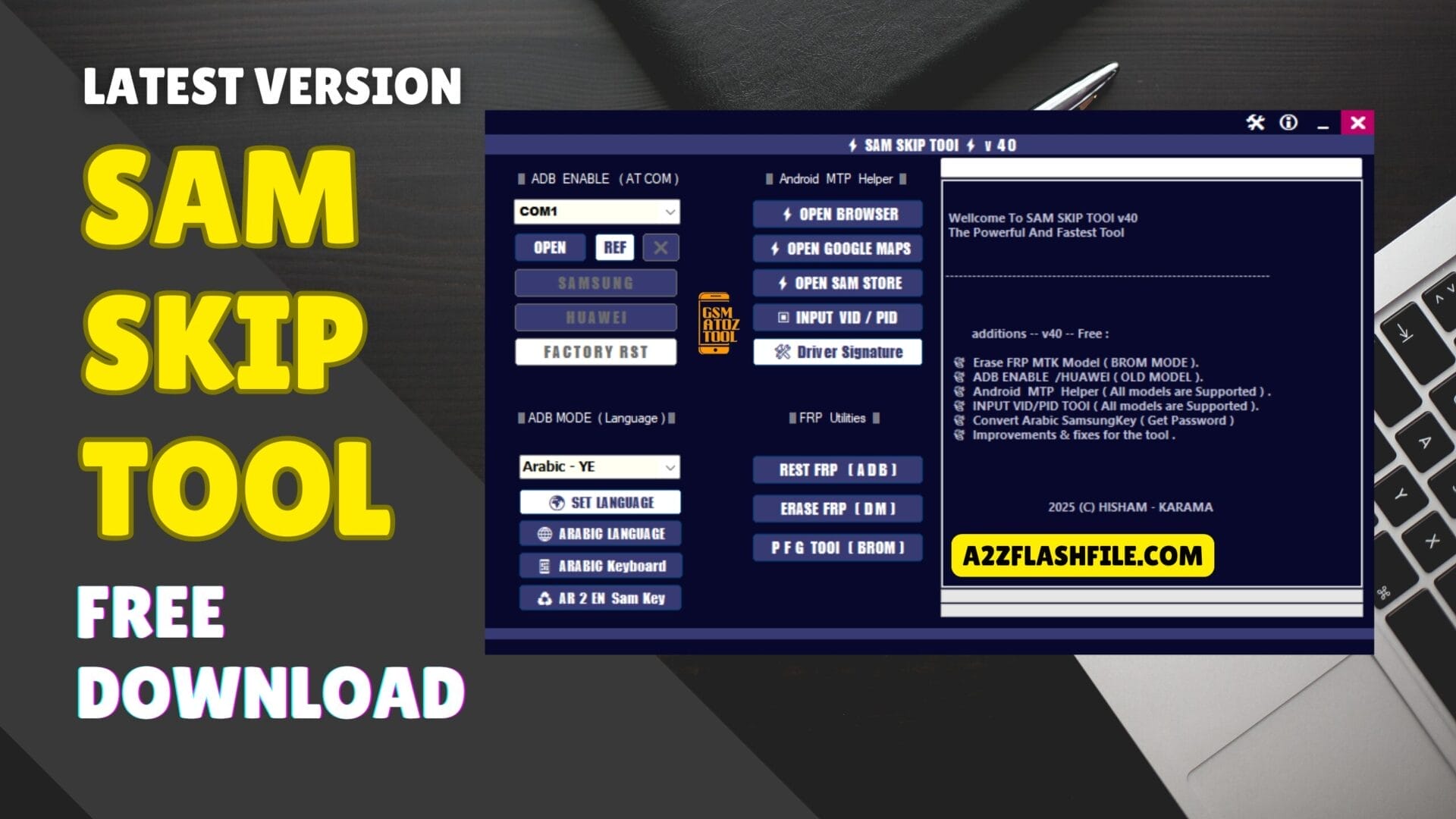
Sam skip tool dashboard with adb enable options mtp helper tools language settings and frp reset features for samsung and huawei devices.
Have You Ever Found Yourself Locked Out Of Your Android Device Frustrated By The Endless Google Account Prompts Or Adb Connectivity Issues? Whether You’re Dealing With Factory Reset Protection (frp) Or Struggling To Enable Adb Mode These Problems Can Be Incredibly Annoying—especially When You Need Access To Your Phone Or Need To Troubleshoot A Device. It’s Not Just About Tech Issues; It’s About Getting Your Device Back Up And Running Without The Hassle.
In This Post We’ll Dive Into The Sam Skip Tool And Show You How It Can Help You Solve These Problems Quickly And Efficiently. From Adb Enablement Frp Reset And Android Mtp Helper To Language Settings And More We’ll Walk You Through The Steps To Get Your Device Working Again. No More Stress Just Straightforward Solutions That Make Everything Easier.
Contents
Sam Skip Tool Adb Mode Language Settings Mtp Helper And Frp Solutions
If You’re Looking To Bypass Android Security Features Or Solve Common Issues Like Frp (factory Reset Protection) Or Adb Connectivity Problems The Sam Skip Tool Might Be The Solution You’ve Been Searching For. In This Article We’ll Explore The Latest Version Of The Sam Skip Tool How To Use It Effectively And Where To Download It For Free. Whether You’re Looking To Enable Adb Mode Reset Frp Or Configure Language Settings This Tool Is Packed With Useful Features. Let’s Dive Into Everything You Need To Know!
What Is The Sam Skip Tool?
The Sam Skip Tool Is A Powerful Utility Designed To Assist With Bypassing Certain Android Security Features Such As Factory Reset Protection (frp) And To Help Troubleshoot Common Issues With Android Debug Bridge (adb) Connectivity. It’s Especially Useful For Users Of Samsung And Huawei Devices. Whether You’re Attempting To Enable Adb Mode To Fix A Connection Issue Or Reset Frp To Remove A Previous Google Account The Sam Skip Tool Provides Solutions To These Problems With Ease.
This Tool Has Become Increasingly Popular Among Users Who Need To Quickly Bypass Security Locks Or Perform Repairs On Android Devices. With An Intuitive User Interface The Sam Skip Tool Offers A Straightforward Process To Unlock Devices Or Perform Specific Functions Like Enabling Mtp Mode (Media Transfer Protocol) Or Configuring Language Settings.
Also Read
Sam Skip Tool Latest Version Free Download
The Latest Version Of The Sam Skip Tool Comes With Several Enhancements To Improve Its Functionality And Ease Of Use. These Updates Make It Even More Effective At Unlocking Devices Troubleshooting Connectivity Issues And Bypassing Restrictions Like Frp Locks. The Tool Supports A Variety Of Android Devices With A Focus On Samsung And Huawei Smartphones.
Features:
ADB Enable (AT COM)
- COM Port Selection
- Open Port
- Refresh Port
- Samsung ADB Enable
- Huawei ADB Enable
- Factory Reset Option
Android MTP Helper
- Open Browser
- Open Google Maps
- Open Samsung Store
- Input VID / PID
- Driver Signature Fix
ADB Mode (Language)
- Set Language
- Arabic Language
- Arabic Keyboard
- AR to EN Samsung Key
FRP Utilities
- Reset FRP (ADB)
- Erase FRP (DM Mode)
- PFG Tool (BROM Mode)
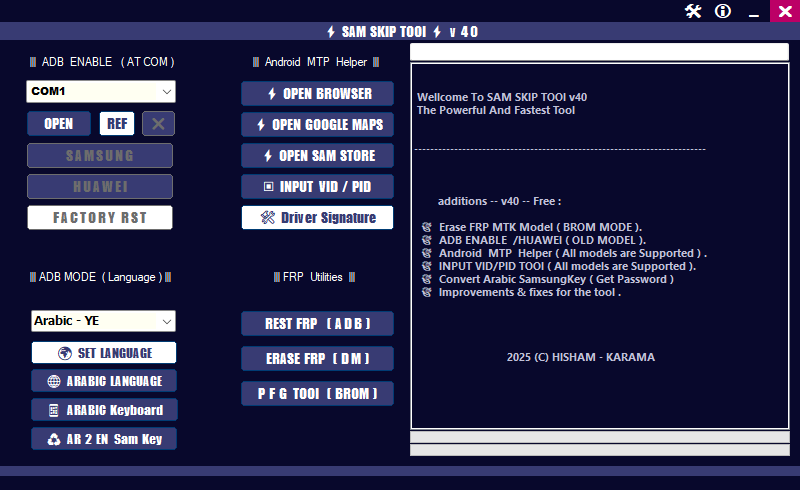
Sam skip tool dashboard displaying adb enable (at com) android mtp helper tools language settings and frp reset options for android devices.
Sam Skip Tool Adb Mode & Frp Solutions
The Sam Skip Tool Shines When It Comes To Adb Mode And Frp Solutions. If Your Device Has Become Locked Due To Frp Or You’re Unable To Access Adb Mode This Tool Provides A One-stop Solution To Unlock And Configure Your Device.
Adb Mode For Troubleshooting
Adb (android Debug Bridge) Is A Versatile Command-line Tool Used To Communicate With Android Devices. It Is Often Used By Developers And Advanced Users To Perform Various Tasks Such As Installing Apps Debugging And Transferring Files. However Many Users Face Challenges Enabling Adb Mode Particularly When Dealing With Device Connectivity Issues Or Locked Screens. The Sam Skip Tool Simplifies This Process By Offering A Straightforward Method To Enable Adb Mode Making It Easier For Users To Connect Their Devices To A Computer And Perform Necessary Tasks.
Frp Solutions Reset Or Erase Frp
Factory Reset Protection (frp) Is An Important Security Feature On Android Devices Especially Designed To Prevent Unauthorized Access To The Device. If You’ve Forgotten Your Google Account Credentials Or Purchased A Second-hand Device Frp Can Prevent You From Accessing The Device. The Sam Skip Tool Offers A Simple Solution To Bypass Frp By Resetting Or Erasing It Directly From The Tool’s Interface. This Feature Is Invaluable For Users Who Find Themselves Locked Out Due To Frp But Still Need Access To Their Device.
How To Use
- You Will Need To First Download The Zip From The Below Link.
- Then, Unzip All The Files In The C Drive.
- Then, Install The Setup With The Basic Instructions.
- Run The Tool As Admin “Sam Skip Tool“
- If You Already Have Drivers Installed, Skip This Step.
- Enjoy ! !!
How To Download
To Download Sam Skip Tool Follow These Steps:
- Go To The Gsmatoztool.com Website Of Sam Skip Tool.
- Find The Download Page And Don’t Click Button And Click Only The (Download Link)
- You Should Not Download From The Download Button Because It Is An Ad File Link

- Wait For The Download To Complete.
- Locate The Downloaded File On Your Device Once The Download Is Finished.
- Double-click On The File To Start The Installation Process.
- Follow The On-screen Instructions To Complete The Installation.
Sam Skip Tool v40
Download Link:: Usersdrive – Mediafire – 4shared – My.pcloud – Playbook – DropBox – Mega – Vexfile – Google Drive
Sam Skip Tool v41
Download Link:: Usersdrive – Mediafire – 4shared – My.pcloud – Playbook – DropBox – Mega – Vexfile – Google Drive


